
emffkefkbkpkgpdeeooapgaicgmcbolj


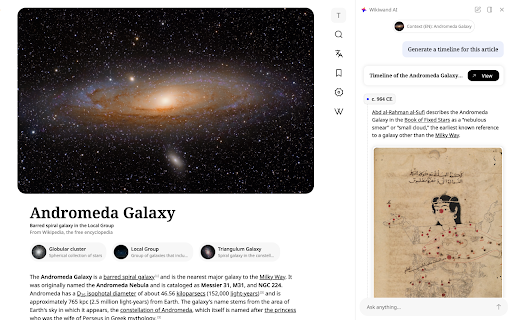


Wikipedia, beautifully redesigned. Timelines, top questions, fact-checking, and more. AI built in. As featured on TechCrunch, Lifehacker, Gizmodo, Fast Company, and The Next Web: Wikipedia holds the world's knowledge. Wikiwand gives it the interface it deserves. The extension works quietly in the background - every Wikipedia link opens in Wikiwand's clean, modern reader instead. No setup, no configuration. Just Wikipedia, the way it should look. ⭐🕒 Timelines: Every article with a story gets a visual timeline. Because some things are best understood from the very beginning. ⭐🤔 Top Questions: A lightning-fast, accurate, and complete picture of any topic - right alongside the article. ⭐💬 Chat: A reading copilot that understands exactly what you're reading and can answer any question with depth and accuracy. ⭐✅ Fact Check: Validate Wikipedia's claims. Compare language versions, cross-reference with live sources, and get to the truth. ► Clean, modern layout built for deep reading ► Timelines, top questions, and chat for every article ► Beautiful typography with dozens of theme options ► Fixed table of contents, always within reach ► Quick keyboard navigation for search, languages, bookmarks, and AI panel ► Maps for locations ► Quality score for every article ► Instant article previews on hover ► Multi-language search with thumbnails ► Immersive, full-width cover photos ► Larger images and an improved media gallery ► Full personalization: colors, fonts, and layout ► Dozens more improvements Q: How do I use Wikiwand? A: Install the extension and keep browsing Wikipedia as usual. Wikiwand opens automatically on every Wikipedia article. Q: How does it work? A: Simple - the extension replaces Wikipedia links with the same article on Wikiwand. Nothing changes except how it looks and what you can do with it. Q: Can I still read the original article on Wikipedia? A: Always. Click the "Read in Wikipedia" icon at the top of any article.

UnDistracted - Hide Facebook, YouTube Feeds
Rise above the time-sinks This Chrome extension assists in managing time spent on distracting platforms like Instagram, Facebook, YouTube, Twitter, and LinkedIn. The extension identifies the most attention-grabbing elements on these platforms and allows selective hiding of these sections or full blocking of the websites. Note: No browsing history is accessed, and no browsing-related data is sent or stored. New feature (paid): Block gambling and NSFW sites

Instapaper
Instapaper browser extension to save links for offline reading. Instapaper is a simple tool for saving web pages to read later on your iPhone, iPad, Android, computer, or Kindle. This browser extension may be used in place of the bookmarklet to save articles directly into your Instapaper queue. It works by saving the current tab to your Instapaper account . Users who aren't logged in will be taken to a login or signup page, after completing the process they will be redirected back to the original page with the original page saved in their queue.

Modern for Wikipedia
Enhance your Wikipedia experience with a beautiful, clean, modern design that's fully customizable. Once installed, Modern will simply apply the new look and features to existing Wikipedia article pages, without you having to do anything. All current features on Wikipedia are supported, this extension simply builds upon the existing interface to offer many improvements, including: ✔ Themes (light, dark, sepia, slate, black) ✔ Fonts (sans, serif, change font size) ✔ Styles (column width, line height) ✔ Languages (menu to switch, fully translated interface) ✔ User accounts (all wikipedia account features accessible from menu) ✔ History (quickly jump to articles you've previously viewed) ✔ Search (powerful autocomplete with preview text & images) ✔ Trending (see today's most read articles) ✔ Contents (fixed to left side for easy navigation, can be hidden) ✔ Editing (full editing controls, history, watch etc) ✔ Switch back to the old design (if needed) with one click ✔ More improvements planned for upcoming releases! If you have any questions, need help or have any suggestions, please get in touch: support@modernwiki.app Note: If you're logged into Wikipedia, you must use the default skin for the extension to work. ---------- Wikipedia™ is a registered trademark of the Wikimedia Foundation, Inc. This extension is not endorsed by, affiliated with, or sponsored by Wikipedia™. v1.40 - Listen to articles with new text-to-speech feature - Fixed redirect bug on wikipedia home page v1.23 - Fix for mobile wikipedia pages (redirect to non-mobile version) - Fixes for image viewer - Style fixes for Italian articles - Scrollbar style fixes for dark themes on mac - New icon v1.22 - Contents sidebar settings (set font size, line height & width) - Better support for large screens (more width settings) - New settings --- Auto dark theme (changes to your last used light/dark theme) --- Fixed header (turn off to hide when scrolled down) --- Open links in new tab --- Hide article links --- Justify text --- Show bullet points on contents - Fixed bugs with article width / centering - Brought back red links for articles that don't exist v1.20 - Search box for languages menu - Nicer scrollbar styles - Centered article text when contents hidden (removed left padding) - Added left padding to article text when contents visible - Fixed french dark theme + languages menu - Fixed user menu for non-english languages - Fixed font size not changeable for Chinese, Japanese, and Korean - Removed system-ui font (fix for east-asian windows fonts) - Fixed display of math equations in dark mode - Made search box usable at narrow widths

Wikipedia Search
Search Wikipedia in every language from the address bar and context menu. Wikipedia Search is an extension that adds multiple ways to search Wikipedia, the free encyclopedia, right in your web browser. You can type "wiki" in the browser search bar, then the Space or Tab key, to start a search with live suggestions as you type. Also, selecting a word or phrase in a web page and opening the context menu will show a Wikipedia search option. You can change the default search language to any language Wikipedia supports, and the optional multi-language search feature can override it with a different choice. Search results can be opened in the desktop Wikipedia site, the mobile site, or Wikiwand. Wikipedia is a trademark of the Wikimedia Foundation. Wikipedia Search is in no way affiliated with Wikipedia or the Wikimedia Foundation.
