
embjinbdclfkjkhljkellegolpihbpdj
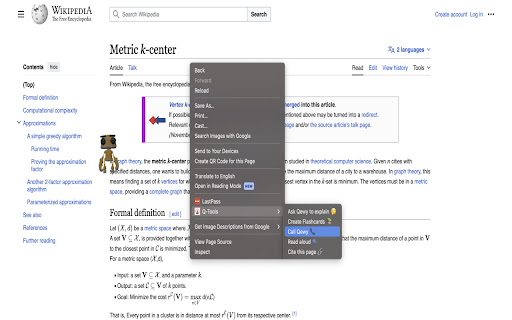
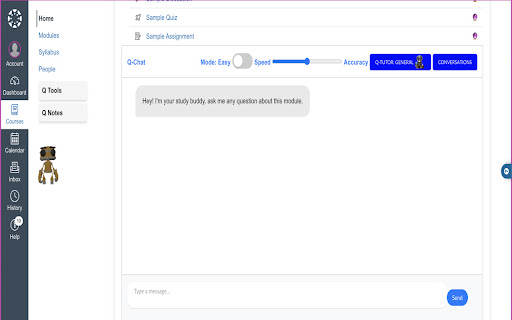
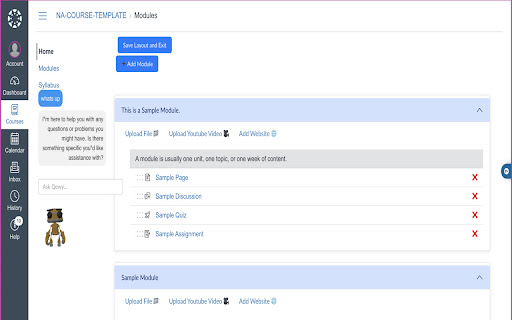
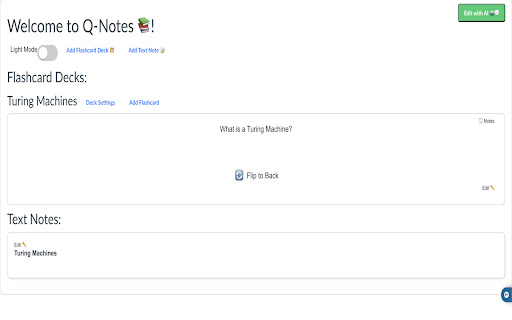
Q-Tools is a Chrome extension that provides a suite of tools for students to enhance their learning experience in Canvas. Welcome to Q-Tools, Your Study Companion, in Beta! 🎓🌐 Install it and get access to: 🤖 Qewy: A portable study friend for your academic journey 💬 Q-Chat: Integrated AI chat into each of your modules 📝 Q-Notes: AI-Generated Notes and Flash Cards 📁 Q-Layout: A customizable layout to suit your style We want to create new tools based on your suggestions, making Q-Tools the ultimate learning extension for modern students. As a Beta tester, your feedback is instrumental in shaping our product. Please share your thoughts and help us enhance Q-Tools for the better. 😊 Connect with us at contact@studenthub.study 📧 Don't forget to follow our Instagram @studenthubbb for updates and more! For any questions or guidance, check out our FAQ at https://studenthub.study/faq to find answers and information. Start exploring Q-Tools today and join the community redefining the future of learning! 👨💻🚀

Explainy
Explainy is a pioneering Chrome extension designed to simplify and enhance the learning experience for users by offering concise and comprehensive explanations of words or phrases. With its intuitive interface, Explainy integrates seamlessly into the user’s browser, providing instant access to a wealth of knowledge. The extension features two distinct modes of explanation: a 'Brief Mode' for quick and succinct summaries, and an 'Extensive Mode' for more detailed and in-depth information. This innovative tool is especially beneficial for students, researchers, and curious minds who frequently encounter unfamiliar terms or complex jargon. By simply highlighting a word or phrase, users can activate Explainy and receive an explanation that suits their immediate needs. Whether it’s a quick definition or a thorough exploration of a concept, Explainy adapts to the user's preference. Prioritizing user privacy and data security, Explainy operates with minimal permissions, ensuring that it remains both helpful and unobtrusive. It's designed to be a discreet yet powerful assistant in the user’s learning journey, contributing to a deeper understanding without interrupting the workflow. With Explainy, users can effortlessly bridge the gap between curiosity and knowledge, making it an indispensable tool for anyone looking to enhance their comprehension and learning experience.

Youtube AI - Learning Mode
Revolutionize the way you learn — smarter, faster, and more interactive. Learning Mode AI transforms online learning by bridging the gap between passive videos and real mentorship. With just one click, our AI-powered extension becomes your personal study companion — guiding you through content without distracting overlays. - Ask questions and get instant AI-powered answers - Generate personalized quizzes to test your understanding - Summarize videos in seconds to grasp key concepts fast - Get real-time support using transcripts, metadata, and timestamps Learning Mode AI helps you stay focused, actively engage with content, and boost retention — all while keeping your study sessions efficient and productive. This is just the beginning. New features are already on the way to make Learning Mode AI your ultimate study partner. Don’t settle for outdated study methods. Upgrade your learning experience today!

Physics Extension
Notes for AP Physics 1 & Physics C Collection of notes from all Physics 1 Units put into sections. Notes detail equations and some explanation of methods to solve various questions. Examples are systems of equations in momentum, work and energy equations with rational and linear energies, and other topics. This is likely useful for studying for midterms or checking notes before a test in case you forget something. Notes pop up in a small window to the right of the screen. (Press right shift to close all sections, also make sure to pin extension and click icon for usage.) AP® is a trademark registered by the College Board, which is not affiliated with, and does not endorse, this product. Check out math extension: https://chromewebstore.google.com/detail/fpbegjcddkhpicedkmlmbincfdiinfob?utm_source=item-share-cb

Chartlink Dashboard to CSV
Extract stock symbols as CSV output and load it into TradingView Extract the symbols from the Chartlink dashboard as CSV text and load it into TradingView for further analysis. In a single click, you can get the CSV text for every table displayed on the dashboard.
