
einhnnefagbomefmjgjckbbenopepdhg
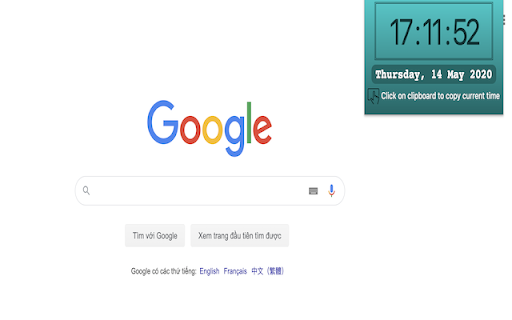
Displays the day, date, and time for Google Chrome Set an alarm and get notified by this software extension. This software is 100% free and its easy to set an alert to notify you.

History & Cache Cleaner for Google Chrome™
Clear your browser history, cache and cookies for Google Chrom ein just one click! Clear your browser history, cache and cookies for Google Chrome in just one click! Speed Up the Chrome Browser with this extension. Our software is a simple utility to clean your browser history and increase the browser speed. Click the Add to Chrome button to begin using this software. My browser is too slow. What can I do? The problem with all browsers, is that after a while they become slow and clumsy. It takes time to launch, load websites, and open and close tabs. That's when you need to think about getting rid of the web cache, history of visited websites, cookies etc. This is a useful software extension that helps you quickly clean your browser data. Make your browser faster and protect your personal data! This extension supports Chrome 19 and later. A few key features: - Instant removal of your browsing history and much more with one click - Delete cookies and other sites and plugin data - Clear saved passwords - Clear saved form data This software is 100% free and does not require you to pay. Enjoy browsing the Internet quicker once you use History & Cache Cleaner for Google Chrome™ Disclaimer: Please note this extension is NOT made by Google and is made by an independent development team. All copyrights belong to their respective owners. Google doesn’t endorse or sponsor this Chrome extension. History & Cache Cleaner for Google Chrome™ is not owned by, is not licensed by and is not a subsidiary of Google Inc.

Date Today for Google Chrome
The best clock to see the current day and time at a glance, with an option to display a digital clock. Stay organized and never lose track of time with Date Today, the perfect browser extension for displaying an analog clock in your toolbar bar. In a single blink, effortlessly access the current date and time, helping you manage your schedule seamlessly. Date Today is a lightweight and useful add-in designed to know the current time in hours and minutes. With the current day of the week, day number and current month. Are you asking yourself 'what day is it today' or 'what is the time today'? With one single click on the button you get this information, and if you click again in the popup window. You copy the current timestamp in your clipboard. So, you can paste it in your online Google Doc, Microsoft Word Document or your new Gmail email message. Browser extension features: ◆ Popup Panel: View the current date and time in a convenient popup window for quick reference. ◆ Clock format: Choose between a 12-hour or 24-hour clock system to suit your preference. ◆ Browser Button Options: Opt to showcase either the Analog or Digital Clock in the browser button for added flexibility. ◆ Customize Day Theme: Personalize the color of the hour and minute hands to match your style. ◆ Customize Night Mode theme Activate Night Mode for a visually comfortable clock display during darker hours. ◆ Color Personalization: Make it yours by customizing the number and text color to reflect your unique taste. ◆ Font Family Customization: Modify the font family with options such as Arial, Impact, Sans-serif, Times New Roman, and Verdana. ◆ Picture-in-Picture Mode: Experience enhanced visibility with the Picture-in-Picture mode, showcasing the Date Today panel in a convenient floating popup window. Stay informed about the date and time without disrupting your browsing experience. ◆ Badge Customization: - Current Date Badge: Enhance your experience with the inclusion of a Current Date badge, prominently displaying the current date in a clear and concise format. - Current Time Badge: Keep track of the current time with a dedicated badge, providing quick access to this essential information. - Day Number and Month Badge: Display a customized badge featuring the day number, seamlessly integrated with the month. Choose whether to position it at the top or bottom, depending on your web browser's layout. - Day Name of the Week Badge: Elevate your toolbar with the inclusion of a dynamic Day of the Week badge. Stay informed about the current day effortlessly, ensuring you are always in sync with your schedule. - Customizable Badge Color: Personalize your badges by selecting your favorite colors. Choose hues that resonate with your style and preferences, ensuring a visually appealing and cohesive browsing experience. ◆ Tooltip: Easily monitor the current date and time (hours:minutes:seconds) directly in the toolbar. ◆ Context Menu: Right-click menu functionality to paste the current timestamp in text boxes, text fields, and the address bar. ◆ Support for Dark Mode Project Information: https://www.stefanvd.net/project/date-today/browser-extension/ Required Permissions: ◆ "contextMenus": Add web browser context menu to paste the current timestamp. ◆ "activeTab": This to execute the context menu action on the currently open tab. ◆ "alarms": This to run the clock time in the background. ◆ "storage": Save settings locally and sync with your web browser account. >> Unlock an option feature to protect your eyes at night and focus on the video player, such as YouTube™, by installing Turn Off the Lights browser extension for YouTube and Beyond. https://chromewebstore.google.com/detail/turn-off-the-lights/bfbmjmiodbnnpllbbbfblcplfjjepjdn

Display Email Time by cloudHQ
Show full date and time of email messages in Gmail Gmail shows the date and time of an email in the last column of your inbox. Depending on how old the email is, the display date format changes, which can cause confusion and oversights. This extension shows *the exact* date and time of your emails–no more confusing information like: showing only time, showing only date, time locale, etc. With Display Email Time, you can easily alter how you see your email date and timestamps in Gmail with these features: ✅ Custom date and time formats ✅ Custom font styles ✅ Custom font sizes ✅ Custom font colors ✅ Custom background colors You can select from a variety of display email formats. Great if you prefer: 🗓️ Date and time format consistency 🗓️ Time Locale 🗓️ Your email weekday format displayed alphabetically 🗓️ The day and month sequence reversed for international users 🗓️ Bold, Italics 🗓️ Larger or smaller sized fonts 🗓️ Different font or background colors Give it a try and see how you like it. This is part of cloudHQ's ecosystem of over 50 freemium email productivity apps that can be found on https://cloudhq.net/apps, where we're happy to welcome you as part of our family to help you work smarter, not harder. cloudHQ. Helping your productivity, 1 click at a time. cloudHQ website: https://www.cloudhq.net Website: https://www.display-email-time.com/ Pricing: https://www.display-email-time.com/pricing Support page: https://support.cloudhq.net/category/browser-extensions/display-email-time/ Support email: support@cloudhq.net Blog: https://blog.cloudhq.net

Clock for Google Chrome™
An analogue clock in the toolbar! This very simple extension places a small analogue clock next to the address box. You can add a digital clock, change the colours, add reminders with alerts and there is a full calendar to see if you click the clock, and a full screen clock too... ... or do none of those and simply use the clock as it is. The choice is yours. All your settings are securely synchronised to all the computers that you use this extension on. For help and support, take a look at the support pages at ab00a.github.io/clockforgooglechrome Clock for Google Chrome™ is available in lots of languages.
