
eifflpmocdbdmepbjaopkkhbfmdgijcc

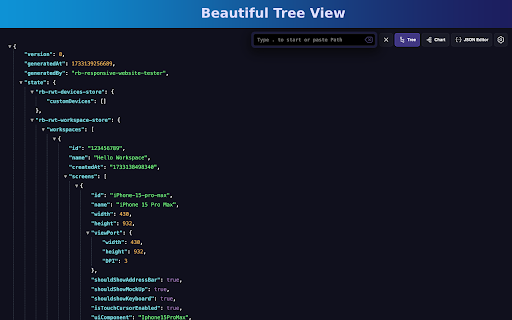

A completely free extension to visualise JSON response in awesome Tree and Chart view with great user experience and options. It… A completely free extension to visualise JSON response in awesome Tree and Chart view with great user experience and options. It has lot of unique features which makes it a must have JSON formatter for beginner to advance users. ✅ Completely Free and no advertisements. ✅ Beautify JSON response from API ✅ Visual representation of JSON with Chart ✅ Depth traversing of JSON property using breadcrumbs ✅ Access or Traverse via JSON Path navigation Prompt ✅ Write custom JSON in Input area ✅ Configurable Content-Type and JSON Content Detection ✅ Ignore particular websites or URLs from rendering ✅ Import local JSON, YAML and XML files supported ✅ Download JSON file using Context Menu ✅ Dark and Light theme supported ✅ Custom CSS supported ✅ Intuitive User Interface ✅ Copy path of any property and value easily ✅ Access JSON in your console using only json keyword

Redux DevTools
Redux DevTools for debugging application's state changes. The extension provides power-ups for your Redux development workflow. Apart from Redux, it can be used with any other architectures which handle the state. This is an open source project. See the official repository for more details: https://github.com/reduxjs/redux-devtools

JSON Formatter
Formats JSON automatically! Open Source, Available with 60+ Themes, Syntax Highlighting, automatically linkifies links and more. JSON Formatter automatically formats and prettifies JSON in Chrome. It comes with support for syntax highlighting and over 60 themes. It also makes links clickable automatically and has multiple modes to view JSON, including Parsed Mode, Formatted Raw Mode, and Raw Mode. You can toggle between modes using shortcut keys: Features: ● Over 60 themes for both light and dark mode ● Syntax highlighting ● Works offline ● No tracking or analytics ● Word wrapping and sorting order to stay organized ● Works with any JSON webpage ● Makes links clickable ● Formats JSON automatically ● Raw, Formatted Raw, and Parsed Mode ● Remembers theme preferences ● Shortcut keys for ease of use ● Collapsible toolbar Note: By default, the extension theme is "System Default." It will change according to your browser's theme. If you want it to be the theme of your choice, you have to set it from the "Extension Settings" or "Extension Options." To change the default formatting option and other settings, set your desired option in the extension settings. To make JSON Formatter work properly on all kinds of sites, in the extension permissions, change "Allow this extension to read and change all your data on websites you visit" from "On Click" to "On all sites," if not already set. To use JSON Formatter in local files, enable "Allow access to file URLs" in the extension settings. To use JSON Formatter in Incognito mode, enable "Allow in Incognito" in the extension settings. Bug reports and suggestions: https://github.com/arnav-kr/json-formatter/issues

JSON Lite
- Format JSON/JSONP responses and clipboard - Select and format/encode/decode text on every page - Collapsible arrays, objects and long values - Collapse all childs with Ctrl(Command) + Click - Collapse property also on all sibling items with Alt(Option) + Click - Count items and properties in a collection - Show collection sizes - Do its best to show large (10MB+) JSON files - Do its best to show invalid JSON files - Do not sort objects with numeric keys - Do not round large numbers - "Save as..." saves the original JSON document - Select and copy a working JSON from the formatted JSON Copyright (c) 2016-2024 Lauri Rooden The MIT License

JSON Formatter
The original JSON Formatter, now with optional dark mode 🌚 Auto-formats JSON when you load it in a browser tab. - Fast, even on very long JSON pages - Dark mode - Syntax highlighting - Collapsible trees, with indent guides - Clickable URLs - Negligible performance impact on non-JSON pages (less than 1 millisecond) - Works on any valid JSON page – URL doesn't matter - Buttons for toggling between raw and parsed JSON - FIXED: Exports the parsed JSON to window.json so you can explore it in Dev Tools Note: this extension might clash with other browser extensions that modify the DOM before it runs. If it doesn't seem to be working, try disabling other extensions. If it clashes with an extension you need, open an issue and I'll try to find a solution. PRIVACY No tracking, no advertising, and nothing else nefarious.
