
ehheehdbnpeaedppgmcidomodlfggjkg
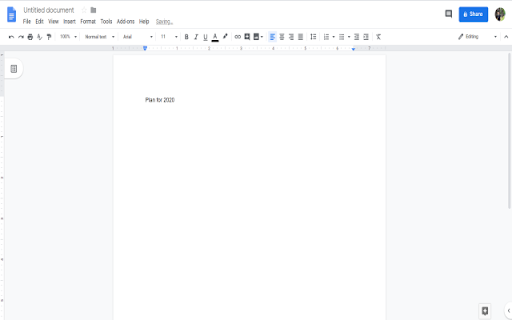
This extension allows you to create a new Google Doc with just one click. Are you tired of clicking to Google Drive to create a new Google Doc? Create new Google Docucments with just one click with this extension. Create a document quickly today using our simple software extension. This will open a new Google document with just one click. This extension is a timesaver if you need to create online documents on a regular basis.

Office Tools
Quicker way to access the Google Office Tools. By downloading our Office Tools New Tab extension, you’ll get faster access to your everyday Google Office Tools, from docs and sheets, to slides, even Google maps and translate Just open a new tab and access Google Office Tools straight from your browser - Providing the best search results by changing your search engine on the new tab to Bing - Access to all the Google Office Tools, including Google Maps & Translate straight from your browser - Easy view time of day - Quick links to your favorite social media platforms By clicking "Add to chrome", I accept and agree to installing the Office Tools™ extension and setting Chrome™ New Tab and new tab search engine to that provided by the service and the Privacy(https://triplex.media/privacy_policy.html) and Terms of Use(https://triplex.media/terms.html).

Google Sheets Tabs on top
Move Google Sheets tabs to the top for more intuitive navigation. After installation, please refresh the Google Sheets page. This extension moves Google Sheets tabs from the bottom to the top of the interface, enabling more intuitive navigation and smoother operation. 🛠️ Features: - Repositions sheet tabs from bottom to top for better usability - Provides a more intuitive tab interface similar to browser tabs - Works in both editable and preview modes of Google Sheets - Simple implementation with no performance impact - Supports all Google Sheets functionality 🚀 How to Use: 1. Install the extension 2. Refresh your Google Sheets page 3. The tabs will automatically appear at the top of the interface 4. Enjoy a more intuitive spreadsheet experience! ⚠️ Note: This is an unofficial extension and is not affiliated with Google. It simply enhances the Google Sheets interface by repositioning the tabs for better usability. 🔒 Privacy: - No data collection - No tracking - No authentication required - Your spreadsheet data is never sent to the developer or third parties - Only requires access to Google Sheets pages to reposition tabs 💻 The source code is also available, and you can build and install it yourself. For more details, please visit: https://github.com/yamadashy/google-sheets-tabs-on-top

Dedicated Window For Google Docs
Open Google Docs, Sheets and Slides docs in separated and dedicated window automatically, without an address bar or browser buttons. This extension automatically opens your different documents from the Google Document suite in a dedicated window, as if you were using dedicated software. You have more space to work because the other browser components don't appear. It also gives you direct access to your various documents being edited in the taskbar of your operating system.

Open with Google Docs
Open your Documents using Google Docs. Want to open documents using your favorite document editor? You can do so now after you install our software extension. To begin using our software extension to open documents using Google Docs, here are the steps you need to do. Install our software extension "Open with Google Docs" You can open your documents/spreadsheets/presentations quickly. Disclaimer: Please note this extension is NOT made by Google and is made by an independent development team. All copyrights belong to their respective owners. Google doesn’t endorse or sponsor this Chrome extension. This extension is not owned by, it is not licensed by and is not a subsidiary of Google Inc.
