
edcoejgkliiafkkoolfdmfnfbbmcaheg

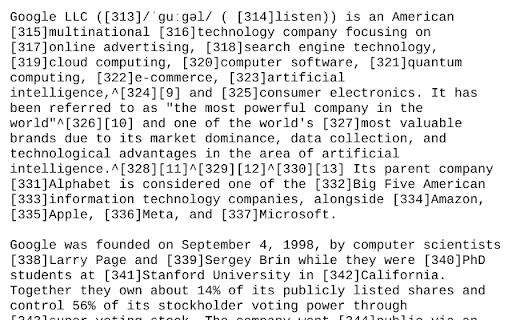
Chrome Extension to open web pages with w3.org html2txt Simple open source extension to view the current web-page or the selected link rendered as text using the w3.org html2txt webpage. This enables you to quickly view a web-page rendered as text along with a list of the urls from the web-page. This saves manually going to https://www.w3.org/services/html2txt and manually entering the url you want to view as text. Three ways to use: - Open link in the w3.org html2txt web-page: Right hand click on a link and select "View link as txt". - Open the URL of the current tab in the w3.org html2txt web-page: Right hand click on a blank area of the current web-page and select "View page as txt". - Open the URL of the current tab in the w3.org html2txt web-page: Click on the "View webpage as TXT" icon in the extension toolbar.

Read Clean Text
Read Clean Text strips non text from a web page and displays clean text for reading and copying. Read Clean Text allows you to view the underlying text of a web page striping out non text items including most blocking scripts. It provides a text only version of the web page. All interactive content is removed including adds and blocking scripts. It works on most web pages including news and article pages. Read Clean Text can run as a browser extension or a standalone web page. When run as an extension on the web page to read highlight a few words of text to start reading from and then from the extensions tool click the Read Clean Text icon Read Clean Text icon. Use filter from or with to display required clean text. Click on a clean text block to copy. From the top right you can ? goto help, ⋀ scroll to top, and when used as an extension Close.

Web2Text
Web2Text converts web pages to plain text with a click, for distraction-free reading and easy text extraction, enhancing browsing. Web2Text is a Chrome extension that simplifies web content by converting entire web pages into plain text format with a single click. Enjoy distraction-free reading and easy text extraction from any webpage, enhancing your browsing experience.

HTML Tag Elements Attribute CSV Exporter
HTML Tag Elements Attribute CSV Exporter This chrome extension allows you to export the attribute values (or outer HTML) of selected HTML elements on any web page as a CSV file. You can use this extension to extract data from web pages for analysis, research, or backup purposes. How to use this extension: To use this extension, follow these steps: 1. Install the extension from the Chrome Web Store. 2. Go to any web page that you want to extract data from. 3. Click on the extension icon in the toolbar. A popup will appear with two text boxes: one for selector html query and another for attribute name. 4. In the selector html query text box, enter a valid CSS selector that matches the HTML elements you want to export. For example, if you want to export all the links on the page, you can enter a as the selector. If you want to export only the links with a specific class name, you can enter a.className as the selector. You can use any CSS selector syntax supported by Chrome. For more information on CSS selectors search on google. 5. In the attribute name text box, enter the name of the attribute that you want to export for each element. For example, if you want to export the href attribute of each link, you can enter href as the attribute name. If you want to export the outer HTML of each element, you can leave this text box empty. 6. Click on the Download CSV button. A CSV file will be downloaded to your default download location. The file will contain one row for each element that matches your selector, and one column for the attribute value (or outer HTML) of each element. Feedback and support: If you have any questions, suggestions, or issues with this extension, please contact me by Telegram at (https://miladashrafi.t.me). I appreciate your feedback and support. Thank you for using HTML Tag Elements Attribute CSV Exporter!

Copy Text from HTML Extension
Copy text content of an HTML element with Shift + Alt + C "Copy Text from HTML" allows users to copy the text content of an HTML element with ease. When activated with the hotkey Shift + Alt + C, it removes all HTML tags and attributes, JavaScript code, CSS styles, empty and blank lines, special characters, and commented code, leaving only the plain text content. It also handles special cases, such as select elements, lists, and anchor tags within lists, to provide the user with the most accurate and useful text content possible. With this extension, copying text from HTML has never been easier or more reliable. If you find any trouble, try to right click the desired element and then press Shift + Alt + C.
