
eapecadlmfblmnfnojebefkbginhggeh

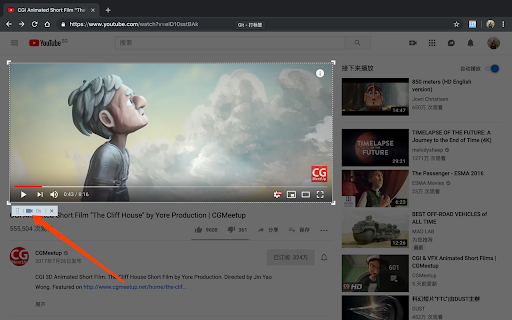


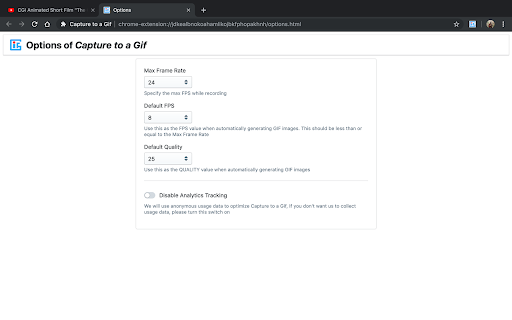
It is a little tool which can help you to record animations , videos and everything else on your browser page to an animated gif picture. Its operation is very simple. After starting the extension, you only need to move the mouse on the page and click to accurately select the element you want to record, or you can select any area by dragging the mouse. At the same time, the corresponding operations in the recording process have shortcut keys that can be used, and the shortcut keys support customization. After the recording is over, the page that generates the gif animation will automatically open, and you will see the generated gif image on this page. The best part is that you can also adjust the relevant parameters to regenerate. The adjustable parameters are: FPS, quality, width, and height. The default parameter values can be configured on the option page. In addition to recording as a gif animation, we also provide a function of capturing as a png image for your convenience.

Save as GIF
Save as GIF is a browser extension designed by Minh Anh Dang that allows you to save GIF images directly to your computer. Extension Name: Save as GIF Description: Save as GIF is a handy browser extension that allows you to seamlessly save GIF images directly to your computer, automatically converting .webp images to .gif!!! WARNING: - Our extension CAN NOT work on GIPHY, https://7tv.app/ or GIFs with webp source. - Format Preservation: Save GIFs with confidence, knowing that they will be preserved in their native GIF format. - One-Click Saving: Streamlined functionality with a simple one-click saving process for quick and efficient GIF downloads. - Browser Compatibility: Compatible with popular web browsers, providing a consistent experience across platforms. - User-Friendly Interface: Intuitive and user-friendly interface for a hassle-free GIF saving experience. - Privacy-Focused: Built with user privacy in mind, ensuring a secure and reliable extension. 1. Install the Save as GIF extension from the Chrome Web Store (or relevant extension store for your browser). 2. Browse the web and discover captivating GIFs. 3. Click on the GIF Saver icon in your browser toolbar when you find a GIF you'd like to save. 4. The saved GIF will be stored in a folder named "SaveAsGif" on your computer, usually in the Downloads directory. 5. The storage format is organized by date and page title for easy navigation: "SaveAsGIF/{Image Name}_{PageTitle}" Thank you for your ongoing support and encouragement as we strive to enhance the "Save As gif" extension together. Please consider donating via my PayPal account: - Account Name: @MinhAnhDang1709 - Email support: minhanhdang.forwork@gmail.com

Grid Ruler
Create grids and measure their distance easily. It allows web developers to create vertical and horizontal grids, Photoshop style. It has a ruler to measure distance between your grids too. - click & drag from main vertical/horizontal ruler to create grid guides. - click on intersection of vertical ruler and horizontal ruler to go into measurement mode. - while in measurement mode, hold `Shift` key to get a straight line.

Dimensions
A tool for designers to measure screen dimensions This extension measures the dimensions from your mouse pointer up/down and left/right until it hits a border. So if you want to measure distances between elements on a website this is perfect. It doesn't really work with images because there the colors change a lot pixel to pixel. Measure between the following elements: images, input-fields, buttons, videos, gifs, text, icons. You can measure everything you see in the browser. Your designer handed you mockups as PNGs or JPEGs? Just drop them into Chrome, activate Dimensions and start measuring. You can start and stop dimensions with the ALT + D shortcut. Wanna get the radius of a circle? Is text standing in your way? Press Alt to measure the dimensions of a connected area. Dimensions is Open Source and hosted on Github. Want to port it to Firefox? Go ahead and fork it. Pull requests are welcome! https://github.com/mrflix/dimensions

GIF Scrubber
GIF scrubber is like a movie player for animated GIFS. Play it fast, slow, backwards, or use the scrubber to go back and forth! - NEW in GS 4.0: Now faster than ever! - Support for Imgur and Gfycat links - New dark design for better viewing - GIF Scrubber is now open source (https://github.com/0ui/gif-scrubber) To use, right-click a gif image or link and select the GIF Scubber option. The player will open in a new window or tab.
