
gbdacbnhlfdlllckelpdkgeklfjfgcmp
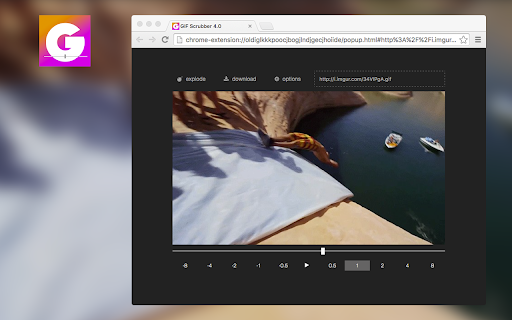
GIF scrubber is like a movie player for animated GIFS. Play it fast, slow, backwards, or use the scrubber to go back and forth! - NEW in GS 4.0: Now faster than ever! - Support for Imgur and Gfycat links - New dark design for better viewing - GIF Scrubber is now open source (https://github.com/0ui/gif-scrubber) To use, right-click a gif image or link and select the GIF Scubber option. The player will open in a new window or tab.

Animation Policy
This extension allows users to control all animations across websites and formats. It works on all animated image formats and animated SVG. Does not affect video.

Reddit Enhancement Suite
A suite of modules that enhance your Reddit browsing experience Reddit Enhancement Suite is a community-driven unofficial browser extension for Reddit. Please note that RES is specifically designed to work on OLD reddit. Most functionality will not work on the redesign. NOTE: Reddit Enhancement Suite is developed independently, and is not officially endorsed by or affiliated with Reddit.

Save as GIF
Save as GIF is a browser extension designed by Minh Anh Dang that allows you to save GIF images directly to your computer. Extension Name: Save as GIF Description: Save as GIF is a handy browser extension that allows you to seamlessly save GIF images directly to your computer, automatically converting .webp images to .gif!!! WARNING: - Our extension CAN NOT work on GIPHY, https://7tv.app/ or GIFs with webp source. - Format Preservation: Save GIFs with confidence, knowing that they will be preserved in their native GIF format. - One-Click Saving: Streamlined functionality with a simple one-click saving process for quick and efficient GIF downloads. - Browser Compatibility: Compatible with popular web browsers, providing a consistent experience across platforms. - User-Friendly Interface: Intuitive and user-friendly interface for a hassle-free GIF saving experience. - Privacy-Focused: Built with user privacy in mind, ensuring a secure and reliable extension. 1. Install the Save as GIF extension from the Chrome Web Store (or relevant extension store for your browser). 2. Browse the web and discover captivating GIFs. 3. Click on the GIF Saver icon in your browser toolbar when you find a GIF you'd like to save. 4. The saved GIF will be stored in a folder named "SaveAsGif" on your computer, usually in the Downloads directory. 5. The storage format is organized by date and page title for easy navigation: "SaveAsGIF/{Image Name}_{PageTitle}" Thank you for your ongoing support and encouragement as we strive to enhance the "Save As gif" extension together. Please consider donating via my PayPal account: - Account Name: @MinhAnhDang1709 - Email support: minhanhdang.forwork@gmail.com

GIF Maker
GIF Maker is an extension that enables you to create GIF files easily inside your browser. As the source for the GIF file, this app needs some images (at least two) or a video file. Once one of these inputs is provided, you can click on the - Make GIF - button to create the GIF file. Please note that, before making the GIF image, there are a few settings that you can adjust. If you want to save the GIF file to your machine, please click on the - Download - button. The file will be saved to the default download location on your machine. On the top right corner of the UI, there is a reload button to reload the app (in case something goes wrong or an error occurs). Please note that the default size for the GIF image is (300 x 300) pixels, however, you can edit this value from the UI. This app uses an open-source JavaScript library called gifshot (https://yahoo.github.io/gifshot/). Note: to convert images to GIFs, please add all images at once to the app interface (top-left section). The app does not support adding images one by one. You can either drop all images or press the green plus icon to choose files. You need at least two images to generate a GIF file. If you found a bug to report, or have a feature request in mind, please fill out the bug report form on the add-on's homepage (https://mybrowseraddon.com/gif-maker.html).
