
doiiaejbgndnnnomcdhefcbfnbbjfbib
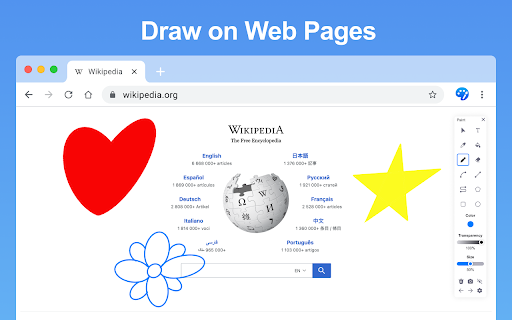


Use the paint extension for easy drawings. This drawings tool allows Illustrate on-screen and capture with the screenshot feature. Paint is lite weight and a free app that can be used for educational purposes and introduce anyone to drawing right from your browser. Use it to make drawings easy and intuitive right on your screen! Take a screenshot and showcase your creations to friends. Sketch playful drawings or jot down ideas on web pages. Easily illustrate your screen and capture it with a quick screenshot. Paint extension has a simple and easy-to-use design. It is not confusing, and easily recognizable icons are used in the app, which makes it easy for everyone to use. Draw on any website, add text, add lines, and highlight! Use your mouse or touchscreen to draw on the web or PDFs and save it to your computer. It is just a fun extension, and you can get some laughs using this extension by creating funny faces, etc., on web pages.

Paint Tool (Updated)
Draw 🎨 anything anywhere in real-time, an MS Paint but in your browser. 1. Install the extension, and reload the page to let the extension work. 2. Click on the extension whenever you need to draw or highlight something. 🖌 3. Drawings are automatically saved. 4. Reload the page to exit the draw mode from the browser. 1. Has all the features of MS Paint. 2. Adjustable thickness, transparency, and preset color. 3. Take a screenshot of the page. Pin this absolutely free extension to draw random things 🖼 while visiting any webpage. 👩

Sketch and Paint Plus!
Draw, paint, doodle, add text and emojis on browser tabs. Then save your creative art and decorations to share later. Sketch and Paint Plus is a writing, sketching and painting extension for your Chrome™ browser tab. Explore your creativity and customize any website tab by adding text, emojis, lines, or add a dash of color with the marker or highlighter tools to get the picture perfect tab. When you’re done, download your artistic creations as screenshots with the download tool. Features: * Color Picker: Select a color for the text and line. * Marker/Pencil tool: Draw or paint anything with the selected color and point size. * Spray paint tool: Spray your tabs with any color you desire. * Text and Emoji tool: Add text and fun emojis to your tabs to enhance your creativity. * Eraser: Erase some or all of your drawings or text. * Screenshot/Download: Save your sketch, shapes, or creations to your computer. * Lines (hold Shift): Create adjoining lines for your shapes. * Undo tool: Either click the buttons, or use the keyboard shortcut (CTRL+Z or CMD+Z) to undo as many times as you like to make it picture perfect). —————————— According to the rules of the Chrome™ Web Store, this extension will not work on the store pages, new tab and home page. Please open any other website (for example, google.com) after installing this extension to start having fun!

Paint Online - Drawing Tool
Sketch fun drawings directly on web pages using the paint tool. Capture your art with a quick screenshot. Classic MS Paint in the browser, with extra features. The paint on tab tool has a simple and easy-to-use design. It is not confusing, and easily recognizable icons are used in the app, which makes it easy for everyone to use. Paint Tool is a fun extension on Google Chrome which lets you annotate any page you want and share it with your friends. Paint enables you to draw on any webpage with various tools to express your thoughts, make a point or edit. The plus points of Paint extension are: - Draw on any webpage in your browser. - Make shapes with the magic marker. - Write with the text tool. - Take screenshot to share your creativity. Using this Paint Online, you can share your feelings about a webpage and then share it with your friends.

Draw Online
Online draw on page: add text, create shapes, sketch lines and curves, take notes, and draw arrows. Capture, share, or print Draw Online: Transform web pages into Your Canvas Discover the boundless creativity of web paint online tool, the ultimate browser extension that turns any web page into your digital canvas. - Unleash your creativity by drawing on any web page using a range of versatile tools and a spectrum of vibrant colors. - Seamlessly save your artwork directly within your browser, providing easy access to your creations. - Enjoy the convenience of a lightweight and user-friendly interface. - Elevate your browsing experience, adding a new dimension of creativity and personal expression. - Install web paint online tool from your browser's app store. - Visit the web page you wish to transform into your canvas. - Click the web paint tool icon in your browser's toolbar to access the intuitive drawing interface. - Unleash your artistic prowess using the diverse range of tools and colors. - Save your artwork effortlessly with a single click. Draw Online empowers you to redefine web pages and infuse them with your unique touch. Whether you're an artist seeking an outlet, a diligent note-taker, or simply someone who loves to have fun, this browser extension provides the ideal platform for boundless creativity. There's no need to wait—download web paint online tool now and let your digital masterpiece come to life!
