
cfilldkakabahjjblmboppflcdidccmb

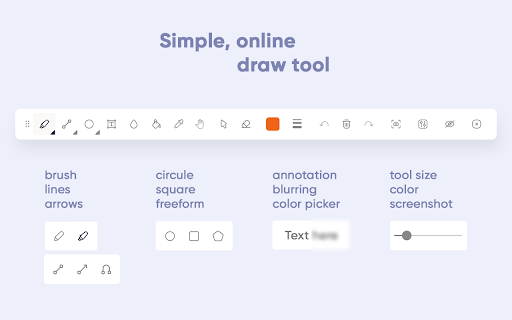
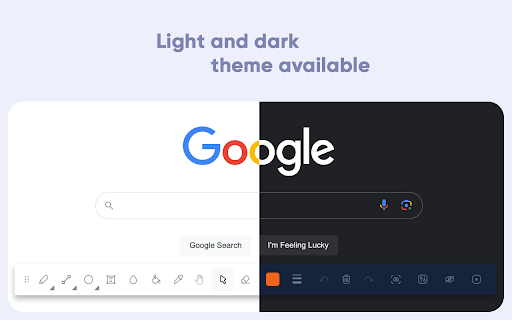
Online draw on page: add text, create shapes, sketch lines and curves, take notes, and draw arrows. Capture, share, or print Draw Online: Transform web pages into Your Canvas Discover the boundless creativity of web paint online tool, the ultimate browser extension that turns any web page into your digital canvas. - Unleash your creativity by drawing on any web page using a range of versatile tools and a spectrum of vibrant colors. - Seamlessly save your artwork directly within your browser, providing easy access to your creations. - Enjoy the convenience of a lightweight and user-friendly interface. - Elevate your browsing experience, adding a new dimension of creativity and personal expression. - Install web paint online tool from your browser's app store. - Visit the web page you wish to transform into your canvas. - Click the web paint tool icon in your browser's toolbar to access the intuitive drawing interface. - Unleash your artistic prowess using the diverse range of tools and colors. - Save your artwork effortlessly with a single click. Draw Online empowers you to redefine web pages and infuse them with your unique touch. Whether you're an artist seeking an outlet, a diligent note-taker, or simply someone who loves to have fun, this browser extension provides the ideal platform for boundless creativity. There's no need to wait—download web paint online tool now and let your digital masterpiece come to life!

Web Marker - Draw on Websites
Draw on any webpage in real time! Draw, highlight, add shapes & more. Easy to use, perfect for studying & teaching. Hey there! Meet Web Marker – your new companion that lets you draw directly on websites! With Web Marker, you can draw and write on any webpage like it's a piece of paper. It's super easy and fun! To make things even easier, we've included some handy keyboard shortcuts for you: · P : Toggle pencil mode. · H : Toggle highlighter mode. · R : Toggle rectangle mode. · C : Toggle circle mode. · T : Toggle text mode. · L : Toggle line mode. · E : Toggle eraser mode. · S : Toggle selection mode. · X : Toggle pointer mode. · I : Add an image. · M : Hide/Show the menu. · D : Download annotations as image. Here's why users are falling in love with it: ✔ Simple Drawing and Highlighting: Whether you're studying, teaching, or just love getting creative online, you can easily draw and highlight on pages without any complicated tools. Our keyboard shortcuts make things even easier. You can draw using just your keyboard, whether the menu is collapsed or uncollapsed. ✔ Draw Anything: You have all the drawing tools you need, from circles to rectangles, a highlighter, pencil, eraser, lines, and text. Easily undo, redo, clear, zoom in, zoom out, select, delete, move, resize, change colors, and adjust the marker size. Choose from a variety of colors or select one of the 33+ default colors. You have plenty of options! ✔ Easy to Use: Simply click on the extension icon or use a keyboard shortcut to get started (the default shortcut is Ctrl + Shift + L ) ✔ Scrollable: It's the ONLY extension that seamlessly keeps what you've written after scrolling up and down the page, ensuring that as you scroll, the drawn content moves along with the page. ✔ Works with Your Stylus: Got a stylus? Great! Web Marker plays nice with it. ✔ Collapsible and Movable Menu: You know that menu where you find all the tools? You can collapse it to get more space. Plus, you can move it around wherever you like. ✔ Fix Mistakes with Ease: Messed up? No worries! Use the eraser or hit delete – it's like magic. ✔ Add Pictures: You can even add images and draw on them. How cool is that? ✔ Zoom In, Zoom Out: Zoom in to see details or zoom out to see the big picture. It's all up to you. ✔ Undo and Redo: Oops, made a mistake? No problem! Just hit undo and redo until it's perfect! ✔ Copy or Download Your Drawing: When you're finished, you can copy your drawing or download it as a high-quality image to use it anywhere else. And here are two more cool things: ✔ ✔ No Data Collection: Your data stays YOURS. We do NOT collect ANY of your personal info – doodle in peace! ✔ ✔ No Special Permissions Needed: Just install and go! Web Marker doesn't need special browser permissions. And guess what? It's completely FREE! But hold on, you're probably thinking, how do we keep this awesome tool free for everyone?!! Well, here's the deal: we believe in keeping things simple and user-friendly. Instead of bombarding you with ads or charging for premium features, we've chosen to operate on a donation basis. Yep, that's right! We rely on the generosity of users like you who appreciate what we do and want to support us in keeping Web Marker awesome. So, If you love using Web Marker and find it valuable, we'd be incredibly grateful if you could consider contributing a donation of any amount you can. Every donation goes a long way in helping us maintain and make Web Marker even better for you. Also feel free to reach out to us with any concerns, feedback, or suggestions you might have. Happy drawing with Web Marker!

WebBrush - Web Paint Tool for Chrome
Draw on Any Website - Advanced Web Paint Tool with Free Screenshot Annotation & Markup 🚀 WebBrush Web Paint Tool: Your Canvas, Your Way! 🎨 Enhance your web browsing experience with WebBrush Web Paint Tool, the ultimate browser extension that puts the power of creative expression at your fingertips. ▸ DRAW ON ANY PAGE: Instantly turn any webpage into your artistic Web Paint canvas. ▸ Drawing Tools: Explore a diverse array of brushes, pens, and pencils for unparalleled creative expression. 🖌️🎨 ▸ Color Palette: Personalize your drawings with a customizable palette, making each creation uniquely yours. 🌈 ▸ Undo/Redo: Seamlessly control your artistic journey with easy correction and experimentation. ↩️🔄 ▸ Text Annotations: Add context and personal flair by placing text directly on the web page, enriching your annotations. 📝 ▸ Save & Copy: Effortlessly preserve and share your masterpieces with intuitive save or copy options. 💾📋 Unlock a new dimension of interaction with Web Paint tool. Download WebBrush Web Paint Tool now and let your creativity flow seamlessly on the web! 🚀✨

Web Paint - Page Marker & Editor
Web Paint - Page Marker & Editor enables you to make annotations and modifications on websites. This extension allows you to draw, add text, insert lines, and highlight content directly on web pages and PDFs. The tool is compatible with both mouse and touchscreen inputs, giving you the ability to create and save your edits to your device. Whether you're a student, a professional, or simply an avid web user, this extension is a valuable addition. It offers a range of advanced annotation tools, such as a pencil, highlighter, color picker, arrow, polygon, text, and emojis. Are you accustomed to highlighting important text in books or do you want to draw directly on websites in real-time from your browser? Perhaps you need to share your screen for tasks like reporting technical issues, creating product demonstrations, or crafting how-to tutorials. Here's why you should consider using our extension: - It includes all the features found in MS Paint. - You can adjust the thickness, transparency, and choose preset colors. - Capture a screenshot of the entire page. Paint Online is a lightweight and free Chrome extension designed for educational purposes, introducing anyone to the world of drawing right within their browser. Additionally, it offers the opportunity to practice the alphabet, numbers, and artwork while learning. The extension allows for full-page screen captures, saving the screenshots as PDFs or images. These instant captures are stored locally and don't generate online traffic. The screenshot tool functions offline and is incredibly user-friendly. You can easily choose between full-screen or partial area captures with a single click. Furthermore, you have the flexibility to customize the screenshots by adding text, drawing lines, arrows, and shapes. The extension provides the following features: 1.Convenient hotkeys for each tool 2. Save drawings along with screenshots 3. Save images to your PC or print them 4. Crop and save specific image areas We value your feedback! Our team is dedicated to offering you the best Chrome experience possible. If you find our extension helpful, please consider giving it a 5-star rating.

Draw on Page
Easily draw on any website with simple drawing tools, then print the result. Draw on Page is a browser extension that lets you draw on any website. Please first navigate to a website, then press on the toolbar button to activate the add-on. Once the interface appears on the page, please choose the desired mode. Currently, there are two modes available, Drawing Mode and Brushing Mode. Brushing mode is for drawing with mouse or pen (touch-enabled devices) on the page. You can choose a pencil, circle, or spray brush in this mode. There is also an option to change the color and width of the brushing tool from the UI. The other mode is for drawing shapes (Drawing Mode). When you select this mode, five different primitive shapes are available to choose from the UI. Once you click on a shape, it will be added to the screen. You can drag and drop, remove, resize, or rotate and zoom objects on the screen. To print the page with your drawings on it, please press on the print button at the top left corner of the screen. Once you are done with the drawing, please close the interface by pressing on the close button at the top left corner or pressing on the toolbar button once. Before closing, you can save your drawings by pressing on the - Save - button at the bottom of the UI. Note: this extension uses fabric.js (https://github.com/fabricjs/fabric.js) open-source JavaScript project for drawing on the HTML5 canvas element. If you have a feature request or found a bug to report, please fill the bug report form on the addon's homepage (https://mybrowseraddon.com/draw-on-page.html).
