
dodkbjhcbilekdohkhmbeplonhmjiobo
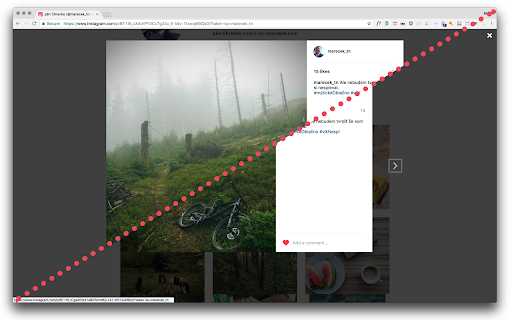
Makes Instagram pictures bigger (suitable for retina displays) Everytime I look at the instagram on proper retina display.. I am wondering why all images are post stamps sized? Not anymore! v0.4.3 update to manifest V3 v0.4.2 fixed to be working again in 2023 and beyond! v0.4.1 updated to comply with Chrome store terms v0.4.0 updated to new instagram webpage structure

Photo Zoom Plus
Hover to instantly view full-size images on any website. Zoom, rotate, save, and browse all images in a built-in gallery. Hover to instantly preview full-size images on any website. Zoom, rotate, flip, save, and browse images in a built-in gallery. Tired of clicking through thumbnails just to see the full image? Photo Zoom Plus lets you hover over any image to instantly preview it in high resolution — no clicks needed. ★ HOVER ZOOM — INSTANT FULL-SIZE PREVIEWS Simply move your mouse over any image, thumbnail, or avatar to see the full-resolution version in a smooth, animated popup. Works on every website — social media, e-commerce, forums, blogs, and more. ★ POWERFUL MAGNIFIER Need a closer look? Activate the built-in magnifier to zoom from 1x up to 100x. The magnified view follows your cursor in real time, perfect for inspecting product details, artwork, or photos. ★ FULL-SCREEN GALLERY & LIGHTBOX Press a shortcut to open a full-screen gallery of every image on the page. Browse with arrow keys or swipe gestures, view thumbnails in a carousel strip, and navigate effortlessly between images. ★ IMAGE TOOLS AT YOUR FINGERTIPS • Rotate images 90°, 180°, or 270° • Flip/mirror images horizontally • Save any image directly to your computer • Open images in a new tab or popup window • Copy image or image URL to clipboard ★ FULLY CUSTOMIZABLE KEYBOARD SHORTCUTS Every action has a configurable hotkey. Set your preferred keys for zoom, save, rotate, gallery, navigation, and more. Supports modifier keys (Ctrl, Shift, Alt) and mouse buttons. ★ IMAGE BLOCKING Don't want popups on certain images? Block any image domain with a single shortcut. Manage your blocklist from the options page with search, filter, and bulk actions. ★ SMART IMAGE DETECTION Automatically finds images from: • Standard image tags and responsive srcset • Lazy-loaded images (data-src, data-lazy, data-original) • CSS background images • Picture elements with multiple sources • Video poster frames • Canvas and SVG elements ★ MULTI-LANGUAGE SUPPORT Available in 7 languages: English, Español, 日本語, Português, Tiếng Việt, 简体中文, and 繁體中文. ★ LIGHTWEIGHT & FAST No bloat, no tracking, no ads. Photo Zoom Plus is built for speed with smooth spring animations, image preloading, and efficient event handling. PERFECT FOR: • Online shoppers previewing product images • Designers and photographers inspecting image details • Social media users viewing profile pictures and posts • Researchers browsing image-heavy websites • Anyone tired of clicking thumbnails

Instant Downloader
This extension helps you to download all the images from an Instagram's user profile page in a click. Navigate on a user profile and you will have an icon in your bottom-right corner of your screen. It opens a popup with every single image ready to be downloaded and the option to "Download all" at the same time. Note: This app will work till the Instagram changes its structure. We will try to update the app if Instagram changes but cant guarantee it Version 3.1 (November 2022) ----------------- - Fix: "Download all" button works again. - Added more text instructions and simplified the extension. Version 3.0 (June 2020) ----------------- - Removed storage permissions to accomplish new Chrome Store policy. Only need to accept download permissions to download the images on Instagram. - Added images counter. - Added instructions of use. - Fix: Only retrieves post images (not images in profile picture nor highlighted stories). - Fix: Refresh the image counter on scroll. Version 2.0 (Mar 28, 2018) ---------------------------- * Full re-design for minimal non-intrusive interface. * Easier to use: One click and instants are displayed in a grid. Download button downloads em all. * New download system that works perfectly after the latest Google Chrome version update. Please note: This application is not provided by Instagram company. It's made by users for users.

Instant Save for Instagram and Flickr
This extension allows saving of any Instagram or Flickr image via a single click on the context menu. 7/29/2024: An update required a change to the URLs that this extension is active on (to support the "www" no longer being included by Flickr in their default scheme), which may require you to manually re-enable the extension for it to work. Note from the Developer: If you find something is not working, please use the "Support" option to let me know before leaving a negative review. As you can tell from the release notes below, the websites this extension works on change their structure in a way that breaks this extension's functionality periodically. I have no affiliation with them, so don't know when those changes are going to happen until they get released to my account and I happen to run into the situation myself, then need to find free time to implement and release a change. Letting me know that something is not working using the Support option helps expedite that process. One known issue is that there was a change on IG that caused video download functionality to break, and I haven't yet been able to find a workaround for it. I apologize for the issue, and will update things once I'm able to find a workaround. Summary: This extension is the only way to immediately save any image from Instagram or Flickr with a single right-click context menu click! Images from the main feed, a post or photo's page, or a user's overview or favorites page will save directly to your browser's default download location when you click on the option this extension adds to the right-click context menu. Release Notes: 1.0 added support for saving from the Timeline and Post Instagram pages 1.1 added support for saving from the user overview page 1.2 added support for higher quality, un-cropped images 1.3 fixed the plugin for Instagram's updated page layout model 1.4-5 updated name and logos in response to trademark complaint from Instagram 1.6 fixed handling for new types of videos 1.7 IG changed their app, and I can no longer modify the URL to get the un-cropped version, so this update gets the version currently loaded on your screen (if you click on a picture from a timeline to see it large, it'll grab the full version). I'm looking into a solution, but none are obvious. 1.8 Chrome v65 changed the behavior of downloads in a way that broke this (opening images in a new tab rather than downloading them) - the download logic has been modified so that things work properly again. As an added bonus, the source user's name is now prefixed onto the file name. 1.9 changed the download logic because of another Chrome update that broke the previous download type 2.0 added the ability to download from Flickr 2.1 fixed an odd bug 2.2 updated the IG save logic for videos due to updated website structure 2.3 fixed a bug downloading videos with no comments 2.4 fixed a user-reported issue where file extensions had characters appended to them 2.5 added a "Labs" menu item off the main icon with in-development features - SaveStorm: When checked, any single click on IG or Flickr is interpreted as a download request. Works properly, but needs to be only enabled for short periods. - DL All Flickr: saves all open Flickr single-image tabs at one go. Still buggy when pulling large numbers down. 2.6 makes the Ctrl+Click (open in new tab) block that IG put in place work properly again 2.7 fixed an issue where videos downloaded from IG would have characters after the file extension 2.8 fixed an issue where clicking within a tag on the image would prevent the download from working 2.9 added the ability to download full-resolution photos or videos from Instagram Stories by left-clicking on the application icon in the top bar during playback 2.10 fixed video downloads 2.11 Added the ability to download IG TV posts 2.12 Updated the logic used to retrieve the username for the file prefix based on updates to IG's page structure 2.13 Updated the username retrieval logic when the page structure changed again 2.14 Updated IG Story photo retrieval logic based up an updated page structure 2.15 Included substantial updates around logic used with IG to retrieve video URLs, made necessary by some functionalities I was using being deprecated 2.16 Updated IG story retrieval logic to retrieve the highest-res image, and fixed saving videos from multi-image posts and from a user profile page based on structure changes 2.17 Updated image URL retrieval logic to pull from sourceset if available, fixed video URL retrieval from profile page, fixed video URL retrieval from main feed when after the initial set of posts. 2.18 Turned off debug log that I accidentally left enabled and caused extra noise in the console. 2.19 Updated the username retrieval logic when the page structure changed again 2.20 Fully fixed the issue of some images from Newsfeed downloading thumbnails rather than full-res. Partially fixed downloading videos from Newsfeed - it now works for the first batch of items on newsfeed, but there's a known issue for downloading videos beyond the infinite scroll and from a User page in a multi-image post - which you can work around by going to the Post page. 2.21 Fixed IG video downloads that were broken due to a new data structure, and migrated to Chrome Extension Manifest v3 2.22 Small update to name generation logic for images that internally use webp filetypes, which was causing invalid filenames 2.23 Small update to name generation logic issue causing long filenames including an HEIC filetype; these are now treated as jpg files. 2.24 Update support for PNG files 2.25 Fixed context menu not showing in Flickr and updated IG username discovery logic

Page Gallery
Displays a gallery of the images on the current page with filtering and sorting. Looking through a confusing image gallery or trying to find the largest version of an image on a page? Open the Page Gallery and see every image in a handy overview with filtering and sorting!
