
akpgagdbjionahjaiopopkiopakcoebp


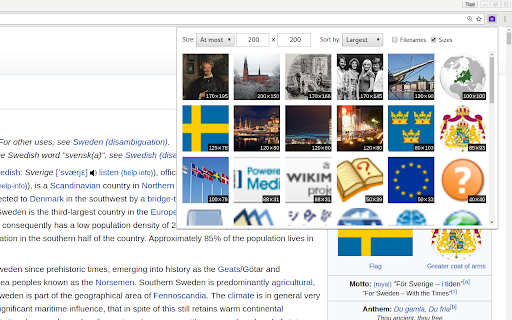

Displays a gallery of the images on the current page with filtering and sorting. Looking through a confusing image gallery or trying to find the largest version of an image on a page? Open the Page Gallery and see every image in a handy overview with filtering and sorting!

Enhanced Image Viewer
Features: ✓ Position images in center or top left corner ✓ Set custom background color ✓ Zoom, rotate, pan and scroll images with improved controls ✓ Flip images horizontally and vertically ✓ Pixelate images for viewing pixel art and lossless formats ✓ Hide scrollbars ✓ View images in the current tab ✓ Works with local files and incognito mode ✓ Enhances images on Reddit • No more headers and footers on images opened directly • Works with single images and image galleries in an overlay ✓ Enhances images on image hosting sites • Skips the continue button • Shows the image full-screen automatically Feel free to leave any feedback you might have on the support page or contact us by email.

Quick Image Downloader
Browse and download all images from the page in one click Quick Image downloader is a powerful tool that enables you to download all images from any Website, Google Images, Instagram, Pinterest and Facebook in one click. ⭐Select what images you want to download ⭐Bulk download all images in once ⭐Filter the images by width and height ⭐Save to a subfolder ⭐Rename downloaded files ⭐Supports all formats (PNG, JPEG, SVG, WEBP) ⭐Use dedicated buttons to download or open individual images in new tabs

Image Downloader
Easily save all images in a website to a zip file with just one click! Image Downloader is an extension that lets you easily find and download all images on a website to a single ZIP file. Simply click on the toolbar button to open the app interface (in a new tab). Within the interface, you can see the list of fetched images for the current tab. To open the UI in the toolbar popup, please right click on the toolbar button and then mark the - Open in popup - checkbox. On the left side, you can see the list of available options. To download images to your computer, please select an image(s) and then click on the download button on the top-left corner. Please note that the download location is the default location in your browser. Moreover, for each step, a desktop notification will show up containing information about the current state. If you have a bug report or a feature request, please fill the bug report form on the add-on's homepage (https://mybrowseraddon.com/download-all-images.html).

BetterViewer
A browser extension for better image viewing experience BetterViewer makes image viewing faster, easier, and more fun. BetterViewer was designed as a replacement for the image viewing mode built into Chrome-based web browsers. With BetterViewer you can use various keyboard shortcuts to quickly pan, zoom images, edit and a lot more! This extension is open source: https://github.com/Ademking/BetterViewer Features: - Zoom In / Zoom Out / Reset - Fullscreen Mode - Rotate Left / Rotate Right - Flip Horizontally / Vertically - Crop Image - Advanced Photo Editor: Adjust, Draw, Add Watermarks, Apply Filters, Fine-tune, Resize, Export to PNG, JPEG, JPG, WEBP - Image Download Option - Color Picker Tool - Detailed Image Information - Edit in Photopea - Reverse Image Search - QR Code Scanner - And many more exciting features coming soon!
