
dnofffnpfhkjcnicnbikofkmgckebdpm

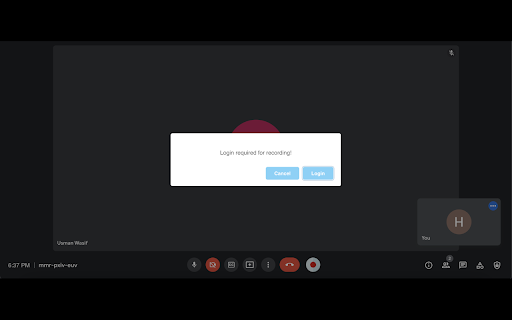

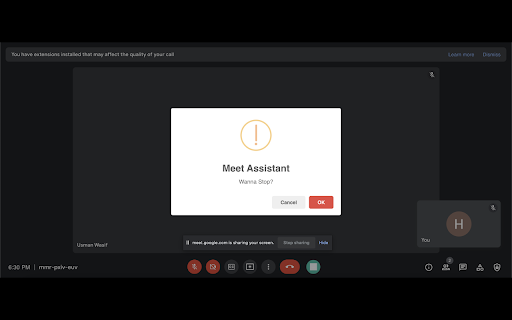
Only way for you to record your precious meetings on google meet. Meet Assistant is the only free screen recording tool on google meet, providing you with the option of capturing unlimited videos and saving them on your system and drive side by side. Available for Mac, Windows and Linux.

Bluedot: AI notetaker & Meeting Recorder
Bot-free AI note taker & AI meeting notes for Google Meet, Zoom & Teams meetings. 🤖 AI notetaker for Google Meet, Zoom and MS teams. Generate AI meeting notes adapted to your use case (customer calls, all-hands, etc.) ⚙️ Automatically update your CRM, Notion, and more. ✨ Meeting highlights: Clip and share meeting moments. 💬 Annotation & comments: Annotate a particular part of your screen and leave time-based comments. 🎞️ Video editing: We transcribe all your recordings and then let you edit your video simply by editing the transcript. Delete an umm, an ah or a whole sentence! 💾 Video hosting: Store and organise all your videos in one place, using collections.

OneClick Google Meet Recorder
Professional meeting recorder for Google Meet with advanced features Record Google Meets locally to your computer OneClick Meeting Recorder is FREE for local use, no signup and no cloud dependency at all! Just install the extension and start recording. Features: 🎥 Record without signing up with auto start recording feature 🎥 auto start recording feature so you do not need to manually start every recording 🦺 You won't lose your recordings, even if your computer crashes! ⚡ Use shortcuts to start/stop recording. Configure them as per your need 📥 Recording is downloaded automatically when you leave a meeting This extension does NOT track or share user data.

tl;dv: Free AI Note Taker, Transcriber & Meeting Recorder
Automatically record & transcribe Google Meet for FREE. 500k+ users tl;dv is the free Google Meet recorder and AI note taker trusted by 1M+ users. Record Google Meet calls automatically, get accurate transcripts with speaker labels, and let AI summarize every meeting — so your team never takes manual notes again. Then go further: ask questions across all your meetings, auto-update your CRM, and let tl;dv handle the work you'd otherwise spend hours on. tl;dv is the easiest way to record Google Meet, get automatic transcriptions, and generate AI meeting summaries that turn every call into searchable, actionable notes. Used by 1,000,000+ teams worldwide. How to record a Google Meet with tl;dv: Install the extension → join your meeting → recording and transcription start automatically. That's it. What you get: - 👻 Bot-free or bot-present recording: choose invisible background recording or let our bot join the call. The choice is yours! - 🎥 Automatic Google Meet recording: free, no host permission needed - 💬 Google Meet transcription with speaker labels in 20+ languages - 🤖 AI meeting summaries: instant notes after every call, with custom templates for sales, hiring, coaching or whatever you need - 🧠 Multi-meeting AI: ask questions across your entire call library: "what are our top 3 objections this quarter?" answered in seconds, not hours - 🔍 Search your call library: find any word, theme, or pattern across all your meetings - 🔗 Auto-share recordings to Slack, Email, or Zapier the moment a call ends - 💡 Integration: push call context, action items, and deal updates straight into Slack, your CRM or any other tool where your work actually happens - 📌 Clip & timestamp key moments from any meeting - ✍️ Take notes during the call and sync action points to your team Works with Google Meet, Zoom, and Microsoft Teams. Free alternative to Otter.ai, Fireflies, and Gong Whether you want to record a Google Meet for the first time or replace your entire meeting workflow, tl;dv gets you set up in under a minute — and quietly handles the work you'd otherwise spend hours on. 🔒 Privacy-first. Your data is never sold. Full policy: tldv.io/privacy

Beyond Meet for Google Meet
Features: 👍 Flying Chat Messages Enables you to see chat messages without opening the chat window 🔘Adjustable speed 🔘Can be turned on and off 🔘Mouse over pausing 👍 Multitasking Mode Enables you to multitask without losing the focus. It's exceptional useful when presenting 🔘Launch Google Meet session to a split window 🔘Multiple split window positions to choose from 🔘See participant's videos while presenting 👍 Realtime AI Emotion Tracking Helps you understand the perceived emotion of your current facial expression and be able to gauge the meeting atmosphere in realtime 🔘 Tracking your emotion change in realtime 🔘 Tracking other users emotion 🔘 Participants multiple emotion ranking 👍 Meeting Notes Enables you to take formatted notes and save to Google Drive 🔘 Integration with Google Drive or download to your machine 🔘 Load & edit saved notes from Google Drive 🔘 Google Doc style editing 🔘 Notes panel transparency adjustment 👍 Meeting Recording Gives you the ability to record the meeting anytime you want. 🔘 Recorded downloaded to your computer automatically 🔘 Choices of recording resolution and audio only option 🔘 Pause and resume during recording 👍 Meeting Transcription Captures conversations in the format of text in realtime with timestamp & speaker name 🔘 One click to start capturing conversations 🔘 Integration with Google Drive or download to your computer 🔘 Pause and resume during recording 👍 Camera Loop Stream a recorded video clip to participants in loop 🔘 Multiple recording length options 🔘 Seemly integration with Google Meet 🔘 Reusable recorded video clips 👍 Speech Duration Tracking Shows you who talks the most during the meeting 🔘Tracking participants speech duration 🔘Realtime ranking chart display 🔘Draggable & transparent chart panel 👍 Streamer Stream an image to replace your camera video 🔘 Stream whiteboard drawing to Google Meet participants 🔘 Support multiple image file format 🔘 Drag & drop to upload the image file 🔘 Able to set background color for transparent images 👍 Meeting Utilities Provides a list of useful settings that give you a better experience 🔘Join automatically without clicking 🔘Mute microphone and turn off camera when joining 🔘Picture in Picture mode 🔘Default profile setting 🔘Shared screen zooming All features of this extension are free to use with a certain amount of usage limit which resets every month. Please sign up for BM PRO at https://beyondmeet.app for unlimited access to all features. ❓How we use your data? The extension only collects your user's name and email in order to identify you and support functionalities of the extension. Our Privacy Policy and Terms & Conditions can be viewed at https://beyondmeet.app/pages/legal ❓Permission to accessing to your browser history? The extension stores its configuration/settings in your browser cache which requires the access to your browser history storage, therefore this permission is required. The extension DOES NOT read your browser history other than the extension related configuration/settings.
