
dmldofeoomonpalhgkbnfckliaeghjag

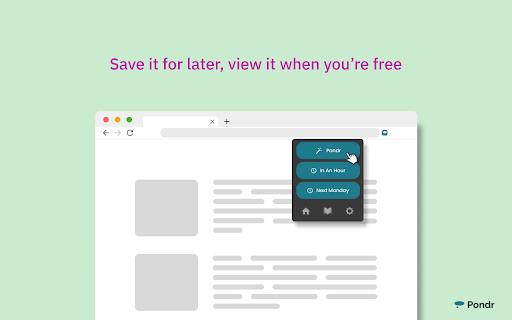

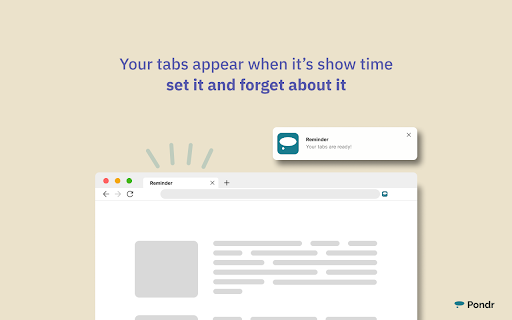
The extension that manages bookmarks and finds the best time to remind you to revisit. Bookmarks are meant to be consumed, not clog up your browser as an open tab. Save tabs and ACTUALLY remember to visit them. 💡 Simply save a tab and keep working See an interesting article or video suggestion while researching something? Queue the tab with Pondr and alleviate the pressure of having to remember to view it later. 💡 Relieve the mental toll of planning With the Google Calendar™ integration, all you need to do is pick the tab you want to save, we'll do find the time for you. No more combing through your schedule and setting an alarm/reminder. Nothing's worse than an endless list of bookmarks or too many tabs open at once. It's hard to look at and a pain to comb through. Pondr's clutter-free tab display gives you simple oversight of what matters. View tabs in a grid view or list view. 💡 An easier way to remember deadlines Have a job application or assignment deadline coming up? Queue the submission page to the specific date, and the tab will reappear on the day it's due! 💡 Save and view all corners of the internet Pondr can be accessed anywhere within the Chrome browser. From articles, videos and anything else under the (digital) sun. 💡 Stop emailing yourself links Access Pondr on any page just by opening the pop-up. Now you can spend more time doing work while queuing up all of your favorite articles to read later. Instead of keeping open tabs or making tons of bookmarks for tasks, you hope to do later, easily save articles, videos, or any webpage on your browser while simultaneously scheduling the reminder with only one click. Your tabs will miraculously appear when it's show time🕺! Get back to what's important and your tabs will be patiently waiting for you out of sight! For users with Google Calendar™, connecting with Pondr allows you to take reminders a step further by automatically finding the best time to remind you to revisit your bookmark. Pondr identifies the best time to remind you based off certain criteria in your calendar such as open time slots. ⚡ Automated bookmark reminders Simply hit the Pondr button on a tab you want to save for later and Pondr will find the best time to remind you via your Google Calendar 🎨Customizable Preset Reminders Have a frequent time you’re available? Simply turn it into a preset reminder time to assist your tab management 📌 Pinned Tabs Not all tabs are meant to be visited only once! Pondr lets you speed dial into the websites or apps you use on a daily basis. 🔍 Search for Tabs Get instant access to the tabs you need to get the job done. Pondr is able to search for any website inside your library, letting you find exactly what you’re looking for in seconds. 📅 Agenda View Get actionable oversight of what’s coming up today with Agenda View. You don’t need to be bombarded with every single bookmark you’ve queued just when you want to see whats upcoming. 🗓️ Reschedule Reminders Something come up? Seamlessly reschedule your tab for another day within your library. ⌨️ Keyboard Shortcuts Easily Pondr a tab without touching your mouse! ✅ Private Library Passcode-protected library for sensitive tabs and data Who is Pondr for?: ✓ Students ✓ Help Desk & Customer Support ✓ Sales CRM ✓ Sales Representatives ✓ Task Management ✓ Finance ✓ Operations ✓ Human Resources and Recruiting ✓ Project Management ✓ Onboarding ✓ Marketing ✓ Remote Work ✓ Those with too many tabs!! HELP & SUGGESTIONS Help Center Email: support@pondr.app Suggestions: https://pondr.canny.io/feature-requests If you have any problems or find a bug - please write to us at pondr.extension@gmail.com. We will definitely help! PRIVACY AND PERMISSIONS https://www.pondr.app/privacy-policy DISCLAIMER Please note Pondr is not made by Google™ or affiliated with Google™. Google™, Google Calendar™, and Google Chrome™ is trademarks of Google Inc. Use of this trademark is subject to Google Permissions. to be temporary, not clog up space on your browser.

Tab Reminder
Have you ever opened a website and thought "I want to read this later" -- then completely forgot about it? Tab Reminder lets you set a reminder on any tab and come back to it exactly when you're ready. No bookmarks to dig through, no tabs left open for days. How it works: - Click the Tab Reminder icon on any tab - Choose a time -- in 20 minutes, 1 hour, 3 hours, tomorrow, next week, or a custom date and time - Get a native browser notification when it's time, and click it to go straight back to the page Key features: - ⏰ Quick reminder presets or custom date & time - 🔁 Repeating reminders -- hourly, daily, or weekly - 📋 Full dashboard to view and manage all your reminders - 🕓 Reminder history so you never lose track - 🔗 Webhook support for automation (Zapier, Make, etc.) - 🦊 Works in Chrome, Firefox, and Brave

Blixem Tab Manager
Organize, save & share your tabs for easy collaboration with Blixem. Blixem helps you manage your tabs and windows efficiently, reducing distractions and improving performance. Homepage: Your new tab screen shows tabs vertically, gives quick access to favorite sites, and lets you launch Workspaces with one click. Customize with widgets, colors, and backgrounds. Workspaces: Save tabs into Workspaces for easy access, sharing, and collaboration. Customize Workspaces and share them with a few clicks. Collaborate: Share Workspaces by granting view or edit permissions. Teams can add content, comment, and invite others with a link or email. Collaborators don't need the extension installed. Windows: See all open tabs across all Chrome windows from one page. Rearrange, close, or add tabs to Workspaces. Pause tabs and windows to speed up your computer. Widgets: Add widgets like recently closed tabs, frequently visited sites, and top Workspaces to your homepage. Work-Personal Separation: Separate work and personal tabs using Categories. Hide work tabs when off duty and personal tabs during work hours. Blixem Tab Manager helps you control and organize your online life.

Tab Reminder - Schedule Tabs to Reopen Later
Tab Reminder allows users to set calendar dates for when they'd like URL tabs to reappear on their browser. Never lose track of important tabs again. Tab Reminder automatically reopens any website at the exact date and time you choose. Schedule deals before they expire, deadlines before they pass, and tabs before you forget. Schedule Tab Reminders Set any URL to reopen on a specific date and time. Perfect for flash sales, application deadlines, event registrations, limited-time deals, or anything you need to come back to later. Quick Reminders One-click presets to remind you in 1 Day, 1 Week, 1 Month, or 1 Year. No date picking required. Custom Reminders Choose a specific date and time with the built-in calendar and time picker. Set it and forget it. Repeat Reminders Schedule recurring reminders on a daily, weekly, or monthly basis. Choose specific days of the week for weekly repeats. Set an optional end date. WHO IT'S FOR • Deal hunters: Schedule sale pages to reopen before deals expire • Students: Set class portals and assignment pages to reopen before class • Online shoppers: Save flash sales and restocks for later • Professionals: Schedule reports and dashboards for Monday morning • Researchers: Revisit articles and references without cluttering bookmarks • Bill pay: Set banking tabs to reopen before due dates Save your entire browser window (all open tabs) as a collection. Restore saved windows with one click. Great for organizing project tabs, research sessions, or daily workflows. Share a saved window with anyone via a unique link. Recipients can view the tabs and import the collection into their own Tab Reminder account. Sign in with Google to sync your reminders across devices. Your reminders are backed up to the cloud so you never lose them. • Dark mode and light mode toggle • Pause and resume all reminders with one click • Expanded view for managing saved windows • Chronological sorting of reminders (upcoming and past) • Favicon previews for each saved tab • Works with any website URL 1. Click the Tab Reminder icon in your browser toolbar 2. The current tab URL is automatically filled in 3. Choose a quick preset or set a custom date and time 4. When the time arrives, the tab reopens in your browser • Tabs: Required to read the current tab URL and restore saved windows • Alarms: Required to trigger reminders at the scheduled time • Storage: Required to save your reminders locally • Identity: Required for Google Sign-in and cloud sync Tab Reminder is free forever. No ads. Sign in with Google to enable cloud sync and cross-device access. Tab Reminder may append affiliate tags to supported retailer URLs (such as Amazon) when reopening your saved tabs. This helps support the extension at no extra cost to you. No browsing data is collected or shared.

Flow - Tab Manager
A new way to manage chrome tabs and windows easily. Flow is your ultimate solution for managing tabs and windows in Chrome. Whether you’re a power user or just someone who wants to keep things tidy, Flow streamlines your browsing experience. Here’s why you’ll love it: Effortless Tab Management • Create Sessions: Start fresh by initiating a new session. A dedicated Chrome window opens, marking the beginning of your focused browsing journey. • Automatic Saving: Flow takes care of your tabs in the background. Close a window without hesitation; your tabs are securely saved. • Resume Seamlessly: Reopen any session whenever you need to pick up where you left off. • Unsaved Windows: Add any open window to your sessions directly from the ‘Unsaved Windows’ section. Boost Your Workflow with Additional Features • Main Session: Designate a session as your ‘Main Session.’ When you launch Chrome, all other windows close, leaving only your essential workstream active. • Backups: Create local backups of your sessions. Flow auto-generates a backup before deleting any session, ensuring you never lose your work. • Dark Mode: Enjoy a sleek dark mode that’s easy on the eyes during late-night browsing. • Resizable Interface: Customize the extension’s size by simply dragging the bottom right corner to fit your screen and preferences. • Simplicity: Flow keeps things straightforward. • Speed: It’s fast and reliable. • Organization: Say goodbye to tab overload. Give Flow a try and experience a clutter-free browsing environment. Your feedback is invaluable in making Flow even better! What's new? 1.2.8 • Added session badge • Removed the unsaved window popup 1.2.7 • Added sessions details to view tabs and move tabs between sesssoin • Added move tabs to session in chrome context menu • Added permission view to review optional permissions for certain settings 1.2.5 • Now Discarding tabs after title is load to improve search and visibility. • Clicking on the open sessions will bring them to front. • Bug fixes. 1.2.1 • Organizing settings and added a few more settings in additional settings • Bug fixes 1.1.0 • Sessions can be opened in the current window. • Project is open source now. see about us in extension settings for more info. • Pinned tabs will be saved now. • Alert will be shown if a window is not saved as session. • Performance improvements.
