
dkiignmfiekgmokkmnpgohpcdolellbn
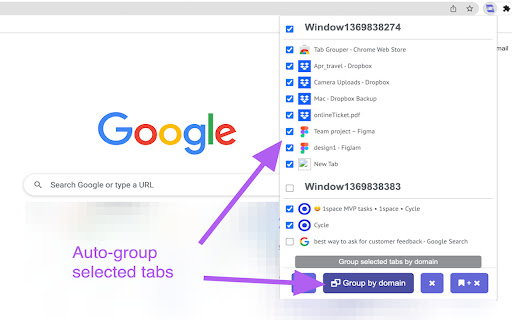
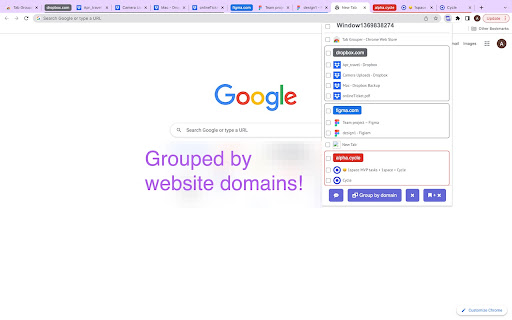
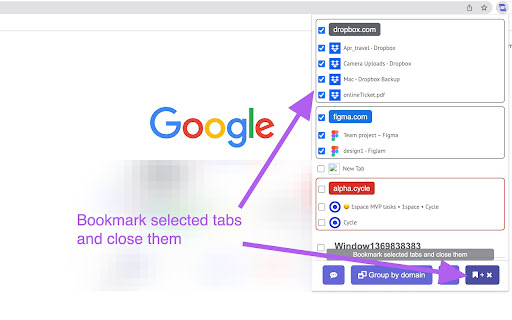
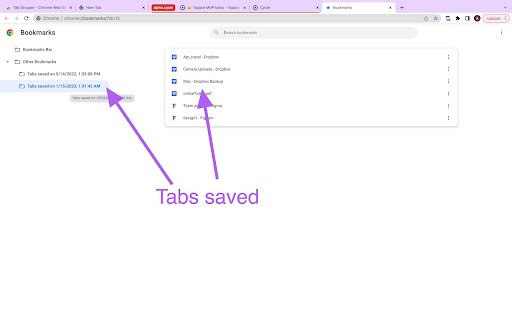

Find and manage your tabs easier. Helps you with: Browse all tabs opened. Click to jump to a tab. Select and smart grouping all tabs by website. Bookmark selected tabs in a folder and close them.

Advance Tab Groups
Auto tab group based on the url or regex An extension helps you manage tab groups better The newly added tab grouping function in chrome is very helpful. however, one of the things it does not allow the user to do is to pre-define rules for tab groups. with this extension user able to config the tab's group based on the tab's URL or regex rules. when a new tab is created it will be added to the corresponding group based on the rules user-defined. An auto group flag in a pop-up view is used to suggest if the extension will auto move the tab when it is created or updated. if this flag is off then the user will group the tab by clicking the “Group all tabs” button.

TabTap - Clean & Fast Tab Manager
Search, organize, and manage tabs with ease. Make browsing simple and stress-free. 🔎 Search and filter tabs across all open windows 🗄️ Archive tabs to declutter and revisit later 🗂️ Group tabs by domain or window ↕️ Sort tab groups by tab count or by time 👓 Handle duplicate tabs effortlessly ♻️ Restore closed tabs with one click 🏂 Add up to 3 quick-access shortcuts ⚙️ Customize your interface in Settings 🏗️ Manage tabs across multiple windows 🔒 Privacy First: your data stays on your device, no tracking, no collection 🎨 Flexible Views: switch between tab list, domain, or window grouping 🛠️ Make it yours: customize TabTap to your workflow ⚡ Fast and lightweight: simple, clean, and quick 🌙 Light and dark themes: pick what feels right for you [v1.15.0] - Close All Duplicates: close all duplicate tabs with one click [v1.13.0] - Choose whether to keep tabs in the archive after reopening Reopening archived tabs now offers two options: 1. Reopen and keep in archive 2. Reopen and remove from archive You can customize the interface by toggling "Show Options for Removing from Archive when Reopening" in Settings. [v1.11.1] - Remember Archive Toggle in Settings: choose whether the plugin reopens in Archive mode if that was your last session - Group actions for archived tabs: fixed inconsistencies with restore/delete operations caused by a race condition [v1.10.1] - Archive Recovery: restore recently deleted archived tabs - Current Tab Finder: locate and scroll to the current active tab - Full URL Display: display complete URLs instead of domains in tab subtitles [v1.8.1] - Archive: archive tabs and groups for later use [v1.7.1] - Open Tabs in the Current Window: open a tab or a group of tabs in the current window [v1.6.0] - Open Tabs in a New Window: open a tab or a group of tabs in a new window - Focus Window: focus a specific window with one click [v1.5.3] - Duplicate Tab Management: identify and manage duplicate tabs [v1.3.1] - Group Close: close all tabs in a domain or window group with one click [v1.2.0] - Tab Counter Badge: quickly check your open tab count - Tab Counter Badge Toggle: enable or disable the tab counter badge in Settings [v1.0.0] - Tab Grouping: view, search and manage tabs grouped by window or domain [v0.2.0] - Quick Access Shortcuts: add shortcuts to your favorite websites [v0.1.0] - Tab Search and Filter - View Open Tabs - Remove Tabs - Restore Closed Tabs - Dark/Light Themes 💬 We'd love to hear from you! Your feedback helps make TabTap better. If you have any suggestions, feature requests or bug reports, please leave a comment in the Support section! 😊 If You like TabTap, please leave a rating on the Chrome Web Store:) It makes a big difference for us and helps us a lot.❤️ Hope you enjoy TabTap! ^^

Tab-Manager
A basic tab manager that allows you to find or navigate to tabs quickly. A basic tab manager that allows you to find or navigate to tabs quickly, as well as pin or unpin tabs, and mute or unmute audible tabs. v0.1.2 includes case-insensitive tab searching by title. v0.3.3 includes the ability to close tabs, the ability to pin and unpin tabs, and an updated shortcut key (Ctrl+Shift+E) that should have fewer conflicts with other extensions. v0.3.4 includes the ability to show audible and muted tabs, and mute or unmute audible tabs.

Tab grouper
A tab grouping extension by Explosion-Scratch. This extension is open source here:… A tab grouping extension by Explosion-Scratch. This extension is open source here: https://github.com/Explosion-Scratch/tab_grouping This extension allows automatically grouping tabs, manually grouping tabs, ungrouping them, naming the groups automatically and so much more!
