
ebaakekgcpaojdlfcfmlaelgaacmdeje
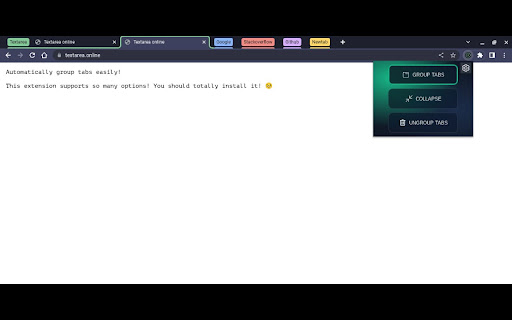
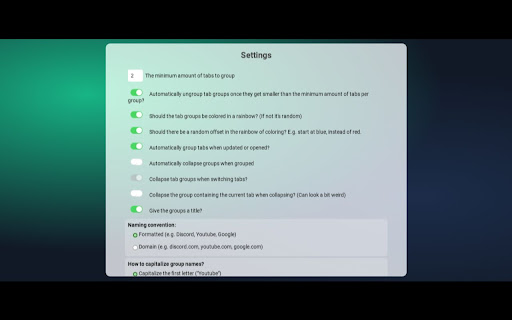
A tab grouping extension by Explosion-Scratch. This extension is open source here:… A tab grouping extension by Explosion-Scratch. This extension is open source here: https://github.com/Explosion-Scratch/tab_grouping This extension allows automatically grouping tabs, manually grouping tabs, ungrouping them, naming the groups automatically and so much more!

Tab Grouper
Tab grouper is a chrome extension that allows you to automatically group all tabs that match a given URL pattern. You create rules for each website saying which URL pattern to match, the name of the tab group, and optionally a color, and the extension will add matching websites to the appropriate tab groups as you browse to them. For example, you could have all jira tickets in a single group, all amazon pages in another, and all google search results in another. For more details, see https://github.com/mivok/tabgrouper/blob/master/README.md Q: Why do you need the "Can read your browsing history" (or "tabs") permission? A: As you browse, the extension reads the addresses of the sites you, matching them against the rules you write, automatically grouping tabs based on those rules. The extension does not store nor transmit your browsing history anywhere. Q: Why do you need the "View and manage your tab groups" permission? A: The purpose of this extension is to automatically manage your tab groups for you, and so this permission is needed for the extension to work.

Simple Tab Grouper
A simple extension that groups your tabs for you A simple extension that utilises the tab groups feature of Chrome to group all of your opened tabs at ease. Enjoy the extension? Have a problem? Why don't you leave a review?

Tab Grouper
Find and manage your tabs easier. Helps you with: Browse all tabs opened. Click to jump to a tab. Select and smart grouping all tabs by website. Bookmark selected tabs in a folder and close them.

Group Tabs
This is a Chrome extension that sorts and groups tabs. * Feature: Not group for domain or sub-domain that has only 1 tab. # Access to data This extension access all tabs, but uses only the URL of the site open in the tab. Use this information when sorting or grouping tabs.
