
dkfhfaphfkopdgpbfkebjfcblcafcmpi


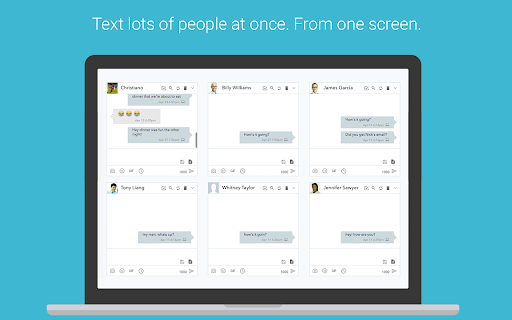

SMS from PC or Mac using your Android #. Sync Text Messages, Calls, Notifications, Photos, Battery Status ★ Send & Receive SMS Text Messages on your PC or Mac ★ Uses your CURRENT Android Phone Number ★ 100% Free ★ Get started in less than 60 seconds ★ Sync your phone's photos and videos instantly to MightyText ★ See your Android app notifications on your Computer (from any app - not just your sms app) ★ Sync your phone's MMS Picture Messages to your computer ★ Get low battery alerts on your computer (when your phone has low battery) Step #1: Install our Android App on your phone: https://play.google.com/store/apps/details?id=com.texty.sms Step #2: Link your Google Account and Complete Setup on your phone Step #3: Go to https://mightytext.net/app in Chrome on your desktop Step #4: Sign in to MightyText on your desktop browser with the same Google Account used on your phone Step #5: Install this extension Note - This MightyText Chrome Extension will work only AFTER completing the steps above. Send & receive SMS text messages & MMS from Chrome using your current Android™ phone and number. You can still send/receive texts on your phone as you normally would. We are different from apps like Google Voice or SendHub, which requires the user to set up a different number or to port their number to Google Voice. With MightyText, you can keep using your same phone number, as usual for texting. Note: Google Voice does not use your carrier phone number By clicking "Install", you agree to these Terms of Service: Android Phone with version 4.4 or above Working and active mobile data or wi-fi connection Background Data must be enabled on your phone Phone must have battery charged and be on, since all texts are routed through the phone Portions of this page are modifications based on work created and shared by Google and used according to terms described in the Creative Commons 3.0 Attribution License. - updated colors and logos - more reliable incoming SMS notification popups 8.1 and 8.2 - For WebApp users, now marks messages as read on phone after clicking on an incoming SMS notification, or closing an incoming SMS notification. (Auto-dismiss won't mark it as read) - Works more efficiently with new web app (http://mightytext.net/install) - Improved performance and stability - Support notifications of upcoming web app beta release. - Fixed bug with popup notifications not showing up from certain recipients - Cleaned up UI of notification window - Increased stability for upcoming web app release - Minor UI changes (links on header) - No longer closes window when replying to a message from the result of a popup notification - Fixed UI glitch on reply popup page - Reduced memory footprint - Improved speed of loading tabs - Fixed intermittent problem of repeated "You have many text messages" notification - Background color change, based on many users' feedback :) - Removed check for invite. MightyText is now open to all! - Speed improvements on desktop notifications - Revert to standard fonts in some text areas - Started rollout of faster push notifications to Chrome - Performance improvements on data storage latency - New UI header - New action buttons with pictures - Fixed broken FB link - New name: MightyText - New Calling Features: Calling Now, Missed Calls notifications (can turn off on Android side) - Can see which Android version you have in the About on Android App - Fixed Bug - escaped character issue with Close/Reply buttons on Popup Notification - Fixed >160 character bug - wasn't sending properly - Reduced font size of name/numbers in tab - New Font for application: “Open Sans” - Fixed Bug - Close/Reply buttons on Popup Notification were sometimes non-responsive - Automatically Mark Messages as “Read” on phone after clicking Close or Reply on Popup Notification (NOTE - we can't remove Android notifications on the phone as they were created by another Android app) - Faster confirmation process after Sending messages from Chrome Extension - Cleaned UI on notifications when Desktop Notification option is set to “Just Sender Name” - Fixed neverending loop that prompted users to log-in when a user is not invited to the beta yet. - Removed MightyText name image file from user interface (app will soon have a new name) - Pressing Enter while typing message much smoother and faster. - Automatically bring focus to same text entry box after hitting Enter - Automatically bring focus to text entry box when clicking a tab - Checks if at least 1 number is present in "Send To" field - Reduced left margin of reply bubble from 150px to 100px - Fixed Bug - was cutting off message too early if user hit enter in middle of message - Fixed Bug: Some short message codes cause loading problems - Fixed Bug: SOmetimes empty message sent if Enter was held down for too long - Fixed Bug: Delete All Messages flaky when "-" and " " present in phone number - Fixed bug with excessive internet connection error popups - Fixed bug with "Delete All from this Sender" for some types of threads - Improved Contact matching speed 3.31 and 3.32 (May 15, 2011) - Fixed contact matching issues with numbers with spaces and dashes in Google Contacts - Overhauled contacts matching algorithm; no more "+1" auto-guessing of country code, etc. - Now showing contact phone # along with name (for matched contacts) - Fixed bug: pressing enter under "Compose New" sometimes caused confirmations to stall - All unicode characters now working - Smarter and more efficient message pulling timing - Added static links to facebook page and Chrome Web Store review page - Can now send a text by pressing Enter (Highly Requested Feature) - Can open MightyText in it's own tab (Highly Requested Feature) - Added Feature Request page and link - Added FB Like button - Improved stability and speed enhancements - Fixed Bug - Intermittent "blank" screens upon loading your texts, and/or when replying to a text from a popup notification. - Fixed Bug - The "+1" setting labels under options were swapped. - Smarter Handling when lots of new messages: Whenever there are lots of new messages since MightyText last ran, popup a single "FYI notification" instead of trying to pop up a notification for each - Fixed Blank Popup Notif Bug: Some users were seeing blank popup notifications intermittently, typically when starting up Chrome - Logging and stability improvements: To help MightyText team better identify user issues in a more automated way. - Most Requested Feature to date -- Contacts Search. When Composing a New message, a typeahead search of your sync'd contacts. NOTE: Will only work if you have previously sync'd your contacts. - Picks up new incoming text messages faster - More gracefully handles error if user is not set up for beta. (Shouldn't affect anyone receiving this email since you are already part of the beta) - Shows character countdown from 160 characters as you type a text message - Option to allow an override of using the "+1" prefix. Some verizon phones weren't doing well a "+1" at the front of a phone number. - Increased performance when loading messages

Any.do
Any.do helps you remember everything you have to do. Get Organized with Any.do for Chrome Join millions who use Any.do to keep track of everything—from daily tasks to team projects—all in one place. With Any.do for Chrome, stay productive and organized with ease. Seamlessly Manage Tasks: • Quickly create tasks and reminders • Drag and drop to organize your to-dos • Mark tasks complete right from the extension • Save web pages as tasks or notes to track articles, research, and follow-ups • Customize your browsing by setting Any.do as your default new tab Stay on Top of Your Day: • Capture tasks the moment they come to mind • Set one-time and recurring reminders • Collaborate on projects with team members • Assign tasks to others and manage shared responsibilities • Sync your calendar for a clear view of your schedule

Checker Plus for Google Drive™
Quickly browse your Google Drive files without opening a webpage and get notifications of modifications to your shared documents • Browse, open, search or delete your files and documents right from a browser button (without waiting for Google Drive's page to open) • Get desktop notifications when any of your files/documents are modified or updated by a shared user Click "Website" or visit jasonsavard.com for more info.

Backup and Sync Google Drive to other clouds
Export Google Docs and Sheets to other clouds with one click With this browser extension you can save your Google Docs or Google Sheets directly to other cloud account. Just click on on "Save to" button in upper right corner of your Google Docs or Google Spreadsheet documents and you will promoted to select destination cloud service. And after save, you can setup you can setup real-time sync, backup or migration of your Google Drive™ folder with some other cloud services: with no complicated downloads. You can also synchronize any folder in your Google Drive with other cloud storage solutions such as Amazon S3, Dropbox, Egnyte, SharePoint, etc. To do this, open the folder in your Google Drive and click on "Sync this folder" to initiate the synchronization wizard. You can learn more about cloudHQ solutions here: cloudHQ website: https://www.cloudhq.net/ Pricing: https://www.cloudhq.net/pricing Support page: https://support.cloudhq.net/ Blog: https://blog.cloudhq.net Gmail, Google Shared Drive, Google Drive, and Google Workspace are trademarks of Google LLC. Use of these trademarks is subject to Google Permissions.

ActiveInbox: Organize Gmail™ tasks
Overwhelmed by too many to-dos in your inbox? Turn Gmail into an effortless task manager to never forget anything. Turn Gmail into a task manager, and take control of all your conversations. Our mission is simple really... we want to give all of us the tools to achieve meaningful happiness. Our business supports this by making elegant software, infused with proven psychology, to help us all absorb the shocks of life and become truly effective. DESIGNED FOR EXECS, MANAGERS & FOUNDERS ActiveInbox has a free trial to get a taster of being in control. It's "A 'must try' if you want to easily keep yourself on track in an undoubtedly busy world" - Richard Gaspar ActiveInbox works where you already do: in Gmail and on mobile. There's no need to adopt a new tool to accomplish... Stop emails sinking into the inbox swamp by turning them into tasks with due dates and adding them to projects. Don't 'send and pray' emails you spent precious time writing. Deliver at the time they'll be read and let ActiveInbox track them to completion. Achieve inbox zero, then glide through your day, by having just one place to focus on emails and tasks, and breaking your Today list into digestible chunks. Oh, and we're the original Gmail plugin - ActiveInbox has been supporting customers since 2006.
