
djmdnnaaplpopbkoaogbbcjligodffno
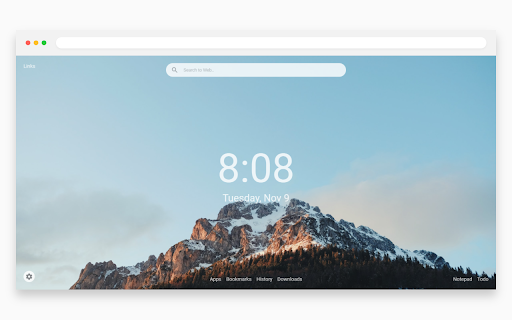

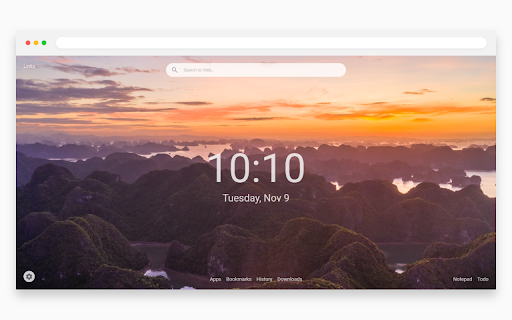
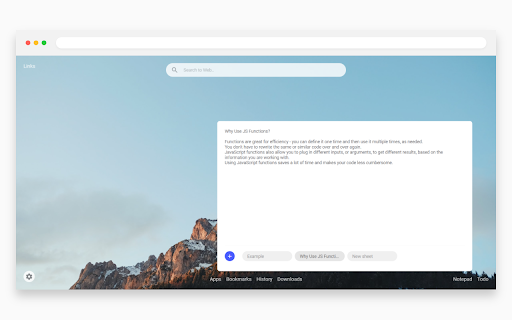
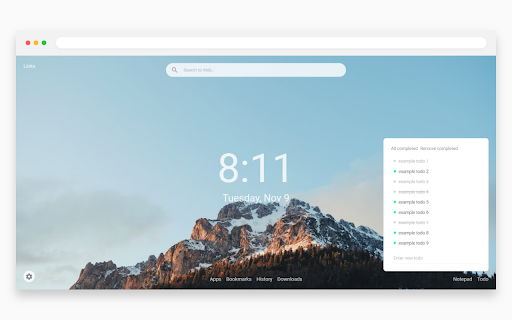
Give a clean and modern look to your new tab page.

Cursorland - Custom Cursor for Chrome
Change your cursor to a custom one with our large collection of cursors from popular characters! Just install the extension and click the "More Cursors" button to get into the free directory. The interface of the catalog is as simple as possible - move the mouse pointer over the picture you like and see how it looks like as a cursor. Did you like the cursor? Fine! Press the "Add" button and it will appear in the Cursorland extension menu. In the menu you can change the size of the cursor, enable or disable the custom cursor. The collection catalog is constantly updated with trending topics, be sure to visit the site more often. There you will find many game cursors, anime cursors, funny cursors, cute cursors, as well as characters from your favorite cartoons and series. Please note that Google policy prohibits the use of custom cursors on Chrome Store pages as well as internal Google pages. After installing the extension, update the previously opened tab to use the custom cursor on it.

OmniTab New Tab
Free to define your new tab,add website icons,HD wallpapers,quick access to bookmarks,todo list,weather and history OmniTab is a new tab page beyond infinite possibilities, which can be customized with a high degree of freedom. OmniTab strives to create excellent interaction and a perfect UI interface, which not only provides rich functions, but also is easy to use, and can be customized with a high degree of freedom, allowing you to say goodbye to dull and uninteresting native tab pages and enjoy the personalization that OmniTab brings to you. OmniTab will redefine your new tab. With OmniTab, you get the following features: Highly Liberalized Edit 40+ setting options are provided, the layout can be freely customized, and your new tab page is up to you. Easily Manage Frequently Used Websites Integrate thousands of commonly used websites, add them with one click, and manage them in batches. HD & Exquisite Wallpaper Change at Will Built-in massive HD wallpapers, you can also upload your favorite wallpapers to make your new tab page pleasing to the eye. Super Navigation Your can add most frequently used websites to the quick navigation at the bottom, one-click quick access to improve efficiency. Featured Group You can add different groups according to your habits, and you can place website shortcut icons under each group to improve work efficiency. Search Engine Customization It integrates multiple mainstream search engines, such as google, Baidu, bing, yandex, etc., which can be switched and used arbitrarily according to your own needs, and it can be intelligently associated with search. Cloud Data Backup Sign up for an OmniTab account with an email address, enjoy cloud backup and multi-terminal synchronization, and ensure that data will never be lost.

Unlimited New Tab - Custom Chrome Start page
Replace the default Chrome start page with a clean and modern new tab page. What if every new tab could calm your mind and increase your focus? Every time you open a new tab in your Chrome browser, we’ll show you a randomly selected photograph of an Unlimited New Tab project. Note: For the best experience, after installing Unlimited New Tab click the ‘Keep it’ button on the ‘Change back to Google’ notification. This will show Unlimited New Tab on each new tab as intended. 🙂 Some people compare this extension to momentum, infinity new tab and others. We are more focused on productivity.

Squid Game Cursor
Squid Game custom cursor for chrome. New browser experience with Squid Game cursor. Created for Squid Game fans. New browsing experience by using this Squid Game custom cursor chrome extension. Squid Game Cursor Extension Features: - Give you different Squid Game cursor design for you to replace default cursor. - Click on the task bar extension icon located at right hand top corner to open up Squid Game cursor setting box. - Quick access to More cursor theme in setting box. ------------------- ! After installing this extension, refresh the previously opened tab if you want to use it on this page. ! According to the rules of the Chrome Web Store extension cannot work on the store pages and home page. Please open any other website (for example, google.com) after installing this extension and check how the extension will work on it. If you have any questions about our Squid Game cursor extension or just want to give us some feedback, feel free to send us a message or write a review! We'd love to hear from you.
