
dffcfjmmliepbognbgkmbhiodoapgmno
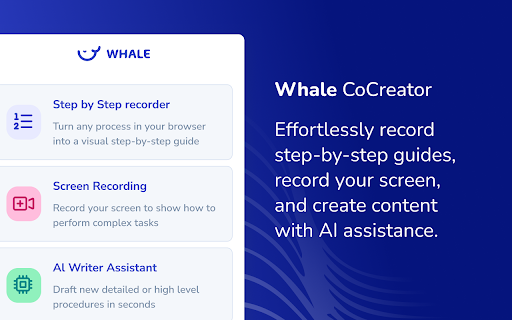


Effortlessly record step-by-step guides, record your screen, and create content with AI assistance. Effortlessly record step-by-step guides, record your screen, and create content with AI assistance. - Turn any process in your browser into a visual step-by-step guide. - Record your screen to show how to perform complex tasks. - Draft new detailed or high level procedures in seconds. Not a Whale customer yet? Register for a free at https://www.usewhale.io or book a 1-1 demo with a product expert today!

ScreenApp - Record and take AI notes of meetings, videos, calls & lectures
Easily record your screen and audio with ScreenApp. Take AI Notes and summaries of any recording. ScreenApp. Transcribe audio and screen content right from your browser or any URL. Perfect for capturing notes and summaries from lectures, meetings, webinars, podcasts, and beyond. What it does: - Records and uploads to the cloud instantly - Turns audio and video into text. - Works seamlessly in your browser: no downloads needed. - Pulls in content from web links. - Simplifies note-taking from any source. - Creates concise summaries effortlessly. Why you’ll love it: - Saves time with instant transcription. - Keeps everything organized in one place. - Makes sharing a breeze. How it works: 1. Add ScreenApp to your browser. 2. Start Recording 3. Save and process with AI 4. Chat and Summarize

Driveway: AI Screenshot Guides, SOPs, & Demos
Automatically create step-by-step training guides with screenshots by recording your browser-based workflows. Streamline Your Workflow Training with Driveway Welcome to Driveway, one Chrome Extension for your guides, demos and walkthroughs. Driveway records you clicks and writes step-by-step instructions. Show off your product with Help Center Demos and In-App Walkthroughs. Driveway is the ultimate solution for effortlessly creating step-by-step training guides with perfectly cropped screenshots. Our goal is to help you get work done faster by automating the processes. ⏰ Time-Consuming Documentation — Driveway saves you hours during the documentation process. Driveway created AI-generated text descriptions and voiceovers to better communicate your work flow. ⚒️ Complex Editing Tools — Driveway automatically generates perfectly cropped screenshots, eliminating the need for specialized skills. When editing a guide, Driveway offers auto-redact and mark-up features. 📆 Outdated Content — Driveways are easy to edit. With shared links and embeds, update content automatically without having to republish your website. Plus you can share new guides in the tools your team is already using, like Notion, Google Docs, and more. 🚗 Here's Some Common Uses for Driveway — Save Time — Easy Updates — Capture Processes Anywhere — Perfectly Cropped Screenshots — Customizable Guides — Data Safety and Compliance — Effortless Sharing — Multi-Knowledge Base Sync — Detailed Analytics 👯♀️ Who is Driveway For? Driveway is perfect for a wide range of use cases, including: — Customer Support: Create proactive support documentations and keep help centers up-to-date with the help of Driveway guides. — Customer Success: Need to show customers how to use a feature or communicate a product update? Record your workflow with Driveway, and help your customers with step-by-step support that can be sent in one singular guide. — Human Resources (HR): If you’re looking for a better way to onboard new hires, then Driveway is the way to go. With interactive guides you new employees can learn valuable tools and ramp up their product skills in no time. — Marketing: For a better way to release feature updates, Driveway guides provide a branded and organized approach to how-to guides. Say goodbye to wasted time over perfecting screenshots and copy - Driveway’s AI does it for you! Plus you can use your company’s colors and logo for your Driveway guides. — Sales: Maybe you want to enable sales people or maybe you want a better way to demo the product. Driveway can help your sales people with both. Driveway’s highlight feature helps your features stand-out during demos. With interactive guides you can also train your employees on better sales tactics in real-time! — Anyone with knowledge to share! At the end of the day, Driveway an be used in many ways. From sales to customer support and how-to guides to demos unlock our tools potential and try Driveway today!

Trupeer - AI Screen Recorder for Video Documentation, SOPs & Screenshots
Create Video & Documentation in minutes with AI. Share polished video and step-by-step guides/SOPs in seconds. Instead of traditional video editing let AI handle your videos & documentation without manually editing and copy/pasting screenshots and text instructions. 90% reduction in video editing & documentation cycles. Whether you are showing a new feature, building a training guide, creating a support article, or recording a walkthrough for customers, create it with Trupeer without cameras, retakes, or complex editing. What people use Trupeer for Teams use Trupeer to: 1. create product demo videos 2. record software tutorials and walkthroughs 3. make training videos for onboarding and sales enablement 4. build knowledge base articles and step-by-step guides 5. create help center content for customer support 6. share product updates with customers and prospects 7. document workflows, SOPs, and process changes If someone on your team has ever said, “This would be easier to explain in a video,” Trupeer is built for that workflow. Start by recording your screen or uploading a video. Trupeer captures your screen, voice, and internal audio, then helps turn that recording into content your team can actually use. From one recording, you can create: 1. polished video walkthrough 2. narrated product demo 3. training or onboarding video 4. structured document with steps and screenshots 5. shareable knowledge base library This is what makes Trupeer useful for teams that need both video and documentation, not just another screen recorder. * Edit with AI, not with complicated timelines. Trupeer helps you clean up and improve recordings without advanced editing skills. You can: 1. turn speech into an editable script 2. rewrite the script with AI 3. trim video using the script 4. remove filler words automatically 5. add or delete pauses 6. delete chunks or skip sections 7. add clips anywhere in the video 8. use AI voiceovers and AI avatars 9. add custom voices, including ElevenLabs voices 10. keep or use the original transcript 11. add captions and chapters 12. adjust timing with timeline controls 13. use zoom effects, crop tools, and aspect ratio changes 14. add intro slides, outro slides, backgrounds, transitions, music, and text These features help teams create cleaner tutorial videos, explainer videos, customer training content, and sales demos much faster. * Build documentation and knowledge base content at the same time Trupeer also works as a documentation generator and knowledge base software. You can create and edit documents with: 1. step-by-step instructions 2. screenshots and external images 3. new steps added manually 4. AI rewrites 5. find and replace 6. rich text formatting 7. document templates 8. image cropping 9. bulk image cropping 10. annotations like blur, arrows, and text This makes Trupeer useful for teams searching for: 1. step-by-step documentation software 2. SOP documentation tools 3. help center content tools 4. product knowledge base software * Create on-brand content for your team- Trupeer supports brand customization so your videos and docs stay consistent across teams. You can use: 1. video templates 2. documentation templates 3. custom avatars 4. custom voices 5. custom backgrounds 6. custom music 7. brand kits 8. custom glossary 9. custom pronunciation settings * Translate for global teams Trupeer helps global teams create multilingual content faster with: 1. video translation 2. document translation 3. support for 65+ languages This is especially useful for customer education, onboarding, support, and internal training across regions. Trupeer makes it easy to publish content as a shareable page and keep improving it over time. You can: 1. share with one link 2. update the content without changing the URL 3. use shared pages for docs and videos 4. track engagement with share page analytics That makes it useful for teams maintaining help centers, training libraries, product docs, and sales collateral. * Built for teams and organizations Trupeer supports team workflows with: 1. organization setup 2. team invites 3. shared assets 4. centralized administration 5. organization analytics Trusted by thousands of teams like Glean, United Health Group, SAP, Adobe, Berkshire Hathaway etc to create product demos, walkthroughs, training videos, onboarding content, documentation, and knowledge base pages faster. What is Trupeer? Trupeer is an AI screen recorder and content creation tool that helps you turn screen recordings into product demos, tutorials, training videos, and step-by-step documentation. Who is Trupeer for? Trupeer is built for product teams, sales teams, customer success teams, support teams, operations teams, and anyone who needs to explain software, workflows, or processes clearly. Can Trupeer create both videos and documentation? Yes. Trupeer can turn one recording into both a polished video and a structured document with steps, screenshots, and annotations. Can I use Trupeer for product demos and software walkthroughs? Yes. Trupeer is designed for product demos, feature walkthroughs, onboarding training, customer education, and tutorial content. Does Trupeer support AI avatars and voiceovers? Yes. Trupeer supports AI avatars, AI voiceovers, and custom voices, including ElevenLabs voice options. Can I edit my video by editing the script? Yes. You can edit the script, rewrite it with AI, trim using the script, remove filler words, add pauses, and clean up sections without traditional video editing complexity. Can I create knowledge base articles and help center content? Yes. Trupeer can create step-by-step documents, guides, SOPs, help center content, and knowledge base pages from your recordings. Does Trupeer support captions, chapters, and translations? Yes. Trupeer supports captions, chapters, video translation, and document translation in 65+ languages. Can I brand my videos and docs? Yes. You can use templates, brand kits, custom avatars, custom voices, custom backgrounds, music, glossary rules, and pronunciation settings. Can teams collaborate in Trupeer? Yes. Trupeer supports organization setup, team invites, shared assets, centralized administration, and analytics for team workflows. For support or feedback, contact hello@trupeer.ai This Screen Recorder Chrome Extension builds on Screenity, originally created by Alyssa X and licensed under the GNU GPLv3, with enhancements developed by the Trupeer team. Source code available https://github.com/trupeer-ai/trupeer-chrome-capture For more information about how to use Trupeer.ai, please visit https://www.trupeer.ai/

Notix: Notion Web Clipper
Save the Web to Notion. Use AI to create summaries and auto-prefills. Easily create how-to guides with screenshots in Notion. Finally, a reliable Notion web clipper with all the features you need: 🚀 Templates for Efficiency: Quickly populate properties with pre-defined values or pull info from the current website, like page titles or URLs. 📷 Screenshots Made Simple: Notix lets you effortlessly add screenshots from your current page. You have the flexibility to choose between capturing the visible area or the entire page. You can also copy and paste images from your favorite screenshot tool or from your files. 📝 Effortless Page Editing: Edit page content effortlessly using Notix's extension. It's as intuitive as editing a Notion page, directly from your browser. 🧱 Custom Blocks for Content Prefill: Craft custom blocks in Notix to populate page content effortlessly. It's a one-stop solution – automatically capture a screenshot, insert selected text, include page title or URL, and even employ AI for content summarization. Your content, your way. 🤖 AI-Powered Prefill: Prefill properties, generate page titles, summarize web pages and much more with the power of AI. Try it out for free!
