
dekfemoloimmoffncaglceheghddongm
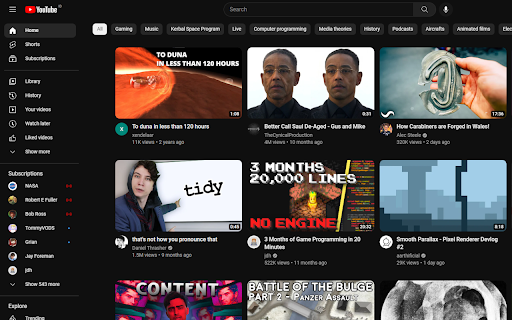
Block YouTube shorts from showing up on your feed. Block YouTube shorts from showing up on your feed. You are still able to view them by going directly to your shorts feed.

YTBlock - Block any content from YouTube™
Block videos, comments, channels and much more! With this extension you can block any type of content in Youtube™. ✨ Features: • Blacklist words and phrases (regex supported). • Block channels, videos, comments, posts, and playlists. • Block videos by title, categories*, tags*, description*, duration, link, ID, views*, date* and published time*. • Block members only videos. • Block already watched videos. • Block video by language*. • Block shorts, live, premiere, and age-restricted videos. • Block channels and whitelist channels. • Block comments and posts by their content or by channel. • Block playlists by channel, title, and even mix playlists. • Toggleable block overlays. • Password protection. • Many more! ⚠️* Note: A Google API key is necessary to get information that are not visible in the YouTube™ page about videos and channels, such as tags, categories and descriptions. Within the extension there's instructions on how to get one.

YT Focus - Learning Made Easy
YouTube Without The Distractions | Focus Homepage, Hide Shorts/Comments/Recommendations and more... It's always hard to learn in the same place you relax. YouTube Focus fixes that problem: - Hide homepage recommendations - Blur or Hide Recommendations - Video Brightness - Video Blue Light Filter (Sepia) - Hide Comments - Hide Shorts - Shorts Timer - lowercase titles combat (CLICK BAIT) - Power Button to toggle on & off YT Focus About: YouTube Focus improves productivity by combatting distractions on YouTube. This means getting rid of flashy click-bait thumbnails, and titles THAT LOOK LIKE THIS, hiding shorts, and so much more. YouTube Focus, well, wants you to focus! With this app, you can laser focus on whatever you need to do, stopping impulsive clicks or searches. Then when you're done, toggle it off, kick-back and relax. Open Source (Learn How to Make a Chrome Extension): YouTube Focus is open source, meaning that all the code for this extension is visible on our github page! If you've been looking to contribute or want to learn how to make your own chrome extension like this, it's all available on our repository! We have both our chrome extension and website code public, so there's a lot to learn or add to. Open for Feedback: YouTube Focus is committed to providing a distraction free learning experience on YouTube. If you find any bugs or have a feature suggestion, let us know on GitHub! Report Bugs: If you encounter any bugs while using YouTube Focus, please leave an issue on our GitHub page. Additionally, most bugs are fixed by refreshing the page. Personal Data: YouTube Focus respects the privacy of its users and is committed to protecting their personal information. We do not collect or retain any personal data, browsing history or other identifying information. Third Party Services: YouTube Focus uses Chrome (Chromium) or WebExtensions Storage Sync API to store user settings, and browser's Web Storage API (localStorage) to store Developer Tools fixes. Donations to YouTube Focus are processed by Open Collective and their chosen payment processors, Stripe and PayPal. Do yourself a favor and get focused!

Remove YouTube Shorts
Removes YouTube Shorts and prevents you from wasting your precious time. # Remove Shorts - Removes Shorts from search results. - Eliminates Shorts from all viewing areas. - Now Available as Mobile app, "BlockScroll". - Works with Kiwi Browser for mobile browser use. - Helps reduce distractions, allowing for increased focus. This extension completely removes YouTube Shorts as if they never existed. You won't see any Shorts videos in your feed, search results, or recommendations. Browse YouTube without distractions from short-form videos. By removing Shorts, you can stay more focused and avoid frequent distractions that interrupt your concentration. This can help you maintain a better attention span and focus on longer tasks or content. Now available as a mobile app called BlockScroll. With Block Scroll, you can block Shorts, Reels, and more directly on your phone without affecting app functionality. Get BlockScroll here: 🔗 https://play.google.com/store/apps/details?id=com.arktechplugins.blockscroll If you have any feedback regarding extension 📩 #Contact: https://arktech-plugins.vercel.app/contact If you liked my work you can by me a coffee ☕ #Support: https://arktech-plugins.vercel.app/support

YouTube Blocker
YouTube Blocker blocks ALL YouTube Shorts and blocks non-educational YouTube Videos not in the Education, Science & Technology, Howto & Style, or Music categories YouTube™️ is a trademark of Google Inc. Use of this trademark is subject to Google Permissions. YouTube Blocker is not created by, affiliated with, or supported by Google Inc.
