
dejhhgdpambaambdifcfbmpliolehfaj
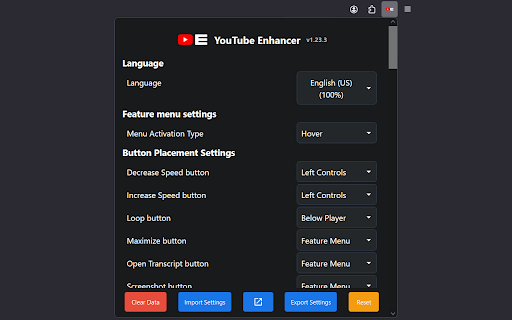
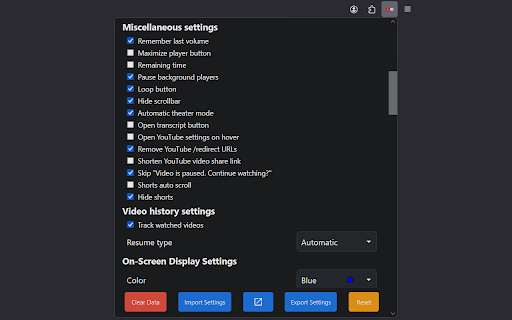
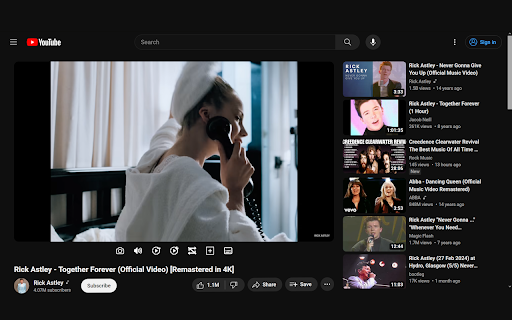
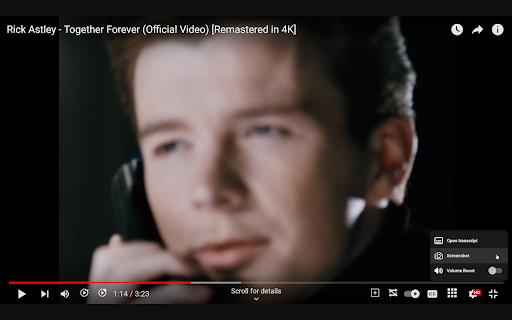
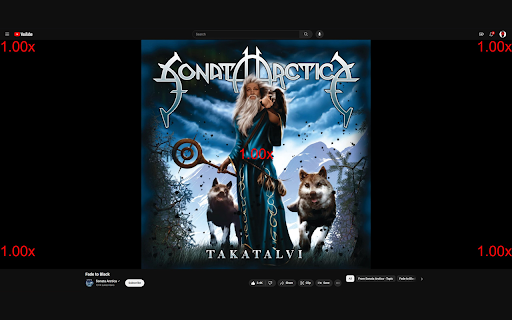
YouTube Enhancer is a simple extension that adds some useful features to YouTube. Take control of YouTube with YouTube Enhancer. Customize volume, automate video quality and playback speed, clean up the interface, and unlock features YouTube doesn’t offer by default. Fully customizable and open-source. GitHub: https://github.com/YouTube-Enhancer/extension Join the community: https://discord.gg/VpdGFmuB4B Support development: https://ko-fi.com/youtubeenhancer Not affiliated with YouTube or Google. - Set a default playback speed and adjust it with on-screen controls - Choose your preferred default video quality (1080p, 4K, etc.) - Control speed or volume using your mouse wheel - Boost volume beyond YouTube’s standard limit - Loop videos with one click - Set a global volume level so every video starts where you like it - Remember separate volume levels for Shorts and regular videos - Skip “Video paused? Continue watching?” interruptions - Automatically pause videos playing in background tabs - Auto-enable Theater Mode or maximize the player - Quick access to video transcripts - Remove redirect links and unnecessary tracking parameters from URLs - Extra dark themes (Dracula, Solarized, and more) - Fully customizable colors and custom CSS support - Resume videos where you left off - Hide elements you don’t want, including live chat, Shorts, and end screen cards - Many additional small improvements that make YouTube cleaner and easier to use YouTube Enhancer is open-source under the MIT license. Modify it, contribute, or simply enjoy a better YouTube experience on Chrome.

YouTube Tags
The extension to view the tags of any YouTube video Browse the tags of any YouTube video with the YouTube Tags. Use your browser as before, because the extension for viewing tags from YouTube video does not affect its performance. Note: don't forget to reload the YouTube page after installing the extension.

YouTube Enhanced Extension
This extension currently does the following: -Enables emotes for comments (mostly forsen's Twitch, BTTV, and FFZ emotes, both static and animated). -In-video Comments - where if you post a comment with a timestamp at the beginning, it will show up on the video at that time. Emotes are also enabled for this.

Youtube Audio Compressor
A simple Youtube extension that compresses video audio sound levels The easiest way to compress YouTube audio. Often when browsing YouTube, some videos are quiet and others are extremely loud 🔊 This extension seeks to fix this issue by compressing the audio, therefore levelling all videos to a similar volume, all in the aid of your ears. 🚀 Features - Boost quiet videos - Compress loud videos - Integrated into the YouTube player - Keybind to toggle via "V" or "B"

Easy Resume - Video Manager for YouTube
An extension that provides auto-resume functionality and an easy to access watchlist for YouTube Have you ever tried to finish a YouTube video you started watching earlier, but couldn't find it? Maybe it's a show you love, but all the episodes look the same. Or you can't find exactly where you left off. YouTube's built-in history feature... leaves much to be desired. The YouTube Easy Resume extension provides an easy-to-access watch history list through a simple interface. Once you install the extension, **pin it in your toolbar** and you'll be able to open a dropdown to see YouTube videos you didn't finish, jump right back to where you were watching, and access the content you want. When you resume a video it will start playing right where you left off. You can also tweak the settings to change what videos show up in the extension. Do you want it to only include videos that are longer than 5 minutes? Or to only list videos you've watched for more than two minutes? Easy peasy. All your video history is stored locally, no one else has access to what you watch. Besides, we would never judge you for watching four-hour-long action figure unboxing videos. You do you. This extension was made by the web team in the Annenberg Media newsroom to make watching YouTube a better experience. It's a labor of love, something we wanted to use ourselves, and wanted to share with the world. Digital Development Lead: Gautam Rajan Graphics: B Digital production supervisor: Graham Clark
