
ddmgffoffelnhnonpoiblaoboaeieejl
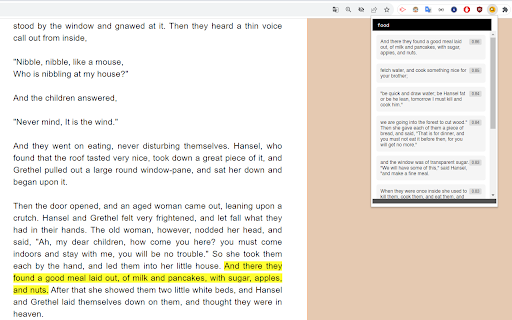
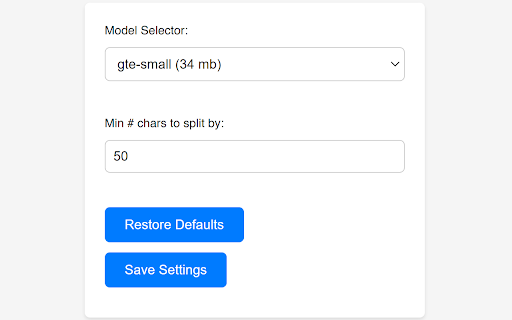
Semantic search right in your browser! Calculates segment embeddings and cosine similarity client-side without server-side inferencing, using transformers.js. Currently best in English but 50+ languages are supported too!

Promnesia
Recall which pages you already visited, why and in which context Promnesia is a browser extension (Chrome/Firefox/Firefox mobile) which provides a sidebar which complements browser history with some enhanced features. TLDR: it lets you explore your browsing history in context: where you encountered it, in chat, on Twitter, on Reddit, or just in one of the text files on your computer. This is unlike most modern browsers, where you can only see when you visited the link. It allows you to answer different questions about the current web page: - have I been here before? When? - why have I bookmarked it? - how did I get on it? Which page has led to it? - who sent me this link? Can I just jump to the message? - which links on this page have I already explored? - which posts from this blog page have I already read? *NOTE*: to get the most benefits from the extension, you also need to set up a supplementary service. You can find the instructions here: https://github.com/karlicoss/promnesia#setup

Ctrl+F AI
Supercharge Your Browsing Experience. Supercharge your web browsing experience with Ctrl+F AI, the ultimate search enhancement tool for your browser! Tired of endless scrolling and basic text searches? Ctrl+F AI revolutionizes how you find information on web pages. This powerful extension combines traditional search functionality with cutting-edge AI technology to deliver an unparalleled search experience. Key features: 1. AI-Powered Question Answering: Go beyond simple keyword matching. Chat with the website, and let our advanced AI provide you with accurate, context-aware answers. 2. Easy Data Extraction: Easily extract the content on the website to JSON or CSV format without leaving the tab. 3. Seamless Integration: Activate Ctrl+F AI with the familiar Ctrl+F (or Cmd+F) shortcut, making it a natural part of your browsing workflow. 4. User-Friendly Interface: Our sleek, intuitive design allows for easy navigation between search results and AI-generated answers. 5. Privacy-Focused: Your searches and questions are processed securely, ensuring your browsing data remains private. We don't save any of the content anywhere. It's only passed around to get the answers you're looking for. Whether you're a student researching for an essay, a professional analyzing reports, or just someone who wants to find information faster, Ctrl+F AI is your perfect companion. It saves time, reduces frustration, and helps you extract valuable insights from web content with ease.

Ctrl-F GPT
An extension enabling multiple types of searches for highlighting matches on a web page, in place of Chrome's CTRL+F. Search the information available on a webpage with natural language queries instead of exact string matches, powered by OpenAI models. Match using regular expressions. Include synonyms and antonyms for keywords in search results. Return unexact matches in the webpage with high text similarity. Toggle case sensitivity. Keyboard Shortcuts: ENTER : select next match on page SHIFT+ENTER : select previous match on page

OpenText Core SCA Select Extension
Open Source Select will help developers find and use the right open source and reduce friction between organisations and developers Open Source Select helps you find and use policy compliant and great open-source for any development project. The OpenText Core SCA Select Extension is a free plugin created with developers in mind, enabling you to check the health metrics and license information of an open source project at a glance. If you need more granular data, the extension can lead you to Open Source Select for more detailed information. The three types of metrics you can examine are: Community - How healthy the community around a project is. Popularity - Is it used by many? Is the usage declining? Security - How well does the maintainers apply security best practices. The extension now supports Start Left Policies. This lets you immediately see if the open source you are browsing is compliant with your company’s open source policy, without the need to import and scan code with Software Composition Analysis tools and common source code repositories and package registries such as GitHub, pypi, npmjs, nuget and many others are supported.
