
ddaaonfpjihkokiameemgefoplfnhilj
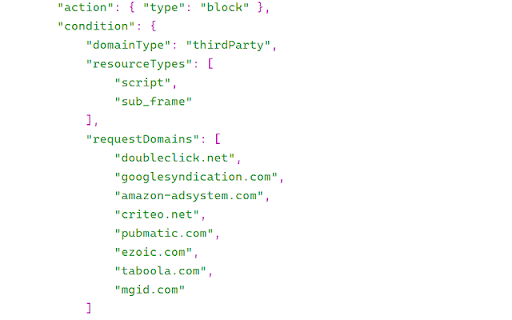
This extension blocks advertisement from some popular ad networks, by blacklist ad domain names. ✓ Block annoying video ads and banners ✓ Block pop ups ✓ Stop tracking and give yourself more privacy ✓ Fight off destructive malvertising that can hide in ads ✓ Give yourself faster browsing

CyberWise
Multilingual detector of phishing, adware, and malware on websites CyberWise detects cyber threats for people speaking 10+ different languages 👾🌎 Once on your browser, the cyber security extension notifies you beforehand about all malicious websites, files, and ads through built-in notifications. Contact us: Any questions or suggestions? We are always happy to learn from your perspective! Feel free to contact us at victoriapanassevitch.cyberwise@gmail.com.

Chrome Ad Blocker
Protects your Internet surfing from Ads, Porn. Blocks data mining and transfer, malicious redirects, etc. Chrome Ad Blocker is a brand new advanced advertisings blocker for Chrome browser. Why do you need Chrome Ad Blocker? Using our blocker on your Chrome gives you a range of advantages like: - No annoying banner advertisings on all websites - No pop-ups or new tab redirects - No malicious redirects when accessing online stores - No video ads on twitch and others - Enhanced private data security - Faster Internet connection What does Chrome Ad Blocker do? This browser extension uses advanced technologies and unique algorithm to achieve two main goals 1) Make your Internet surfing more comfortable by removing annoying yet harmless Advertisings on all websites. Chrome Ad Blocker also works on video hosting and streaming platforms to block and remove annoying video ads and prerolls. 2) Protect you from unwanted and malicious actions, including personal data collection and transfer. We block all malicious requests coming from your Browser thus disabling malware, adware and other unwanted software you might have on your computer. 3) Make your Internet connection faster and your user experience smoother as a result of ads blocking and disabling unwanted software and websites activity. What websites Chrome Ad Blocker work? The AdBlocker works on all regular websites, social networks, video hosting platforms like Facebook, Instagram, Twitch and others.

Script Control
• Allow or block JavaScript globally. • Allow or block JavaScript for multiple domains. • Allow or block JavaScript for individual domains. • Light and dark theme preferences. Chrome only allows 5000 simple rules (single domain) and 1000 complex rules (multiple domains). If you think you need more rules you may want to try an extension like NoScript or uBlock Origin that may not be using Chrome's new rule based technology. Script Control modifies security headers at low level to allow or block JavaScript. If you are using another security focused extension that is using the same technique, one or both extensions may interfere with each other. Script Control respects your privacy. https://nightmode.fm/software/script-control/privacy This software is provided under a no-contact and no-support model. Do not contact the author, for any reason, even if you think it would benefit the author.

Script Blocker Ultimate (NoScript,Disable JS)
While using blocking Java Scripts, you might encounter some irregular behavior in web pages which can be solved by white listing said web page. I suggest to blacklist News sites that are full of ads and only their texts is important for us. You can use '*' character in whitelisting and blacklisting domains (e.g., *.google.com). If you have any suggestions or found bugs/errors, please feel free to contact us on MojtabaDaneshi@Gmail.com We look forward to your feedback.
