
dcedanakoijbfgfefgleonhkoplfglhd
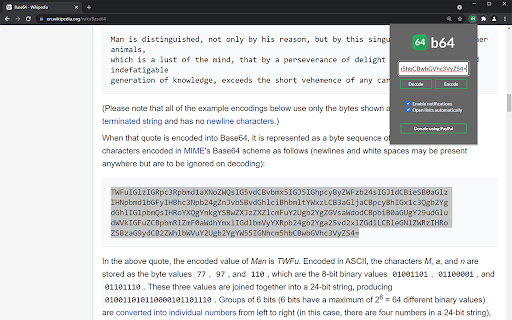
A simple tool for working with Base64 encoded text. b64 enables you to decode and encode Base64 text using a variety of different, convenient options. Use the built-in panel or just simply select the text and right-click on it. You can even decode text using your searchbar! Just type "b64", hit space and paste the text you want to decode.

Base64 Decoder
Decodes Base64 strings. Highlight the string and right-click. This is a tiny extension that does just one thing: Decodes Base64 strings. To use, simply highlight the string you wish to decode, right-click it, and select 'Base64 Decode'. Note: depending on the structure of the page, decoding the string may cause some funny formatting issues. Refresh the page to restore structure/formatting. This plugin runs 100% locally in your browser, no data is collected or transmitted in any way.

base64 en- and decoder
Encode and decode text to/from base64 right in your browser. A Chrome extension for encoding and decoding text to/from base64 — right in your browser, no external tools needed. - Live preview as you type - Switching modes carries the result over as the new input - Full Unicode support (emoji, accented characters, etc.) - Handles multi-line text correctly - Copy button appears when there's output to copy

Base64 Encoder and Decoder
Easily encode and decode strings in base64 with Link Webbie new chrome extension, which gives the simplicity in encoding and decoding text or strings in base64. This extension can be used while you look at different websites on the web even encode there content in base64.

Base64 Decode and Encode - Online
Decode from Base64 format or encode into it with various options. Our extension has an easy-to-use online tool to convert data Base64 Encoder/Decoder is a simple, easy-to-use Chrome extension that lets you quickly encode and decode Base64 strings. Whether you're converting text to Base64 or decoding it back to readable form, this tool makes the process fast and hassle-free. Just paste your text, hit encode or decode, and you're done! Instant Base64 Encoding & Decoding: Convert text to Base64 or decode it back with a single click. Copy & Clear: Quickly copy results to your clipboard or clear everything with a button. Select All: Easily select all the text you’ve entered to make changes or replace it. Whether you're working with Base64 decoding, converting Base64 to text, or handling tasks like URL decode or decrypting Base64, this tool has you covered. It's perfect for developers, students, or anyone needing a quick and easy way to handle Base64 encoding and decoding. No more searching for Base64 converters or online decoders—this handy extension puts everything you need in one place.
