
hmndaanmnneonjcekcbeeedioimiffpj
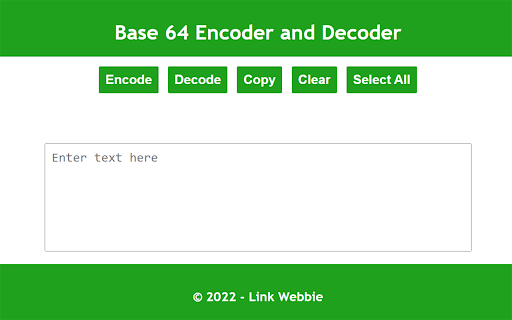

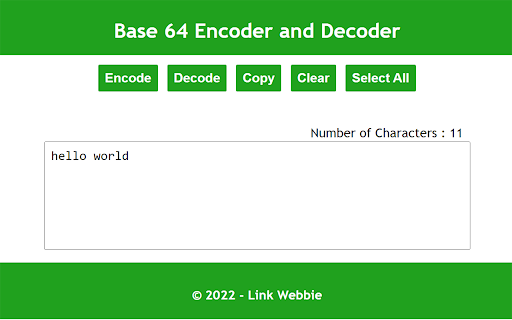
Easily encode and decode strings in base64 with Link Webbie new chrome extension, which gives the simplicity in encoding and decoding text or strings in base64. This extension can be used while you look at different websites on the web even encode there content in base64.

Base64 Decoder
Decodes Base64 strings. Highlight the string and right-click. This is a tiny extension that does just one thing: Decodes Base64 strings. To use, simply highlight the string you wish to decode, right-click it, and select 'Base64 Decode'. Note: depending on the structure of the page, decoding the string may cause some funny formatting issues. Refresh the page to restore structure/formatting. This plugin runs 100% locally in your browser, no data is collected or transmitted in any way.

Base64 decode & copy
Adds a "Base64 decode selection" menu item to the context menu, enabling you to conveniently decode and copy Base64 text to your clipboard in one action. Usage instructions: 1. In your browser window, select the Base64-encoded text you would like to decode. 2. Right-Click and select "Base64 decode selection". 3. A confirmation box will appear. If successful, the decoded text will be displayed in the confirmation box and copied to your clipboard to be pasted where needed.

URL Decode/Encode
A nifty tool for decoding URLs that have been encoded. Useful when you've encoded a URL and actually want read it! URL encoding (also known as percent-encoding) is a mechanism for encoding information in a Uniform Resource Identifier (URI). This is a developer utility that allows you to paste (or type) an encoded URL string into a text field and see a decoded version. This is useful if you often deal with encoded URLs and want a quick way to read easily it. The last URL you entered is remembered and shown the next time you open the extension. This extension also includes links to other tools from LinangData, the LinangData main website, and our Youtube channel from the menu bar. The following tool buttons are available: - Decode/Encode - toggle between decoding and encoding URLs - Clear - clear the URL - Paste - paste from clipboard (replacing existing URL) - Append - pastes URL from clipboard (appending to existing URL) - Copy - copy encoded/decoded URL to clipboard - Replace - copies the encoded/decoded URL to the input text area (replacing existing URL)

PikPak Browser Extension
Save your favorite content to your PikPak cloud drive with the most convenient assistant. [ Description ] This extension intelligently identifies resource links in web pages, making it easy for users to add them to PikPak in one click for saving and viewing. [ Kind reminder ] 1. After installing this extension, the "PikPak icon" button will be displayed next to the resource link in the webpage by default. Click it to add it to PikPak. 2. If you think that this mode affects the web browsing experience, you can enter the "Basic Settings" interface of this extension and change the display time of the PikPak icon button to "hover the mouse" or "select the link"; 3. If you have any problems during the use of PikPak, please join the official communication group feedback https://t.me/pikpak_userservice_en
