
cplcenijfenllplobdobbkkpjbpmcbhd
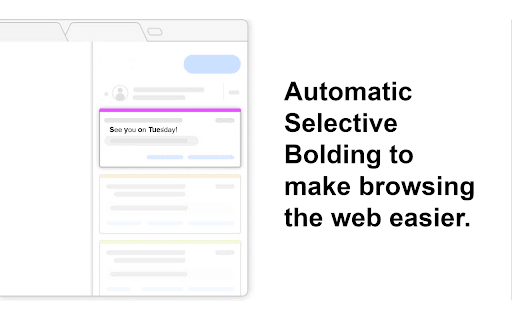

Easy Read Assit is designed to aid individuals with dyslexia or ADHD, helping them navigate the web more comfortably Introducing Easy Read Assit - The Revolutionary Chrome Extension for Effortless Reading! Are you tired of struggling with online text and feeling overwhelmed by words on your screen? Say goodbye to reading difficulties with Easy Read Assit - the cutting-edge extension designed to transform your web browsing experience! Easy Read Assit leverages scientific research to enhance your reading comfort and comprehension. Our technology highlights the beginning of each word, guiding your eyes smoothly across the text. Feel the difference as your reading becomes faster, more comfortable, and remarkably efficient! ➤Bold Word Beginning: Experience the power of science at your fingertips! Easy Read Assit employs scientifically proven techniques to highlight the start of each word, minimizing cognitive load and maximizing reading ease. ➤Optimized Reading Environment: Say hello to a clutter-free, reader-friendly online space! BoldEase removes visual distractions, ensuring your focus remains laser-sharp on the content that matters most. ➤Tailored for Everyone: Whether you have dyslexia, ADHD, ADD, or simply find it challenging to read on screens, Easy Read Assit is your ultimate reading companion. Experience a transformative reading experience, no matter your reading ability. ➤Scientifically Proven Benefits: Numerous studies have confirmed the remarkable advantages of Easy Read Assit's bold word beginning feature. Experience: ★Enhanced Comprehension: With reduced visual noise and precise focus, understanding complex texts becomes second nature. ★Time Efficiency: Say goodbye to sluggish reading! Easy Read Assit empowers you to absorb information faster, saving you valuable time on every page. ★Unmatched Comfort: Reading fatigue is a thing of the past. Easy Read Assit paves the way for effortless reading, so you can enjoy browsing without strain. ★Your Comfort is Our Priority: Easy Read Assit was developed with your well-being in mind. We understand the challenges you face while reading online, and our extension is here to make your journey seamless and enjoyable. Say hello to a brighter digital reading future with Easy Read Assit! Experience Easy Read Assit Today: Don't miss out on the transformative reading experience that Easy Read Assit offers! Install now and unlock the power of scientifically proven reading ease. Embrace the future of effortless reading with Easy Read Assit- where words come alive with clarity and confidence! (Easy Read Assit is run by one dedicated indivual. For bugs or suggestions, please email me at easyreadassit.com)

Dyslens
Dyslens is making the web more accessible for people who have different reading needs and suffering with dyslexia. Dyslens is a open source chrome extension, built and designed to make web more accessible for people who have different reading needs and suffering with dyslexia. Features: * Text to speech * Text font and color custom update * Line focus to improve readability and focus * Overlay Tint to make reading easier on the eyes

Easy Bold Reader
Helps You Read Easier and Faster with the Scientifically Proven Hyper Bold Method! The Easy Bold Reader extension is designed to enhance the readability and accessibility of online content such as articles using the Easy Bold method. This method involves bolding the first half of words which has been scientifically proven to help the brain both read faster and comprehend better. This extension works on almost every website. This extension is helpful for people that have trouble reading articles or large paragraphs in general, and can even help some people who struggle with reading due to ADHD. All the user needs to do is toggle the "Enable" switch in the extension popup and refresh the page to enjoy the benefits of Easy Bold. *Expansion to work on PDF's is in the works.*

Eye Read: Reading Assistant
Read faster, improve focus. Anywhere on the internet. Simple, lightweight, just works. Eye Read is a web extension that unlocks the power of focused reading with a click of a button on any web page. We built Eye Read to help people become more productive at school and work. It is especially useful for neurodivergent population, e.g. with ADHD and ADD. Eye Read uses a custom algorithm that bolds a portion of each word to help guide your eyes over the text. This augmented reading technique enables your brain to autocomplete the words, which translates into improved focus and faster reading. Key features: ⭐️ Simple to use - designed to be intuitive and work out of the box. ⭐️ Lightweight and fast - doesn't slow down your web browsing experience or break pages. ⭐️ Customizable - noise level control allows you to adjust how much content to highlight on the page. ⭐️ Works where it matters - keep using M365 Office Suite apps, such as Word or PowerPoint, browse social media apps, or read books in Google Play Books. ⭐️ Does not collect any personal data

Dyslexia Text Reader
A tool to help people with dyslexia, by displaying one word at a time. Enhance Your Reading Experience with ReadEasy – the Chrome extension that redefines reading efficiency and accessibility. Whether you're scanning documents, absorbing new material, or immersing yourself in a novel, ReadEasy helps you read faster and with greater focus. Three Convenient Selection Modes: Highlight Mode: Simply highlight the text you want to read, click the plugin, and let ReadEasy do the rest. Full Page Mode: Click 'Read Full Page' in the plugin, and all the text on the page will be instantly displayed. Click Mode: Open the plugin and click on any text on the screen. The selected text will immediately be shown for easy reading. Key Features: Customizable Overlay for Focused Reading: Words are displayed one at a time in a floating, customizable overlay, allowing you to read faster without moving your eyes. This is especially useful for users with reading challenges such as dyslexia or ADHD, making the text more digestible and less overwhelming. Personalized Appearance: Customize the overlay to suit your preferences—adjust text size, color, and background for optimal contrast and readability. Choose between a fixed-size background or one that resizes automatically for a comfortable reading environment. Flexible Reading Modes: Easily switch between automatic word display, where you control the speed, and manual mode, where you can navigate the text at your own pace using arrow keys. The manual mode is ideal for slowing down on complex sections or for those who prefer a hands-on approach. Smart Punctuation Pauses: Enable this feature to automatically pause longer at punctuation marks, enhancing the natural flow of reading. This helps prevent cognitive overload from continuous text, making it easier to comprehend and retain information. Drag-and-Drop Interface: Reposition the overlay anywhere on your screen, with your preferred location saved for future sessions. This user-friendly design ensures the overlay never interferes with your reading experience. ReadEasy isn't just a tool; it's a comprehensive solution for anyone looking to improve their reading skills, particularly those with dyslexia and ADHD. By breaking text into manageable chunks and offering customizable settings, ReadEasy is an invaluable aid for reading more efficiently and comfortably. Whether you're aiming to read faster, improve focus, or need a more accessible way to process text, ReadEasy adapts to your needs. Download ReadEasy today and transform your reading experience. Discover the future of text display, where every word is tailored to your preferences. Detailed Settings Walkthrough: 1. Speed Purpose: Controls how fast the text is presented to the reader. A lower value means the text will appear more slowly, giving more time to read, while a higher value speeds up the text display. 2. Text Size Purpose: Adjusts the size of the text being displayed. Increasing the size can make the text easier to read, particularly for those with visual impairments or reading difficulties. 3. Background Colour Purpose: Changes the background color of the text overlay. This can help reduce glare and improve contrast, making the text easier to read for individuals with dyslexia or other reading difficulties. 4. Text Colour Purpose: Changes the color of the text itself. Adjusting the text color in combination with the background color can further enhance readability by improving contrast. 5. Font Purpose: Allows the user to select the font style for the text. Different fonts can have varying impacts on readability, with some being more dyslexia-friendly than others. 6. Constant Background Size Purpose: When enabled, the background size remains consistent regardless of changes to the text size. This helps maintain a stable reading environment without altering the visual structure. 7. Pause on Punctuation Purpose: Adds a brief pause when the reader encounters sentence-ending punctuation, like a period or exclamation mark. This can help the reader better process the text. 8. Punctuation Pause Length Purpose: Adjusts the duration of the pause that occurs when sentence-ending punctuation is encountered. A longer pause provides more time to mentally process the end of a sentence. 9. Punctuation Pause Percentage Purpose: Modifies the pause duration for punctuation like commas and colons relative to the pause for sentence-ending punctuation. Setting this to 100% makes the pause duration the same as for a period or exclamation mark for example. 10. Manual Mode Purpose: Activates manual reading mode, allowing the reader to navigate through text using keyboard arrow keys. This provides more control over the reading pace, particularly useful for those who prefer a slower or non-linear reading approach. 11. Highlight Selected Text Purpose: Briefly highlights the text that is about to be read. This visual cue helps the reader focus on the specific portion of text before it is displayed, aiding in tracking and comprehension. 12. Dark Mode Purpose: Toggles the interface between light and dark modes. Dark mode reduces the setting's menu's brightness. 13. Reset Settings Purpose: Resets all settings to their default values. This is useful if the user wants to quickly undo any changes made and return to the original setup. 14. Read Full Page Purpose: Initiates the reading of the entire page. This starts the text display process according to the configured settings, allowing the user to read through all the content on the page in one click. 15. Exit Purpose: Exits the Dyslexia Reader plugin. This will close the reader interface (ending selection mode) and return the user to their previous view or activity. Thank you for reading! Feel free to contact me if you find any bugs or want to suggest any changes.
