
cpibnljaodgflgemcnhoehejfoekcljn
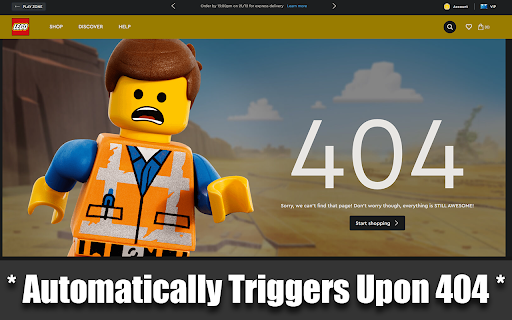

Redirects 404/error pages to the website's home page Are you tired of encountering 404 error pages and dead ends while browsing the web? The 404 Redirector extension is here to help! With this extension, you'll never have to worry about getting stuck on a 404 page again. Whenever you encounter a 404 error or a URL with the word "error" in it, the extension will automatically redirect you to the homepage of the website. No more frustration or wasted time! The 404 Redirector extension is lightweight, easy to use, and requires no setup. Simply install it, and it will work in the background to keep you on track. So why wait? Install the 404 Redirector extension now and start browsing with peace of mind!

Wayback Wiki
Surf Wikipedia on a specific date in the past. When surfing Wikipedia, sometimes I want to see how articles looked like on a specific date in the past. With Wayback Wiki you can choose a specific date, and every Wikipedia article you visit will automatically redirect you to the version of the article that existed on that date.

website broken link and 404 error checker
A SEO tool to fast find all broken links on your websites to Rank Higher. website broken link and 404 error checker is a find broken link Chrome extension. With this plugin, you can find all broken links (404 errors) on the web page. Aren't you bored of the eliminate bad links on the page? All you have to do is install the website broken link and 404 error checker quickly. *No bloat, no ads, no unnecessary permissions, just a simple way to find all broken links (404 errors) on the web page. Find more! Save more!* The advanced find all broken link technology handles unlike any other extension. If you encounter an issue, please report it via the customer support flag icon on the capture page, so we can improve the extension for you and everyone else who uses it. What are the applicable sites? Any website can be used to extract all website links in the page. How long will it take to find all broken links? Broken Link Checker" scans your pages or your entire website and provides a link analysis report within minutes, showing you the bad links that exist on your website as well as the external links that have 404 errors (nofollow or dofollow). Allows you to quickly optimize the links in your website Use this tool to keep your website error free and rank higher!

Auto Link Checker
Auto link checker is a link checker that crawls through your webpage and looks for broken links. Boost Website Quality with 404 Link Checker Discover the ultimate solution for web developers, designers, and content managers with the 404 Link Checker Chrome extension. Streamline your workflow and elevate your website's performance by effortlessly identifying broken links. Ensure a seamless browsing experience for your users and maintain your website's credibility. Introducing the 404 Link Checker extension, a game-changer in the world of web development. Say goodbye to frustrating "404 - Page Not Found" errors and hello to an error-free online presence. With its easy installation and user-friendly interface, this powerful extension seamlessly integrates into your Chrome browser, providing a hassle-free experience from the start. It's designed for both seasoned professionals and beginners alike, ensuring everyone can harness its capabilities effortlessly. Experience the power of accurate link detection as the 404 Link Checker extension crawls through your web pages, meticulously examining each hyperlink. It swiftly identifies broken or dead links, including those that may have been mistyped or changed over time. Don't let a single faulty link tarnish your website's reputation—take control with the 404 Link Checker. Real-time scanning and instant feedback are at your fingertips. As you browse your website or any other page, this dynamic extension tirelessly analyzes links, promptly highlighting any broken ones. You'll be able to spot issues with a single glance, empowering you to take immediate action and safeguard your website's functionality. Customization is key, and the 404 Link Checker extension offers customizable link validation options. Tailor its behavior to meet your specific needs by excluding certain link types from the scanning process or fine-tuning the depth of the scan. Enjoy a personalized experience that fits your unique requirements. Reporting and exporting capabilities take your efficiency to new heights. The extension generates comprehensive reports, detailing all the broken links discovered during the scanning process. Export these reports in various formats, such as CSV, for further analysis or collaboration with your team. Stay informed and make informed decisions effortlessly. For those managing larger websites or analyzing multiple pages simultaneously, the bulk link checking feature is a game-changer. Save precious time and effort as the extension effortlessly scans entire websites, ensuring thorough site-wide checks in a fraction of the time. Embrace efficiency and tackle your projects head-on. Experience unparalleled productivity with the 404 Link Checker Chrome extension. By automating the link checking process, this remarkable tool frees you from the tedium of manual checks, enabling you to focus on what truly matters—delivering outstanding web experiences. Spend less time troubleshooting and more time crafting remarkable websites. Don't compromise on quality—elevate your website's performance with the 404 Link Checker extension. Download it today and witness the transformative power of error-free browsing. Ensure user satisfaction, maintain your website's integrity, and make broken links a thing of the past. Supercharge your web development projects and embark on a journey toward perfection.

Wayback Machine URL Search
Search the Internet Achieve Wayback Machine for a URL or hyperlink Wayback Machine URL Search lets you quickly find archived versions of URLs via the Internet Archive's Wayback Machine. Right-click any link or selected URL, choose "Wayback Machine URL Search," and instantly explore the web page's history in a new tab.
