
cpagnmbabgeeabjjcgmfoekklidoaode

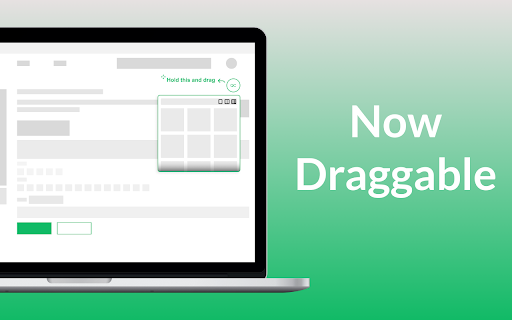
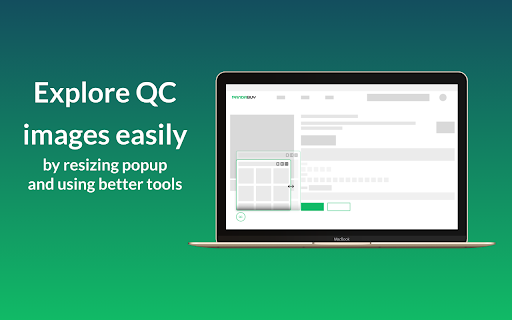
View the quality control images of products on pandabuy.com. Made by Yusufcan Yilmaz Introducing the ultimate solution for your quality control needs on Pandabuy.com! Our Chrome extension provides quick and easy access to high-quality product photos, so you can ensure that your purchases meet your standards. With our user-friendly interface, you can easily navigate through product images and open in new tab for a closer look. Say goodbye to tiring copy-paste effort and hello to effortless quality control with our extension. Download now and streamline your Pandabuy.com shopping experience! How to use: - First, go to a product page on Pandabuy. - Then you'll see a green-outlined button in the bottom left corner of your screen. - Click that button and start to explore QC images. v0.1.7 - The extension wasn't working; I fixed that. (i was busy) - Added intro page. (When you add extension for the first time)

Risk Reminder Remover
Extension to remove Risk/Warm Reminder on various Chinese shopping agents Tired of disruptive "Risk Reminder" pop-ups while browsing various Chinese shopping agents? Risk Reminder Remover effortlessly hides or removes these annoying popups, providing you with a smoother and more enjoyable shopping experience. Seamless Modal Removal: Automatically detect and eliminate intrusive risk/warn reminder pop-ups on these chinese shopping agent sites. Lightweight & Efficient: Optimized for minimal impact on your browser's performance. Stay Focused: No more tedious inspect element workarounds — save time without extra effort! Upgrade your online experience today with Risk Reminder Remover and enjoy hassle-free browsing on various agent sites! * Affiliate Disclaimer: This extension contains affiliate links, which may result in commission-based earnings when sign ups are made through these links. These can be disabled if you wish. *This Extension is in no way affiliated with, endorsed by, or sponsored by any websites mentioned. It operates independently and is solely designed to enhance user experience.

Better CNFans
Enhance your shopping experience on CNFans with automated features like auto-agree, dynamic referral links, gallery scrolling! Better CNFans uses an affiliate system to generate revenue. By using the extension, you’re supporting us in this way. Thank you for your support! You can change this in the extension settings!!! Change log: 🐐New Interface Design: We've refreshed the plugin's look to be cleaner and more user-friendly. 🐐Improved Clarity: The layout is now more intuitive, making it easier to navigate and use. 🐐Enhanced Performance: Smoother interactions for a better overall experience. 🔥 Better CNFans – Enhance Your CNFans Shopping Experience! 🛒✨ Better CNFans is a powerful browser extension designed to make your shopping on CNFans smoother and more efficient! Whether you're a frequent shopper or just browsing, this tool adds several improvements to simplify your workflow. 🚀 Key Features: ✅ Auto Agree: Automatically enables the "Agree" checkbox, so you never miss out on a deal again. 🖼️ Gallery Navigation: Seamlessly browse through product images with smooth scroll functionality. 🛠️ Better QC Photos: View and access high-quality QC photos directly from the platform for a clearer shopping experience. 🚫 Warm Reminder Blocker: Say goodbye to annoying popups and distractions while shopping! With Better CNFans, you can shop faster, avoid unnecessary clicks, and focus on what matters—finding the best products at the best prices. 🛍️💡

CS2 Trader - Steam Trading Enhancer
Extension to help with CS2 trading, trade-lock countdown, in-browser inspect, doppler phases, prices, float values, etc CSGO Trader is an open source browser extension that is designed to help with CS:GO trading. I started by adding functionality that Steam Inventory Helper lacked, but it already has SIH's most important features and much more. Check the video or visit https://csgotrader.app for feature showcasing! - Pricing info in inventories and trade offers - Total inventory value, trade offer value - Show profit for incoming trade offers, order by most profitable first - "Inspect in Browser..." button on market, inventories and trade offers - Item mass listing/selling - Shows when an item's trade lock will expire and adds a countdown - Shows floats and other technical info like paint index, paint seed, pattern index in inventories, offers and on the market - Order by float value on market pages, show more than the default 10 listings on the market - Doppler phases, fade percentages, marble fade patterns (fire and ice, blue tip, red tip, etc.) - Shows exterior on each item and adds links to other version to inventory and market pages - NSFW filter mode to avoid showing unsavoury things to your colleagues - Bookmark an item and get a notification when it is ready to trade - Real chat status on profiles (away, busy, snooze instead of just online) - Colorful inventories, changes each items' background based on its rarity - Scammers are market on their profile and in trade offers (if they are SteamRep banned) - CSGOLounge.com auto-bumping, make your trades more popular by keeping them on top - CSGOTraders.net auto-bumping, make your trades more popular by keeping them on top - Add or remove similar items from a trade, add whole page, add all similar items - Pricing providers: CSGO Trader, CSGOBACKPACK, CS.MONEY, Bitskins, LOOT.FARM, CSGO.TM - See the original currency and price an item was listed on the market - "Starting at" price info and sales volume info in everyone's inventory - Instant accept trade offer and decline trade offer buttons on the incoming trade offers page - Float rank (like 5th best in existence) data from csgofloat - Currency converter, percentage calculator in the extension popup. - Report known spam and scam comments automatically (like fake giveaway comments on profiles) - Reply to comments by tagging the other user's name - Generate a list of inventory items (to post advertisements, etc.) - +rep button on profiles to post your reputation message after trade - Check the value of multiple items in an inventory by selecting them - Sort inventories and trade offers by price, tradability, name or position - Set default sorting mode for inventories and trade offers - All inventory items are loaded automatically, no need to wait for loading when searching or switching pages - Sticker wear (condition percentage) in inventories and on the market - Copy a user's permanent profile link (scammers often change their links automatically) - Duplicate items count in inventories - Set rules to for incoming friend requests (accept, ignore or block on matching conditions) - See if an item is present in another offer - Auto-bump your Steam trading posts in groups and forums - Other small features, automations, conveniences If you want to know why the extension requires the permissions it needs, read: https://csgotrader.app/faq/#permissions Feel free to contribute (with code, graphics, translations or even with ideas) The open source code is available at: https://github.com/gergelyszabo94/csgo-trader-extension The developer: https://www.gergely-szabo.com/ Email support@csgotrader.app for bug reports, questions and assistance.

AutoDraw for skribbl.io
How to use (when it's your turn to draw): 1. Search for an image using Google (https://images.google.com) 2. Drag and drop it onto the canvas 3. Sit back and relax Is AutoDraw active? Look for the starfish icon in Chrome's list of extensions. If it has color then the extension is active. Just drag and drop an image onto the canvas when it's your turn to draw.
