
cohpigckifhbbggfedenhafihmmpidkm
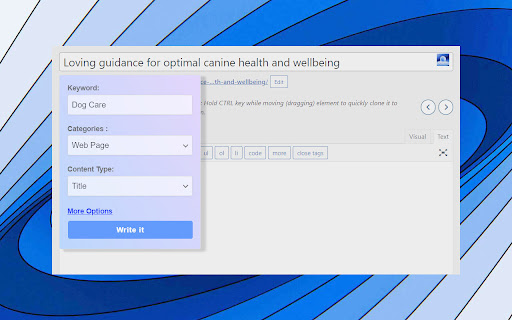
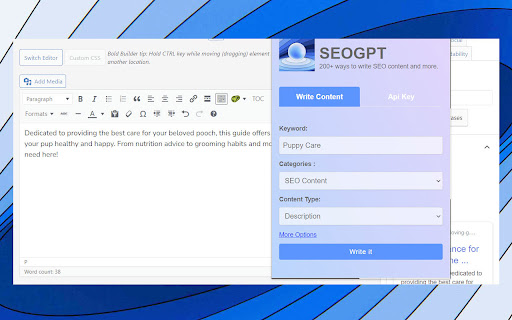
200+ ways to write SEO content and more. The SEO GPT Chrome Plugin is a revolutionary tool that harnesses the power of AI to streamline your SEO tasks. Built on years of SEO expertise and thousands of successful projects, this next-gen app offers a comprehensive suite of on-page and off-page optimization features! Craft search-friendly Titles and Descriptions: Simplify the process of creating compelling titles and descriptions for your pages or backlinks. SEO GPT uses your provided keyword and URL to generate white-hat content, mimicking the strategic approach of a seasoned SEO analyst. Evade AI Detection: Our plugin has been rigorously tested through various AI detectors and plagiarism checkers, including but not limited to Copyleaks, Crossplag, Content at Scale, Small SEO Tools, and Duplichecker. Even those claiming to detect GPT-3/GPT-4 models have been outsmarted. We invite you to put it to the test! Natural Language Generation: SEO GPT is designed to produce outputs that are coherent and natural, avoiding awkward phrasing or forced keyword stuffing. Analyze Page Content: SEO GPT goes beyond surface-level analysis. It "reads" the content on your page like a human would, using this analysis to craft SEO-optimized titles and descriptions. Tailored for SEO: Whether you're an SEO agency or an individual, SEO GPT makes it easy to create short, impactful content. Choose from over 200+ content styles commonly used in SEO and watch as the plugin transforms your SEO strategy. Get even more ways to write and improve SEO from https://seovendor.co/seo-gpt/

SEO Extension [Metrics, Backlinks, On-Page]
Speed up your SEO routine with SEO extension by Mangools. See the important metrics & website insights on a click. CHECK THE DOMAIN AUTHORITY AND POPULARITY The most popular SEO metrics by Moz, Majestic and popularity charts give you a great overview of any website. Metrics included: - Domain Authority - Page Authority - Citation Flow - Trust Flow - Alexa Rank - Referring IPs - Facebook shares - Followers on social profiles See what the currently visited website already ranks for without visiting any keyword tool: - See the list of keywords with positions in search results - Get the exact search volume for each keyword - See the estimated visits of the currently visited website - Check PPC metrics - Evaluate the keywords with Keyword Difficulty by Mangools rated as (one of) the most accurate metrics on the market Get the list of your competitor's backlinks directly in your browser. The “Backlinks” tab includes the backlinks with the most critical metrics: - The Link Strength developed by Mangools - Source URL - Citation Flow - Trust Flow - HREF - Anchor text - DoFollow/NoFollow tags Click on the "Expand" button to proceed to LinkMiner if you want to further backlink analysis. ON-PAGE SEO ANALYSIS What's the appearance of the website in Google SERP? Are there any on-page errors? Find out with: - Google SERP snippet preview tool - Meta tags, Headings and Structured data checker - Keyword usage analysis - Outbound links analysis (broken link checker) - Page Speed checker - Social previews Identify what long tail keywords are used on the website, what's their density and where are they used. - 1/2/3 word terms - tags usage - title tag and the meta description usage - keyword count - keyword density. If you want to analyze the keywords, just click on the magnifier to see the keyword difficulty and other metrics in KWFinder. You can also copy and import all the keywords. This is super-useful to find any broken links on the website. They are a great opportunity for broken link building or if you look at your own website, you'll be able to fix any errors thanks to the following information: Track the organic positions of your website or competitors: - Start tracking the keywords the currently visited website already ranks for (we'll show you their top organic keywords) - The Dominance Index and Estimated Visits inform you about the overall organic traffic share - Spot the biggest ranking changes with the Top Rankers and Top Outrankers We've included quick context menu integrations so you can access all the popular features of the Mangools SEO tools package at any time. Advanced features that are available directly in SERP to boost the SEO analysis are great huh? And that's exactly what's included in the search results: - SERP positions - Shortcuts to Mangools SEO tools for further analysis You can use this extension with the 10-day FREE trial account. No strings attached, no credit card required. If you are already subscribed to Mangools SEO tools, you'll see the data from the tools in the extension ;)

Website SEO Checker
Get free on-page SEO report by 100+ parameters with the best website SEO checker ☑️ Overview – quickly check essential SEO data: URL structure, metadata, indexation, and canonical settings. ☑️ Content – analyze headings, keyword density, text length, and text-to-code ratio for better structure. ☑️ Links – identify external, internal, and subdomain links, plus dofollow/nofollow status and anchor text. ☑️ Hreflangs – instantly verify hreflang setup and language targeting for international SEO. ☑️ Images – detect missing alt/title tags, broken images, and check sizes with on-page highlighting. ☑️ Structured Data – instantly identify and validate Schema.org markup for better SEO performance. ☑️ PageSpeed – measure mobile and desktop performance with actionable optimization insights. ☑️ GSC+GA4 Insights – assess search performance & indexing plus user behavior and conversion metrics. ☑️ Issues & Monitoring – detect SEO issues, track technical changes, and monitor page updates over time. Deep dive into Sitechecker Chrome Extension’s capabilities to unlock the full potential of your SEO workflow. 1️⃣ Get a quick technical overview of any page to ensure it meets SEO best practices. • Inspect URL structure, status code, and page size. • Review meta title, description, and H1 heading. • Analyze indexation settings, including robots meta tags, X-Robots-Tag directives, and robots.txt rules. • Validate canonical tag settings to prevent duplicate content issues. 2️⃣ Analyze content structure to improve keyword relevance and readability. • Review heading hierarchy (H1–H6) and highlight them on the page. • Copy the entire heading structure in one click for easy documentation. • Measure text length in words and characters. • Calculate text-to-code ratio to optimize content efficiency. • Get keyword density insights for single, two, and three-word phrases. 3️⃣ Audit all links on a page to improve internal linking and track external references. • Detect external, internal, and subdomain links. • Check dofollow/nofollow status and analyze HTTP response codes. • Review anchor text usage and link destinations. • Search for specific links and highlight them directly on the page. • Copy all detected links in one click for easy analysis and outreach. 4️⃣ Ensure proper hreflang implementation for international SEO. • Detect missing or incorrect hreflang attributes. • Validate language targeting and regional settings. • Check backward links to confirm proper hreflang setup. 5️⃣ Optimize images to improve SEO and user experience. • Identify missing alt and title attributes. • Detect broken images and oversized files. • Highlight image details directly on the page for easy fixes. 6️⃣ Validate structured data for better search visibility. • Detect Schema.org markup and review structured data implementation. • Identify missing or incorrect structured data elements. • Ensure key rich snippet attributes are correctly applied. 7️⃣ Measure page speed and get actionable insights for optimization. • Check page loading speed for desktop and mobile. • Identify slow-loading elements affecting performance. • Get recommendations to improve Core Web Vitals. 8️⃣ Unlock real-time GSC + GA4 insights to track performance, user behavior, and conversions. • View clicks, impressions, CTR, and average position over 7/30/60/90 days. • Analyze top search queries and how they drive traffic. • Inspect URL crawling, indexing status, and mobile usability issues. • Measure user behavior with engagement metrics like bounce rate and average session duration. • Track conversions with key events and key event rate. • Break down performance by traffic source (Google Organic, Direct, Social, Bing, etc.). 9️⃣ Monitor SEO issues and track page changes over time. • Detect technical errors, broken links, and missing metadata. • Track content updates and structural modifications. • Get alerts for critical SEO changes.

SEO Pro Extension
Are you ready to save at least 5 hours/week on daily SEO checks? If your answer is yes, then SEO Pro is exactly what you need.… Are you ready to save at least 5 hours/week on daily SEO checks? If your answer is yes, then SEO Pro is exactly what you need. SEO Pro helps you get all the necessary information about a website page at a glance. Here are 11 examples of what you can do with this free extension in under 3 seconds: 1️⃣ See all main page information at a glance, including: ✅ Title tag ✅ Meta description ✅ Canonical URL ✅ Meta robots ✅ Core Web Vitals (Field data) ✅ Word count on the page 2️⃣Export all page copy in just 1 click 3️⃣ Instantly check Core Web Vitals metrics for a page The SEO Pro extension shows the Core Web Vitals: The SEO Pro extension will show you hints when the page you’re looking at: • Has meta-robots set to ‘noindex’ • Has the canonical tag pointing to a different page 5️⃣ Easily analyze the headings hierarchy of any page It’s handy when you want to see how many H1s the page is using. Or when you want to spot any heading opportunities your competitors are using. 💡 You can also export all the headings found on a page in a CSV with just 1 click! 6️⃣ See status codes and redirect chains at a glance 💪 Pro tip: You can also check if the most common duplicates – like http/https and www/non-www – are handled properly on the website you’re analyzing. 7️⃣Get the number of links on a page, their type and anchor text - Internal links - External links - Anchor text for each of these links 💪 Pro tip: Export the links and their anchor text for further analysis 8️⃣ Highlight nofollow links on a page You can easily see nofollow links on any page with the SEO Pro extension. On the Images tab of the SEO Pro extension, you can easily see the alt tags of the images on a page. It will help you quickly spot the images that are missing alt tags. 💪 Pro tip: Export all images along with their dimensions in a CSV in 1 click for further analysis. 🔟 See what a page preview will look like when shared on social media No need to look for Open graph tags in the source code anymore! The SEO pro extension will show you the preview image, website, title and description of any page so that you can make sure it looks great when you share it online. SEO Pro extension makes it easy for you to check all types of Schema markup so that you don’t need to open the Rich Snippets tool and wait minutes for it to show the results. Just check out the Schema tab.

All in One SEO Analyzer by AIOSEO
The All in One SEO Analyzer is a free SEO tool that helps analyze your website and optimize it for search engines. The All in One SEO Analyzer by AIOSEO scrutinizes your site from top to bottom, analyzing elements like meta descriptions, titles, keywords, and content structure. This tool provides an SEO score analysis, reflecting your website's effectiveness in optimization. A higher score implies a better-optimized website, making it more likely to rank higher in search engine results. Beyond just improving your SEO score, it helps to drive more organic traffic to your site. The tool is an asset for anyone, from small business owners to SEO professionals, looking to enhance their website's SEO performance, user experience, and online visibility.
