
cnjfgbikbkcmickdalamlmpmkhmbollm

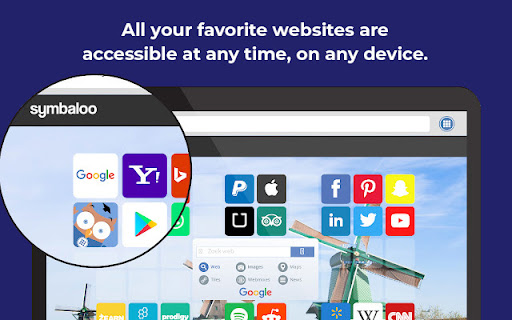
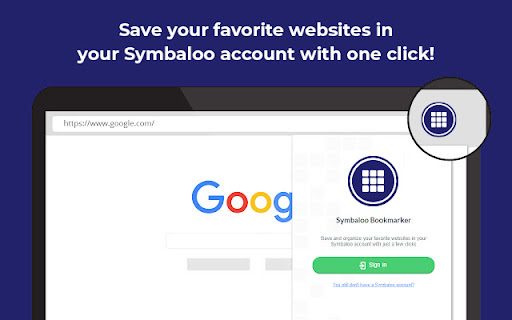
Easily save the website you are visiting and organize all your bookmarks in a personalized and safe online environment. Save and organize your favorite websites effortlessly with the Symbaloo Bookmarker extension. As you browse the web, this handy tool allows you to instantly save any website or link directly to your Symbaloo Webmixes. No more lost bookmarks or scattered links – keep all your digital resources neatly organized and accessible in one place. Ideal for educators, students, and professionals, the Symbaloo Bookmarker ensures that your essential online tools and resources are always just a click away. Simplify your digital life and enhance productivity with Symbaloo’s user-friendly bookmarking solution. The Symbaloo Bookmarker connects directly to your Personal Symbaloo account, where they are stored safely for later use. Bookmarking can be easily done for the page you are visiting with the icon in the Browser Toolbar. Alternatively you can bookmark and link with a right click on the link which will open en contextMenu to save the link. With Symbaloo you surf with one click to all of your favorite websites. Symbaloo is an easy-to-use online application and best of all, it’s free. You will have all of your favorite websites at your fingertips, anywhere and always. Choose your favorite websites and within a few clicks, you can create your very own homepage. With an account, your favorites are available on any iPhone, PC, Mac, iPad, and tablet. Wherever you go, you always have access to your favorite websites. The main advantages are: ✔️ Never have to type in an address manually ✔️ With one click you go anywhere on the web ✔️ Add a new website with one click to your account ✔️ Never lose your favorite websites again ✔️ Free! Features: 📱 Your favorites automatically sync between your iPhone, PC, Mac, and iPad. 🌎 Instantly add new websites to your homepage 📰 Integrated RSS reader for all of your favorite news sources 🔗 Share your favorites with others 🖼️ Personalize your homepage with custom backgrounds

Wakelet
Save, organize and share content from across the web! The Wakelet Browser Extension makes saving, organizing, and curating content from the web easier than ever! Hit the blue Wakelet icon to capture content as you browse, organize it into collections, and share those collections with whoever you want. All of this is done through the Wakelet side panel, which allows you to quickly capture the website you’re visiting, edit the description and cover image, and save it directly into a collection. You can even create new collections from within the side panel itself! 💥 Bookmark any content instantly 🗂️ Organize content into collections 📸 Capture text, screenshots and images 🚀 Curate faster than ever with the Wakelet side panel! 📋 Capture X Links (Tweets) with one click Wakelet is the ultimate curation tool, empowering you to save the things you love, and share them with the people who matter. Don’t forget to share your feedback, ideas and suggestions with us on social @Wakelet!

Text Spotlight
Put text front and center or share it instantly. Make text impossible to miss during screen shares, presentations, or live demos. Text Spotlight displays any text you type as large centered text on your screen, and includes a built-in URL shortener and QR code generator for fast sharing. Works on top of any web page. Features • Display large centered text instantly • Generate short URLs in one click • Create QR codes for rapid sharing • Perfect for presentations, training, demos, and classrooms • Clean, lightweight, and simple to use Whether you are presenting or sharing information quickly, Text Spotlight makes it fast and clear.

Padlet Mini
Collect and bookmark the best of the web for yourself or with friends. Dostoevsky said that beauty will save the world. Padlet offers beautiful boards and canvases for visual thinkers and learners. Use boards to collect, organize, and present anything. Use sandboxes for whiteboarding, lessons, and activities. Over 40 million people every month actively use Padlet around the world. Here are some of the ways they use it: - Create interactive lessons - Design collaborative worksheets - Brainstorm ideas - Make slideshows - Build meeting agendas - Solicit feedback - Collaborate on files with clients - Store instructional videos - Share marketing assets - Manage real-estate listings on a map - And more Dostoevsky would have loved Padlet.

New tab page by start.me
Replace your New Tab Page with a personal dashboard. start.me turns your Chrome New Tab page into a beautiful personal dashboard. This helps you to stay organized and get more done in less time. You can use start.me in every web browser. This allows you to have the same bookmarks, notes and to-do lists at hand, on any device you use. What functionality does this New Tab extension offer? ✔ Changes your New Tab page to start.me ✔ Allow you to search in your start.me bookmarks from the Chrome Address Bar (type "me" + keyword) ✔ Import your browser bookmarks into start.me. ✔ Save your Open Browser Tabs to start.me ✔ Bookmarks Easily save and organize bookmarks from any website. ✔ RSS Display RSS feeds from your favorite sites directly on your dashboard. ✔ Notes & To-do's Manage your personal life and productivity with notes and to-do lists. ✔ +3,500 widgets Calendar, Stock quotes, Weather and thousands of other widgets are available to customize your start page. ✔ Stylish backgrounds Style your start pages with one of our beautiful backgrounds, or create your own. ✔ Embed anything Embed video, web pages, and other web content right onto your start page. ✔ Share & collaborate Create and share start pages with your team, your students, etc. "This is an excellent home page. I think it is far superior to any of the offerings that I have used." by Julian M-I "Love the extension and as it makes web browsing so much simpler." by Perry Knicely "Love this and use it every day. Do not know how I lived without it. Everything I need right in front of me." by Connie Schuett "Try it and give it chance. You won't look back." by Richard Price "Tried many of the new tab extensions, none of them hold a candle to this one. Best customization while staying clean looking and easy to use. I hide my bookmark toolbar now because I don't need it. Big fan of this extension, now I can't imagine using Chrome without it." by Adam Armstrong "Fantastic! I use it for the news widgets and as a visually pleasing way to organize and use my bookmarks. By far the best looking and easiest to use startpage available. The chrome widget makes it super easy to add a new bookmark and organize it immediately." by Benjamin Hall Version 6 - Faster loading of new tab page - Improved importing of bookmarks - Fixed a few bugs Version 4 - Upgraded to Manifest 3 - Faster loading of new tab page - Fixed several bugs Version 3.2.0 - Fixed bug with Groups start.me BV Waalsdorperweg 16 2597 JB, Den Haag The Netherlands info@start.me
