
cmkjpaihgnjkmienaeidkmgkcihbpkal


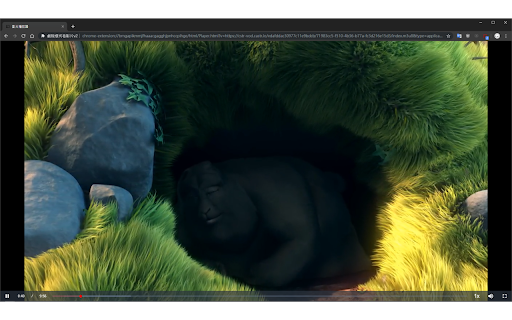
When watching the video, this extension is able to catch the video source, then it can have a page which contains the video element…

Video Dominator
Hover over any video, hold the right mouse button down, and use mouse wheels or buttons to seek, adjust volume, speed, and more. Hover over different areas of any video, hold the activation key down (right mouse button by default), and use mouse wheels or buttons to perform an unlimited number of custom actions such as: - play/pause the video - seek by, seek to (units available: second, frame, %) - adjust or set playback rate (0x to 16x) - adjust or set volume - toggle mute - toggle picture-in-picture mode - toggle custom player On some websites, you can also: Overlay Element - hover over a video, hold the activation key down and use mouse wheels or buttons - activation key can be the Right Mouse Button, Ctrl, Alt, or Shift - available on almost any website Video Element - hover over a video and use mouse wheels or buttons - works only when the video is a top-most element (on websites such as YouTube, Odysee, Nebula, CuriosityStream) - customizable overlay temporarily shows you info depending on the last action, such as: - volume - playback rate - current time, current time / duration, remaining time - time can be based on the current playback rate - a full window or full screen player with minimalist UI and no popups or any other distractions - you don't need to hold the activation key down while using mouse controls - unlimited number of custom keyboard shortcuts - customizable progress bar - none - the extension will run on all domains - blacklist - the extension will not run on listed domains - whitelist - the extension will run only on listed domains Storage - for storing extension settings Downloads (optional) - for downloading media files This extension does not collect personal data from users, and it does not send any user data to a remote server. The only data it collects are extension settings, and this is stored locally on your PC.

OUI9 HLS PLAYER M3U8
The OUI9 HLS Player M3U8 is a versatile Chrome extension designed to enhance your online video streaming experience. OUI9 HLS Player M3U8 – Advanced Player with Custom Headers Struggling to play HLS (m3u8) video links? Need a powerful tool to test and debug video streams? OUI9 HLS Player M3U8 is the ultimate solution. Designed to deliver smooth, reliable video playback directly in your Chrome browser, this extension offers unique features for developers and advanced users. Universal HLS Playback: Play any .m3u8 link effortlessly, even if your browser doesn’t natively support it. The extension automatically detects HLS links and opens them in a built-in video player. ✨ Custom HTTP Headers (NEW!): Set custom HTTP headers (Referer, User-Agent, Origin, Cookie, Authorization) for each video individually. How it works: Append headers to the video link like this: video_link#referer=...#ua=... Why it’s useful: Perfect for bypassing header-based restrictions, testing stream security, and accessing content that requires special authentication—without affecting your regular browsing. Automatic CORS Handling: Automatically adjusts CORS headers to allow videos from any domain, resolving common playback issues caused by the Same-Origin Policy. Isolated & Secure Playback: Each video runs in its own tab with its custom headers applied, ensuring no interference with other tabs and protecting your privacy. Simple & Intuitive Interface: Focus on smooth video playback with a clean, user-friendly design. Who is it for? Developers & QA testers: Debug HLS streams and test server configurations. Advanced users: Gain full control over video requests and access restricted content. Install OUI9 HLS Player M3U8 today and take complete control of your video streaming experience!

Theater Mode
Simply focus on the video with theater mode addon. Theater Mode is an extension that helps you focus on the video when watching online content. It simply darkens the whole page except the video element and let you watch the video without any distractions. Please note that theater mode is not designed for normal browsing. Only enable it if you want to watch a video, otherwise, the whole page will be dark. There is also a whitelist feature in case you want to permanently exclude a website from theater mode. To work with this addon, simply open a website with video content(s). Start (play) the video and then click on the theater mode button in the toolbar. The whole page will be converted to dark but the video remains visible. If you have a feature request or found a bug to report, please fill the bug report form on the addon homepage (https://mybrowseraddon.com/theater-mode.html).

BetterTheatre
With this extension you can enjoy a full size theatre mode on youtube. With this simple extension you will be able to use all your screen when watching YouTube videos in theater mode.
