
dglhlgljkmbceajpnbkkaangdkjfkdbb

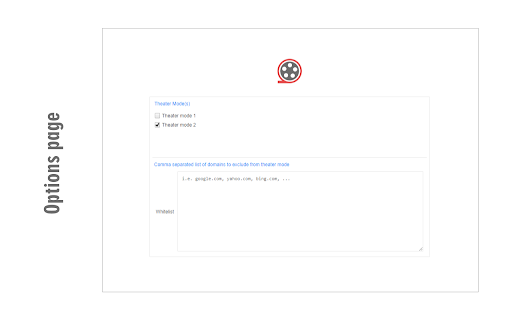
Simply focus on the video with theater mode addon. Theater Mode is an extension that helps you focus on the video when watching online content. It simply darkens the whole page except the video element and let you watch the video without any distractions. Please note that theater mode is not designed for normal browsing. Only enable it if you want to watch a video, otherwise, the whole page will be dark. There is also a whitelist feature in case you want to permanently exclude a website from theater mode. To work with this addon, simply open a website with video content(s). Start (play) the video and then click on the theater mode button in the toolbar. The whole page will be converted to dark but the video remains visible. If you have a feature request or found a bug to report, please fill the bug report form on the addon homepage (https://mybrowseraddon.com/theater-mode.html).

Bigger Theater Mode
Increases the size of YouTube's Theater mode. Do you want YouTube™ videos to show up bigger, but still be able to see other useful information on your desktop? Are you tired of how useless Theater Mode currently is? Do you want to focus on the video your currently watching instead of being distracted by what's "recommended?" Then, you should try this extension! With this small CSS tweak, your videos will be larger and easier to view in the browser.

Better YouTube Theatre Mode
Improves YouTube's theatre mode by making use of all of the available height

Full Screen for Google Chrome
Enter full screen with one click, including for videos on YouTube, Vimeo, and other sites. Experience seamless full-screen browsing with my browser extension. Whether you are browsing the web or watching HTML5 videos on popular platforms like YouTube™, Vimeo, Dailymotion, and Youku, enjoy an immersive full-screen experience with just a click. The lightweight add-on is designed to enhance your browsing experience effortlessly. Full Screen is a lightweight and useful add-in designed to quickly enable full-screen mode for web pages, images, and videos. It is Full Screen anything on the web. And With this browser extension, you can easily enter full-screen mode with the click of a button. Choose your preferred task: view web or video in full-screen, maximize the window to full-screen, or instantly maximize the current HTML5 video. Browser extension features: ◆ One Click to Full Screen: Easily switch between regular view and full-screen mode for web pages or HTML5 videos with a single click. ◆ Media Full Screen feature: Detects the current playing HTML5 video status and brings it to full screen mode depending on whether it is playing or not. It includes an option to whitelist or blacklist certain websites to use this feature. ◆ Display Options: - Bring the current web page or HTML5 video to complete full screen with no visible toolbar. - Automatically maximize HTML videos to fit your window screen while preserving the original aspect ratio. Such as on YouTube video in windowed full screen. - Open the current tab in a popup window. - Maximize the web browser window for the current window. ◆ Auto Full Screen: Option to automatically enter full-screen mode when opening the web browser. On startup, it updates the current window to set the window state to fullscreen. ◆ Double click menu: A shortcut panel to open the current tab or all tabs in full screen, maximize window, popup window, or arrange all tabs in a side-by-side, 1x2, or 2x2 matrix. ◆ Customizable Browser Button Icon: Option to change the browser icon to a light or dark mode theme. ◆ Custom Full Screen Keyboard Combinations: Shortcut to quick open that page in full-screen mode. ◆ Compatible with the "Turn Off the Lights" browser extension for automatic dimming on YouTube™. ◆ Support for Dark Mode. Project Information: https://www.stefanvd.net/project/full-screen/browser-extension/ Required Permissions: ◆ "contextMenus": Add "Go to full screen" menu item in the web browser context menu. ◆ "tabs": Manage tabs to open them in a new popup panel and detect the currently playing HTML5 video. ◆ "storage": Save settings locally and sync with your web browser account. ◆ "": Control the button on all websites, including http, https, ftp, and file. >> Unlock an option feature to protect your eyes at night and focus on the video player, such as YouTube™, by installing Turn Off the Lights browser extension for YouTube and Beyond. https://chromewebstore.google.com/detail/turn-off-the-lights/bfbmjmiodbnnpllbbbfblcplfjjepjdn

Windowed Fullscreen for Videos
Works with most websites that include videos through the HTML5 tag, including videos that are embedded through iFrames and videos on websites that use shadow roots. Options: Enable / disable the extension for specific websites, and adjust button positioning so it doesn't interfere with other video overlays. You may report websites that are not compatible with this extension, but this usually happens due to websites being coded in exceptionally weird ways, so it might not always be possible for me to fix the problem. Please blame the website and not the extension :-)
