
cifbpdjhjkopeekabdgfjgmcbcgloioi
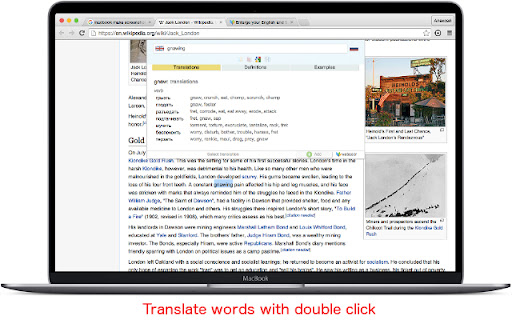
Translate words on the page. Type in and translate words in Cool Translator popup. Translate subtitles while you watch Netflix. To translate: ★ Press Ctrl+Space (Shift+Space for Mac), type the word, press Enter. ★ Select the word, press Ctrl+Space (Shift+Space for Mac). Netflix: Click on the word in subtitles will stop video and display translation. Pressing Space key will hide Cool Translator and start video again.

Tab Translate
Easily translate selected text from one language to another and improve your language skills. This extension brings together best practices for using language translators in both business and educational contexts. The translator tools provided by the extension help users overcome language barriers and communicate more effectively across different languages. Modes: • Pop-up translation: Opens a pop-up window with the translated text. • Split screen: Splits the screen between the browser and the language translator. • One tab: Uses a single tab for translations. Use the Text-to-Speech (TTS) feature to learn correct pronunciation. You can also translate web pages into your preferred language with just one click. The Tab Translate extension is powered by the Google Translate API and provides unique features and benefits beyond standard translators. Benefits: ✓ Fast and responsive: Experience quick response times and smooth operation. ✓ Versatile modes: Access multiple modes to accommodate different translation needs. ✓ Compatibility with various content types: Easily work with web content, local documents, PDF files, and common tabs. ✓ Ideal for study: Perfect for students who need to translate documents or study materials, making language learning more accessible and efficient. ✓ User-friendly: Designed with a clear and intuitive interface. This extension automatically detects your primary language and is ready to use immediately after installation. Technical support: Please report any bugs or submit feature suggestions here: https://tabtranslate.com/feedback.html Localization of the user interface will be introduced gradually. Note: All copyrights belong to their respective owners. This extension is not owned, licensed, or sponsored by Google Inc., and Google does not provide support for it.

Quick Translate: Reading & writing translator
Translate what you read or write with Google Translate, the best translator in the world. Translate while you read and write with Quick Translate, the world's most accurate translator. Enjoy Google translate unbeatable translation quality without leaving your browser. Translate instantly whatever you're reading or writing within in Chrome. Select and right-click on any text and choose to translate this selection. Download Quick Translate for Chrome for free to start translating today. Please note that this is a beta version, and we are continually improving. ➡️ You may be exposed to affiliate links on sites you visit while using this extension, and you may be encouraged to click on them, but you are never required to do so.

Contextual translator
Select the text and click the right button to translate. - Select the text you want to translate. - Press the right mouse button. - You will get the translation in seconds. Context menu translator is a free software project. You can find the source code at: - https://github.com/edgarmiro/traductor-menu-contextual

Translation Comparison
Translation Comparison translates text and compares translations between Google, Microsoft and other translators. Added new languagies Added back translation Added the option to to synchronize translation windows Added the possibility to change the priority order of translation providers in Options. The Translation Comparison extension translates words, phrases and texts, and compares the translation results between various online translation providers: Google Translate, Microsoft Bing Translator, and Translator. The Translation Comparison tool translates between more than 150 languages and displays the translations side-by-side. * customizable side-by-side view: one, two or three translation services * interchangeable translation providers * complete synchronization of the source text and language pairs between translation providers * automatic language detection * text-to-speech in 30 languages * shortcut keys implementation and customization * comparison features customization using Options * text editing * user interface localization in 22 languages
