
cibedeeoecmjnbldmojlibkhlahndedf

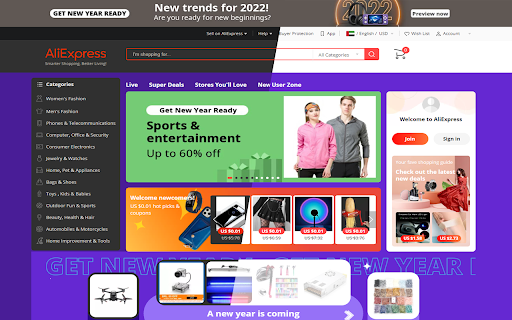
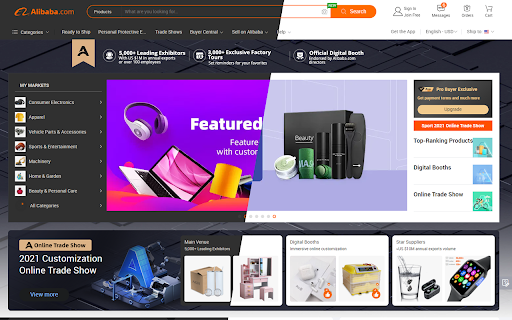
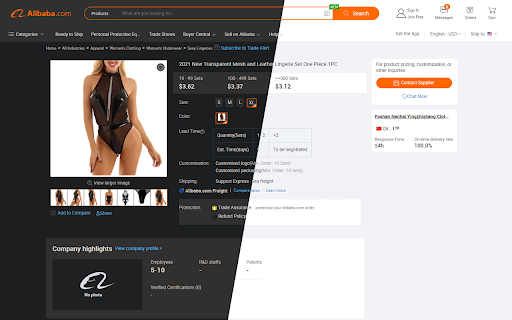
Pixel perfect dark mode for AliExpress & Alibaba This extension, with pixel perfect design for AliExpress and Alibaba, helps you turn the screen to dark mode at night time. Toolbar button enables you to quickly turn the extension ON or OFF.

Pinterest Nuar | Dark Theme
A customizable dark theme for pinterest.com. ! Please enable the extension through the pop-up menu. ! Features: - Uses the original color palett. - Does not invert colors. - Supports settings menu. - The User can change: 1. Rounding of images 1. Corners indentation

Amazon Dark Mode
Use Amazon Dark Mode to enable sleek browsing. Wondering, "Does Amazon have a dark mode?"—this Chrome Extension is your solution. Elevate your browsing experience with Amazon Dark Mode, the perfect Chrome Extension for anyone wondering, "does Amazon have a dark mode?" Designed for both casual shoppers and dedicated users, this extension transforms your browsing into a comfortable night-time experience. 🌙 Experience Dark Mode on Amazon You can easily switch your usual interface to a sleek theme that's easier on the eyes during nighttime or in low-light environments. Whether you're shopping late at night or simply prefer another color schemes, this tool is the perfect solution. 🖥️ Does Amazon have a dark mode PC? Yes! Our extension is fully compatible with desktop browsers, ensuring that you can enjoy dark mode Amazon website browsing from any PC. Simply install the extension, and toggle on and off as needed. 🌑 Benefits: 1. Reduces eye strain in dim lighting. 2. Saves battery life on mobile devices. 3. Offers stylish aesthetic that's easy on the eyes. 💼 For Professional Use: Amazon Dark Mode isn't just for personal use. If you prefer a darker workspace, our tool ensures that your tasks are more comfortable. From managing AWS console dark mode settings to browsing extensive catalogs, everything becomes easier on the eyes. 🌚 How to enable Dark Mode on Amazon: - Download and install the Chrome Extension. - Click on the extension icon in your browser. - Switch the theme from light with just one click. 🌜 Alexa Night Mode Compatibility Incorporate with your Amazon Alexa themes for a complete experience across all your devices. Adjust settings like how to make Alexa screen dark at night to ensure your entire digital environment is consistent and comfortable. 🌉 Various Supported Themes: - Amazon shopping dark mode - AWS dark mode for developers - Amazon Alexa night themes 🛒 Features: 🔹 Easy toggle on/off switch right in your browser. 🔹 Auto-sync across multiple devices where you're logged in. 🔹 Lightweight design that doesn't slow down your browsing. 👀 Why choose Amazon Dark Mode? If you've been asking "is there a dark mode for Amazon?" or "can you make Amazon dark mode?" then this extension is the definitive answer. It not only provides night mode functionality but also enhances your overall user experience by making navigation smoother and visually more appealing. 🛠️ Future Customization Options: 🔸 Choose from several shades and themes to match your style. 🔸 Set automatic activation times based on your local sunset times. 🔸 Customize text and background colors to suit your preferences. 🌌 Beyond Amazon: Alexa Dark and Night Mode Extends beyond just the shopping interface. For those using devices, integrating night mode settings is seamless, ensuring that your smart home devices don't disrupt your evening ambiance. 🎁 For Night Owls: If you often find yourself shopping late at night, Amazon night mode will transform your late-night shopping sprees into a more delightful experience. Say goodbye to harsh, bright screens and hello to a more comfortable, stylish shopping experience. 🌟 Essential for: - Night-time shoppers - Users with light sensitivity - Professionals working in different environments 📲 How to put Amazon in dark mode: Simply click the extension icon and toggle the theme. For detailed settings like setting specific themes or automated switching, access the extension's custom settings menu. 🎓 Learning and Support: Our detailed FAQ section provides easy-to-follow guides and tips on maximizing your another mode experience. Whether you're curious about specific features like Amazon Dark Mode Windows or general usage tips, our support resources are there to help. 🌠 Join our community: By downloading, you not only enhance your browsing experience but also join a community of users who prefer the aesthetic and practical benefits of different interfaces. Enjoy browsing, shopping, and working on the Amazon website dark mode. Download now for a transformative mode experience!

AliBill – AliExpress Invoice Generator
Create invoices from your AliExpress orders. AliBill is the ultimate tool for AliExpress shoppers and resellers who need quick and easy invoice generation. With just a few clicks, transform your AliExpress order details into a clean, professional invoice—perfect for expense tracking, accounting, or reimbursement purposes. 🔹 Key Features: ✔️ Instant Invoice Generation – Convert your AliExpress order details into an invoice in seconds. ✔️ Customizable Fields – Edit buyer and seller details for a personalized invoice. ✔️ Download & Print – Save invoices as PDF or print them instantly. ✔️ Multi-Currency Support – Generates invoices based on your order’s currency. ✔️ User-Friendly Interface – Seamless integration into the AliExpress orders page. 1. Install the AliBill extension. 2. Go to your AliExpress Orders page. 3. Click the "Generate Invoice" button next to your order. 4. Customize details (if needed) and download or print the invoice. ⚠️ Disclaimer: AliBill generates invoices based on AliExpress order details, but these are not official tax invoices. Always consult your local tax regulations for compliance. 🚀 Start simplifying your order management today! Install AliBill and take control of your invoices effortlessly.

Alichrome - Free Invoice generator
Extract your AliExpress order details to a printable PDF The free extension to download an invoice on AliExpress using Google Chrome. The free AliExpress invoice generator plugin allows you to download the your AliExpress receipt. ✜ Download To use our “AliExpress Invoice” extension, simply follow the procedure below: ▻ Find “AliExpress invoice free” directly on the Google Web Store ▻ Press “Add to Chrome” which downloads the tool to your computer ✜ Use There will thus be two possibilities to download your receipts: From the extension a) By pressing “My Orders” b) Following procedure 2) directly on AliExpress Directly on the website, a) Go to the website by logging into your account b) Then click on the “View details” button c) a button appears with “Download PDF INVOICE” This button is displayed on all your orders, you just have to keep the extension installed on your browser it will work during all your orders. This extension is useful both for generating an Aliexpress invoice for customs. ✜ AliExpress It's a website for connecting different merchants with buyers, the interface connecting buyers and sellers. The platform sends an order confirmation email but does not take care of providing you with the justification for purchases after purchasing your products ordered on the site and receiving your order. To be able to justify in your accounts, your expense report or even track your purchases, the "AliExpress bill" extension allows you to generate order PDFs, this is a layout of the justified order. On Ali-express the VAT invoice is not automatic because the law and tax rules are not the same in each country, this extension allows you to generate an order PDF file to justify your costs and to issue a file similar to the purchase receipt. ✜ Customs In case of customs control, you may need to justify your purchases, or when purchasing from dropshipping, you may need to obtain a receipt from Alibaba; by installing the AliExpress download invoice. Usage corresponds perfectly to Ali customs bill or Ali-Express dropshipping invoice. ✜ Operation This extension works the same way Ali invoice however it works free of charge and without subscription. ✜ Legal We are in no way related to Alibaba Inc, AliExpress Inc, or any of Alibaba's subsidiaries. Our extension allows you to generate PDFs to allow you to justify your purchases and simplify your accounting, it is not an invoice in the French legal sense of the term because it is not issued by the Alibaba company or reseller ( https://www.economie.gouv.fr/entreprises/factures-mentions-obligatoires). Nevertheless, our software does not make fake receipts as it only issues documents that have been paid and confirmed by Alibaba. SAS AUNALA, responsible for creating the software, is not responsible for your use of these documents. You can find our privacy policy here: http://aliexpress-invoice.com/privacy-and-cookies-policy.html ✜ Privacy and collection We do not collect any of your personal data, only anonymous data is sent to Google Analytics for statistical purposes. Your data are collected securely and never leaves your browser, it is used to generate the documents and add the download button. The extension is free and will remain so. Nevertheless, by downloading this software and accepting the general conditions of sale, you agree that there is a sharing of data of your orders (no collection of personal data) between AliExpress and the extension. To create the PDF document and that the creators of the software be paid by Alibaba in percentage as business introducers. This system makes it possible to make the extension free for users and to pay the costs relating to the creation and maintenance of this software
