
hdhhaabjnfmjaaaoepmcafleeijpmdla
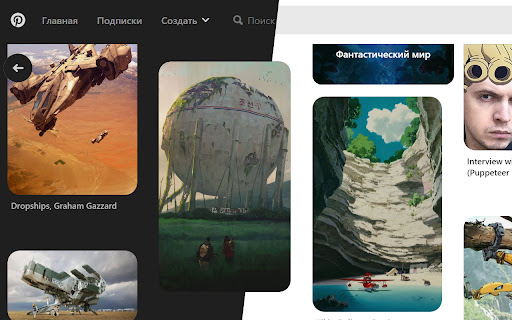
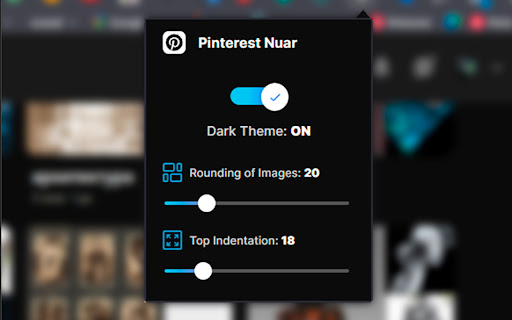


A customizable dark theme for pinterest.com. ! Please enable the extension through the pop-up menu. ! Features: - Uses the original color palett. - Does not invert colors. - Supports settings menu. - The User can change: 1. Rounding of images 1. Corners indentation

Dark theme for Pinterest
Тёмная тема для pinterest Тёмная тема для pinterest Если вы заметили какие-либо косяки с моей стороны (где-то осталось место со светлой темой), просьба написать мне об этом на почту (flirikwhat@gmail.com) с указанием URL страницы и скриншота данного блока Также если у вас есть какие-нибудь популярные сайты, на которые вы хотели бы темную тему, можете написать мне на почту (flirikwhat@gmail.com), если я заинтересуюсь сайтом и начну писать темную тему, я обязательно вам отвечу Всех заранее благодарю за обратную связь

Pinterest Dark Theme Revanced
Forces Pinterest to use a pure AMOLED black theme that actually works & Private vault for your pins Tired of old, outdated Pinterest themes? Try the StayTrue Project! Even though it’s in beta, StayTrue makes Pinterest fully black without any visual bugs, all with a single click! Feel free to open an issue on GitHub or report a problem through the Chrome Web Store :D - Added a redesigned Settings page with a dedicated Themes tab. - Added multiple theme options, including AMOLED, AMOLED V2, Gray, and old project theme presets. - Added a Plugins tab with companion add-on detection for the Download Pins/Boards add-on. - Added plugin status detection, install-page redirect, and enable/disable controls for the companion add-on. - Added a redesigned Vault layout with a left-side control panel. - Added ZIP download support for Vault media with a full-screen loading overlay while files are being zipped. - Fixed Vault quick preview so holding Space no longer scrolls the page. - Improved Vault controls for data export/import, ZIP downloads, tags, filters, and bulk delete. - Added an Info tab with Vault usage notes and hard-refresh help. - Updated Donation page with Buy Me a Coffee, GitHub issue reporting, and Instagram social link. - Updated AMOLED V2 styling and continued fixing white/bright Pinterest UI areas. - Cleaned unused theme files and improved internal theme loading. Private Vault: Save Pinterest pins locally inside your browser storage instead of saving everything to your Pinterest boards. You can organize saved pins with tags, filter them, preview media, export your Vault, and download saved media as a ZIP. Optional Add-on: The Download Pins/Boards add-on can be detected from the Plugins tab. If it is not installed, the extension only opens the official Chrome Web Store page so you can install it manually.

Pinterest Dark Mode
Enable dark mode for Pinterest and browse comfortably at night. Pinterest Dark Mode adds a clean and consistent night theme to Pinterest, helping reduce eye strain during long browsing sessions. If you prefer dark interfaces or browse Pinterest late at night, this extension makes the experience much more comfortable. The extension integrates smoothly with Pinterest’s interface so you can browse pins, boards, and profiles in a darker and more comfortable theme. • Enables dark mode across the Pinterest website • Reduces eye strain during night browsing • Clean and minimal theme that blends naturally with Pinterest • Lightweight and fast with no impact on browsing performance • Works automatically when you open Pinterest Perfect for users who want a Pinterest dark mode experience instead of the default bright interface. This extension does not collect, store, or share any personal data. It only modifies the visual appearance of Pinterest pages locally in your browser.

Pinterest - LIGHT & DARK THEMES
You can click on the extension logo to change the theme from among a dozen themes. If no themes are displayed in the pop-up, it is likely due to JavaScript being disabled. Please enable it. Many thanks to Filipermaster and maguzzz for their contributions. For commercial purposes, use Gmail email. For support or simple questions purposes, Github or « pdt.derived241@passmail.com » instead. Sorry to you all who waited for an update, I’ll try to keep it up to date. 03/10/26
