
chfdigebbepdmeelcfiefkklfldmmgld
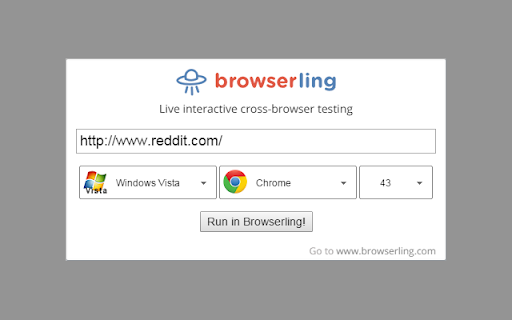
Cross-browser test websites in the most popular browsers such as Edge, Chrome, Firefox, Safari, Opera, and IE. Try for free! Browserling is an online cross-browser testing service that provides effortless cross-browser testing for web developers and web designers. There are many different browsers and operating systems and Browserling provides quick access to all the most popular browsers on the most popular operating systems. Users can just go to www.browserling.com select a browser and start testing their website. It's that simple! This extension makes it even simpler. Once installed, it lets you test the current website that you're browsing. Just click the extension, choose OS platform, browser and version, and you can start testing! It currently supports all Windows operating systems, all Android versions, and the latest macOS versions. Additional features allow you to: 1) Right click a link on any page and open it in Browserling. 2) Select text and search for it in a Browserling browser. 3) See all links on the page and open a specific link in Browserling.

Dimensions
A tool for designers to measure screen dimensions This extension measures the dimensions from your mouse pointer up/down and left/right until it hits a border. So if you want to measure distances between elements on a website this is perfect. It doesn't really work with images because there the colors change a lot pixel to pixel. Measure between the following elements: images, input-fields, buttons, videos, gifs, text, icons. You can measure everything you see in the browser. Your designer handed you mockups as PNGs or JPEGs? Just drop them into Chrome, activate Dimensions and start measuring. You can start and stop dimensions with the ALT + D shortcut. Wanna get the radius of a circle? Is text standing in your way? Press Alt to measure the dimensions of a connected area. Dimensions is Open Source and hosted on Github. Want to port it to Firefox? Go ahead and fork it. Pull requests are welcome! https://github.com/mrflix/dimensions

CSS Used
Get all css rules used by the selected DOM and its descendants. One click to get all the css applied to the selected web element and its descendants. -- Recent Update -- 1. Migrated to Manifest V3. 2. Resources are read from local caches, making it much faster and solves the cross-origin issue. 3. Optimized style parsing in a more efficient way. 4. Dropped support for some outdated CSS, mostly -o- and -ms- prefixed properties. 5. Implemented a new UI powered by Svelte, with some visual tweaks. -- Known Limit -- 1. For CSS rules like ".wrap p{...}", if only " " is selected, the result ".wrap p{...}" will not apply to " ". Either change the rule to "p{...}" or add a ".wrap" parent in the final HTML. 2. CSS custom properties (variables) and all the style inherit related features are not supported currently.

Spectrum
Instantly test your web page with different types of color vision deficiency. Color Vision Deficiency (CVD) affects people’s ability to distinguish certain colors. Estimates indicate that approximately 200 million people worldwide are affected by some kind of CVD. Individuals of Northern European ancestry, as many as 8 percent of men and 0.5 percent of women experience the common form of red-green color blindness. This extension helps you to test web pages for people with different types of CVD. It's particularly useful for websites with data visualisations, because some colors may not be distinguishable from other colors in the charts.

Window Resizer
Resize the browser window to emulate various screen resolutions. This extension re-sizes the browser's window in order to emulate various resolutions. It is particularly useful for web designers and developers by helping them test their layouts on different browser resolutions. The resolutions list is completely customizable (add/delete/re-order). You can set the window's width/height, window's position, preset icon (phone, tablet, laptop, desktop) and even the option to apply the new dimensions to the entire window or just to the viewport. The extension also features customizable global key shortcuts, an option to export your settings and import them on another computer and more! Please report all bugs (or suggestions) using the support link on the extension's details page.
