
cbnplpkljokdodpligcaolkmodfondhl
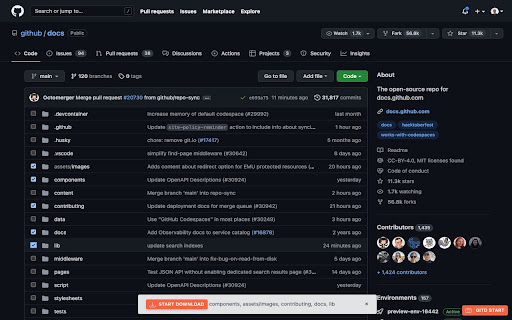
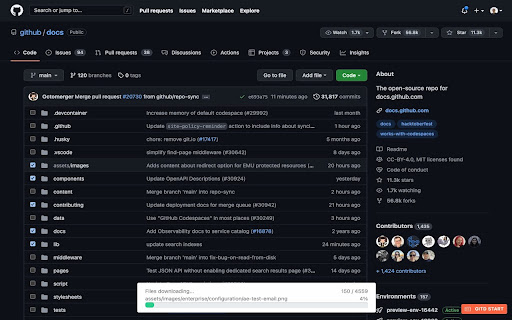
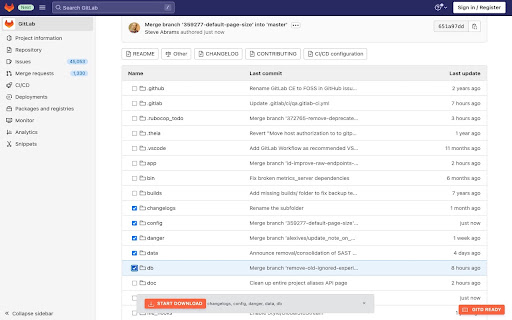

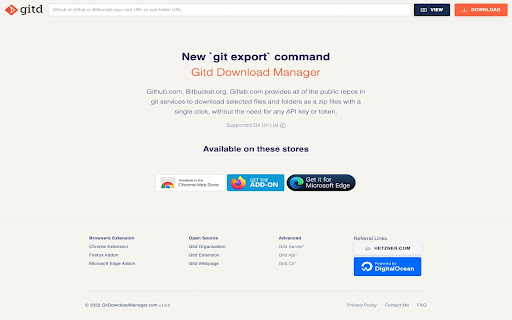
Download at Github,Bitbucket,Gitlab,Gitea,Gitee repo selected files,folders as a zip file with a single click, without api token. Gitd Download Manager, allows you to download only the files/folders you want without having to download all of the public repository. Github.com, Bitbucket.org, Gitlab.com, Gitea.com, Gitlee.com provides all of the public repos in git services to download selected files and folders as a zip files with a single click, without the need for any API key or token. If you see "Gitd Start" button, It is ready for use on every screen you see. You have to to click (checkboxes appears) and can starting to select files. ## Features - Support only Github.com, Bitbucket.org, Gitlab.com, Gitea.com, Gitlee.com public repositories page - Not neeeded ApiKey/ApiToken - Support single or multiple files download - Download selected contents as a zip file with one click - Support all branches - Maximum Selection Limit: 10 - Maximum Download Files: 10000 ## Next Features - Support Gitea.com service (near future) - No limitations for selection and downloading files count - Support branch names with includes slash - Support Bitbucket.org commitId url (Maybe) - fixed Gitlab new css selector for file name > Note: Gitd Download Manager browser extension creates download lists using Gitdownloadmanager.com api service.

GitRec
A recommender system for GitHub repositories based on Gorse GitRec is a recommender system built for GitHub repositories. 1. Recommends repositories to GitHub users based on starred repositories. 2. Finds similar repositories for popular repositories. This extension and its backend are open-source: https://github.com/gorse-io/gitrec

Download Manager Expert
Download Manager helps you track and organize your downloads. View, pause, resume, and open files easily from a simple interface! Download Manager Expert – the easiest way to manage downloads in your browser. It helps identify dangerous files before you download them 📥🚨 Main features: 💙Pause, resume, or remove downloads with just one click. 💙View all downloaded files by category. 💙Clear your entire download history via the “All” tab. 💙Open the folder containing a downloaded file. 💙Open downloaded files with their default applications. 💙Delete downloaded files directly from the folder. A smart assistant ensures smooth and efficient download management. Just install Download Manager Expert and experience the difference 📂🕹️

GitZip for github
It can make the sub-directories and files of github repository as zip and download it Why GitZip: - You DO NOT have to download the whole project just for those few files/folders you need. Usage: 1. Browse any Github repository page. 2. Two ways to download: 2.1. Choose the items: 2.1.1. In default, you can double click on items or check the checkbox on the front of items. 2.1.2. Click download button at the bottom-right of the page. 2.2. In context menu: 2.2.1. Click "GitZip Download" > "Whole Repository" or "Current Folder". 2.2.2. Move the mouse cursor on the item and click "GitZip Download" > "Selected Folder/File". 2.2.3. Click "GitZip Download" > "Checked Items" after doing 2-1-1. 3. See the progress dashboard and wait for browser trigger download. 4. Get the ZIP file. Options: "How to select" for item selecting behaviour and "theme" for dark or light themes. Get Token: - If you see the "Rate Limit" warning message on progress dashboard, you should get the Github API access token for upgrade rate limit. GitZip provide a convenient way for it: 1. Click GitZip Extension icon on your browser. 2. Click "Normal" or "Private" link beside "Get Token". 3. Authorize GitZip permission on Github auth page. 4. Back to repo page automatically. 5. Continue to use. 1.0.2: 1. Compatible with new UI (In feature preview called: New Code Search and Code View) 2. Fix a bug about saving personal token. 1.0.1: 1. Enhance popstate detection. 2. Deprecate ".repository-content" selector for items detection. 1.0.0: 1. More download ways in context menu. 2. Can change settings in options page for item selecting behaviour and theme. 3. Can use checkbox to select item. 4. Migrate to Manifest V3 spec.

Useful Forks
To list GitHub forks ordered by stars, with additional information and automatic filtering of irrelevant ones. The plugin inserts a button next to the "Fork" button when you visit a GitHub repository. Clicking on it will open a new tab which will use the online tool to scan the forks. This tool aims at increasing the discoverability of useful forks of open-source projects. The criteria is simple: if a fork was created, but never received any other activity on its main branch, it is filtered out. For sharing: the results can be exported as CSV, or you can point people to the quick-link URL.
