
aflbdmaojedofngiigjpnlabhginodbf
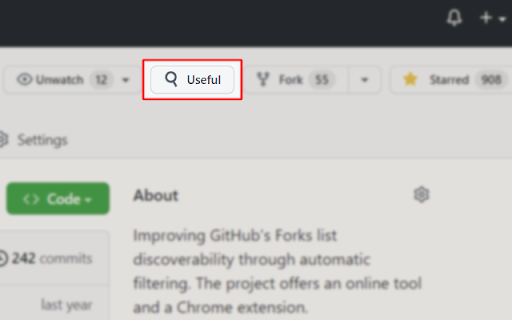
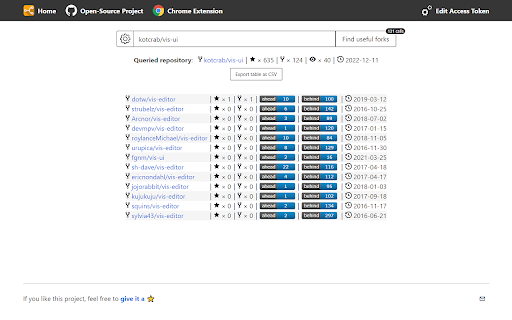
To list GitHub forks ordered by stars, with additional information and automatic filtering of irrelevant ones. The plugin inserts a button next to the "Fork" button when you visit a GitHub repository. Clicking on it will open a new tab which will use the online tool to scan the forks. This tool aims at increasing the discoverability of useful forks of open-source projects. The criteria is simple: if a fork was created, but never received any other activity on its main branch, it is filtered out. For sharing: the results can be exported as CSV, or you can point people to the quick-link URL.

Gitako - GitHub file tree
File tree for GitHub, and more than that. Features - 📂 File tree for repository, commits, and pull requests - 🔎 Instant file search and navigation - 🕶️ Support private repositories - 🧩 Support GitHub enterprise, Gitea, Gitee, and more - 🏎 Always performant, even in gigantic projects - ⌨️ Intuitive keyboard navigation - 📋 Copy snippets and file content - 🎨 Various icons and official themes support - 🗂 Support git submodule - 📏 Fold source code NO BS POLICY: Gitako doesn't share about your privacy data at all. GitHub access tokens are required only when you access private repositories or exceed GitHub API rate limit. Gitako stores access tokens in your chrome extension storage (not the LocalStorage) and uses them only when authenticate with GitHub.

Repomix
This browser extension adds a convenient "Repomix" button to GitHub repository pages, allowing you to quickly package and analyze repositories with Repomix - a powerful tool that transforms software repositories into AI-friendly single files. 🛠️ Features: - One-click access to Repomix for any GitHub repository - More exciting features coming soon - stay tuned for enhanced functionality! 🚀 How to Use: 1. Install the extension 2. Navigate to any GitHub repository 3. Click the "Repomix" button in the repository header 4. You'll be redirected to Repomix web interface 5. Generate a packaged version of the repository for AI analysis ✨ What is Repomix? Repomix is an innovative tool that packages your entire codebase into a single, comprehensive file optimized for AI analysis. It supports multiple output formats (XML, Markdown, Plain text), includes security checks to exclude sensitive information, and provides detailed metrics about your code. 💻 Open Source: Both this extension and Repomix itself are open source projects. You can view the source code, contribute, or build the extension yourself. For more details, please visit: https://github.com/yamadashy/repomix

Forks Diff Counter for GitHub
This extension will show commits behind and ahead for every fork. Forks Diff Counter for Github This extension will show you commits behind and ahead for every fork in the network page of GitHub.

Open GitHub in IDE
Open GitHub files links in your IDE This extension allows you to open files in your IDE directly from GitHub, assuming the repository you are working on is cloned on your computer. When a fragment of a file is displayed, your IDE opens the file and puts the cursor at the desired line. WSL with the Ubuntu distribution is also supported on VS Code, VSCodium and VS Code Insiders for Windows. Feel free to open an issue on GitHub if you detect a bug or a missing feature!
