
cbapcdnkcgiajboppakkhjmdolbkinge

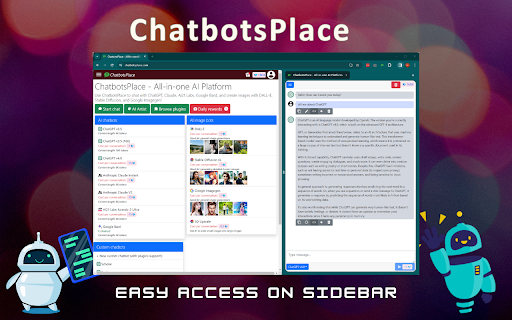
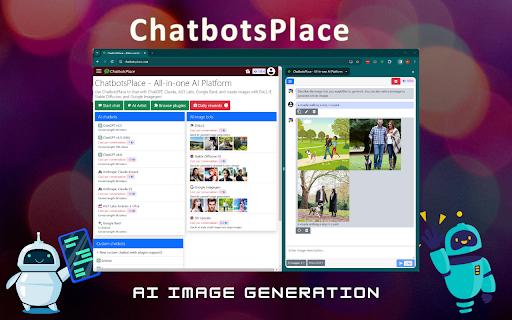
Access ChatGPT, Claude, Gemini, and Grok in one sidebar. Chat with multiple top-tier AI models without switching tabs or accounts Stop juggling multiple subscriptions and tabs. ChatbotsPlace is the ultimate all-in-one AI sidebar that integrates the world's most powerful LLMs directly into your browser workflow. Whether you need to write code, generate art, or summarize articles, do it instantly without leaving your current webpage. 🚀 Why ChatbotsPlace? We act as a unified interface (wrapper) for the best AI tools, giving you the freedom to switch between models instantly to get the best answer every time. 🔥 Powerful Features: - 🤖 Multi-Model Access: Chat with GPT 5.5, Claude 4.7, Google Gemini 3.1, and Grok 4.2 in a single window. - 🌎 No VPN Required: Access restricted AI models from anywhere in the world. No country blocks. - 🎨 AI Image Generation: Turn text into stunning visuals instantly using integrated diffusion models. - ⚡ Lightning Fast Shortcut: Open your AI sidebar instantly with Ctrl+M (Cmd+M on Mac). 💡 Who is this for? - Writers: Compare output from Claude vs. ChatGPT to find the best tone. - Developers: Debug code snippets without switching windows. - Researchers: Summarize long articles instantly. 🎁 Start for Free: Enjoy a generous free trial with no payment required. Experience the future of browsing today. Disclaimer: ChatbotsPlace is an independent interface and is not affiliated with OpenAI, Anthropic, or xAI.

AIChatOne : AI ChatGPT Copilot (ChatHub tools)
Your AI Copilot powered by ChatGPT. Answers complex questions. Writes emails, reads articles, searches smartly. Usable everywhere. Your AI Copilot powered by GPT-5 offering you use all popular Chat LLMs with enhanced features like fast response, Integrated with Google web search, Chat search, AI characters, Prompt library, etc. You can chat with Multiple LLMs at the same time to get the best answer, and you can ask AI anything in the sidebar, Supports webapp, OpenRouter, Azure and API 🔥 AIChatOne is your all-in-one GPT-5 AI assistant. Hit Cmd/Ctrl+B to open sidebar or Cmd/Ctrl+M to open full chat page, and you're in with AIChatOne. AIChatOne offers assistance in various tasks including searching, reading, writing, translating, and more. 💪 The Key Features: 👉 Chat with AI ✔️ Multi chatbots support: chat with the different LLM models such as GPT-4, Gemini, Claude3, Perplexity etc all in one place and compare their results side by side. ✔️ Custom AI Characters: Built-in AI characters and Create your own custom AI Characters that perform a specific task ✔️ Prompt Library: a prompt base that offers a large number of prompts; just hit '/' to quickly access your saved prompts. ✔️ Real-Time Web Access: AIChatOne can answer with the latest internet info. ✔️ Voice Input and Output Support: using microphone button to communicate with the AI in multiple languages. ✔️ Chat Folders: Stay organized by creating your own Chat folders 👉 Chat and Summary ✔️ Chat with doc: Instantly feed the AI important context by uploading a doc file right into the chat and quickly grasp the core highlight. ✔️ Chat with Image: take a screenshot or upload an image and ask questions based on the content of the image, powered by GPT-4V. ✔️ Webpage Summary: get accurate summaries without having to read entire webpage articles or information. ✔️ YouTube Summary: generate a concise and accurate summary for your convenience in seconds. 📝 Writing Assistant: ✔️ Social writer: for Twitter、Reddit. Your best assistant, using AI when editing posts or replying ✔️ Write agent: just provide a topic, and AIChatOne can automatically draft outlines for you, expanding the content with references. Use it in any editbox on a webpage(Coming soon!) ✔️ Email reply: in Gmail、Outlook, AIChatOne analyzes emails content and suggests reply options, enabling you to send appropriate responses with just a click, no typing needed. (Coming soon!) 👉 Search ✔️ Powerful search and filter so you can find any of your previous chats instantly ✔️ Get AI search results in the sidebar when use google , bing , duckduckgo etc 👉 Powerful Sidebar ✔️ Ask AI anything in the sidebar 👉 Customizable ✔️ Dark Mode: Toggle between light and dark mode. ✔️ Adjusting response “temperature”. ✔️ Theme. 👉 Secure & Respect Your Privacy ✔️ Api keys encrypted and stored locally. No in-app analytics. No middle servers. Your prompts are sent directly to OpenAI 💻 How to use AIChatOne: 🔸 Click the ""Add to Chrome"" button in the upper right corner and pin it to the toolbar for easy access. 🔸 Simply hit Cmd/Ctrl+B to open sidebar or Cmd/Ctrl+M to open full chat page ,then start chatting with her. ❓ Frequently Asked Questions: 📌 What search engines are supported by AIChatOne? Currently, AIChatOne supports Google, Bing, DuckDuckGo and more search engines will be supported in the future. 📌 Do I need a ChatGPT/OpenAI account? Yes, we do not provide an OpenAI API key. 📌Is AIChatOne free to use? Yes, most features of AIChatOne is free to use, and we also have premium plans. 📪 Contact us: Any questions or suggestions? Please contact us at 💌 product@aichatone.com. Try AIChatOne now and experience the powerful features of ChatGPT-driven AI assistants! 🚀 The Ultimate All-in-One Extension for Unprecedented Productivity: AIChatOne AI Assistant Embark on a quantum leap in productivity with AIChatOne AI Assistant, a revolutionary tool that amalgamates an extensive suite of features comparable to some of the most prominent AI platforms and tools available today. This powerhouse integrates cutting-edge technology and up-to-date data, harnessing the capabilities of renowned models such as OpenAI, and Gemini AI. Picture the synergy of Bing Chat, the all-encompassing functions of Merlin and Monica, the chat with all LLMs power of ChatHub, the AI capabilities akin to Jasper.ai, and the versatility of Sider's toolkit—all seamlessly rolled into one.

WorkGPT - Your Ultimate AI for Work (with ChatGPT, Gemini, Grok, Claude)
WorkGPT is powered by top AI ChatGPT, Gemini, Grok, Claude, DeepSeek to enable you deliver great work much faster! Experience the power of WorkGPT, your ultimate AI companion for Work! WorkGPT is the best AI assistant and a game-changer designed specifically for your work needs. It harnesses the power of advanced cutting edge AI technologies (used by 500M+ users) to provide you with an unparalleled level of productivity and efficiency! ✅ ChatGPT GPT GPT-5, GPT-4o, OpenAI o3 deep thinking ✅ Google Gemini™ Pro 2.5 (thinking) and Flash 2.5 ✅ xAI Grok 4 latest ✅ Anthropic Claude 4.5 Sonnet and Haiku ✅ DeepSeek V3 & R1 (deep thinking) ✅ And more listed here, https://aiworksuite.com/workgpt-gpt-for-work WorkGPT can help you deliver great work across various tasks such as, improving writing or polishing content, creating materials, composing emails or posts, generating reports or video scripts, grasping context, and creating images or logos (with DALLE 3) etc. In addition, you can ask any question to GPT with a freeform prompt. We are also on Product hunts: https://www.producthunt.com/posts/workgpt Here are also our Web app: https://www.workgpt.aiworksuite.com/ and Google Workspace addon: https://workspace.google.com/marketplace/app/workgpt_chatgpt_ai_gpt_for_workspace/368806015202 Install now and get free credits to use! No API Key is needed here. ✓ Free credits. ✓ No API key required. Features 🟢 General Assistance (improve, read, understand content) - Improve writing and rewrite with many tones supported (professional, friendly, formal, causal etc)! - Elaborate - Fix grammar and spelling - Polish - Reply to emails/questions/posts/comments with different tones - Continue writing for any content - Expand and make longer, or Shorten - Translate to different language - Bulletize, - Format - Offer suggestions to the content - Provide different ways to say - Help me understand - Summarize content - Explain content - Make notes - Create tasks or To-Do List - Any other freeform prompt and command you want for GPT. 🟢 Creating content: - Write great emails - Write SEO articles - Create tweet or posts for Linkedin, Facebook, Instagram - Draft video scripts, Youtube scripts, Tiktok scripts - Write SEO-optimized content - Compose status updates or summary - Generate ideas - Create descriptions - Generate images or logos - Write reports - Create calendar notes - Write an essay - Create profiles - Write resume - Write for anything! You can also ask GPT directly for any questions! This product is brought to you by ZQ Labs, Inc. ZQ Labs, Inc. is not affiliated with OpenAI. Rest assured, your data and privacy are of utmost importance to us. We have implemented robust security measures to guarantee the confidentiality and protection of your information. Experience the the WorkGPT and the power of best AI Assistant for Work with this extension today! Join the countless professionals who have already embraced the power of WorkGPT. Revolutionize your work, increase your efficiency, and unlock your true potential with the ultimate AI solution – WorkGPT. Originally, AI Copilot (It's also called AI Agent or AI Assistant) refers to an AI-powered tool that assists developers in writing code. It is trained on billions of lines of code and can provide coding suggestions based on natural language prompts. There are different versions of Copilot available, such as GitHub Copilot GitHub Copilot is a code completion AI developed by GitHub. It utilizes the GPT language model developed by OpenAI and is trained on numerous repositories on GitHub. WorkGPT, on the other hand, is a Chrome extension integrated into anywhere on the web. It works alongside users, providing endless search results with translation, paraphrasing, and related document recommendations. This helps users to efficiently complete their tasks or research while they are saving their time and energy. WorkGPT aims to enhance productivity and efficiency by leveraging AI technology to support users in their work-related activities. ChatGPT is an AI language model developed by OpenAI that can understand and generate human-like text. It has been trained on vast amounts of internet text data and can perform natural languages processing tasks such as translation and text summarization. Essentially, ChatGPT is a computer program that can communicate with people in a natural and human-like way. Google Gemini is a family of multimodal AI models designed to process and understand various data types, including text, images, audio, and code, and is Google's most capable AI model. Deepseek is one of the most capable open-source AI models in the industry. A notable model from DeepSeek is DeepSeek-R1, a reasoning model trained using "chain-of-thought" which allows it to show its reasoning process before answering, similar to GPT-o1 by OpenAI. Claude is a family of large language models (LLMs) developed by Anthropic, offering conversational AI capabilities, code analysis, and image processing, accessible through a web interface or API for various applications. ➕ How do I utilize AI and ChatGPT, Gemini, Grok, DeepSeek, Claude in Chrome? To utilize AI on Chrome, you can install Chrome extensions that integrate AI technology. By downloading and logging into the extension, you can utilize AI and ChatGPT on any website or application without additional sign-ups.

Ask Steve: Time-Saving AI Agents For Your Browser
Save an hour a day with 1-click & voice access to 100+ powerful AI Agents for your Browser - or easily make your own! * Use powerful 1-click AI Agents on the web pages where you're already working, and build new ones with NO CODE * Launch Agents with your VOICE and have the results read out to you * Agents can write results into Google Sheets, Microsoft Excel, Notion, Airtable, Slack and more, in SECONDS * IT'S LIKE TAMPERMONKEY, but for AI Agents! ✅ Works where you already already are, so you can stay in the flow Ask Steve integrates seamlessly into any website or web application. Now you can access AI help wherever you are. ✅ Can see what you're working on, because context matters Eliminate hours of tedious copying and pasting. Steve can read the current page or text selection and use that as context for your request, saving you time and effort. ✅ Can use AI to extract data from the page that you're on - Build AI-powered Agents that extract data in seconds - Write directly into Google Sheets, Microsoft Excel, Notion, Airtable, Slack and more. See our full list of supported services here: https://www.asksteve.to/docs/connections#services ✅ Is personalized for YOU - Add 1-click buttons to any website or web application - no more messing around with prompts - Create your own Agents and Buttons ✅ Give you AI help right in your inbox - Use AI to draft replies in your own tone and style - Generate customized summaries of threads and unread emails - Use AI to label and archive threads that you specify - Create calendar events from emails with 1 click - Get writing help right in the compose window ✅ Gets you answers FAST - Chat with any web page, PDF, YouTube video, or spreadsheet - Ask anything that you would ask ChatGPT or Gemini - Chat with a tab, a tab group, or all the tabs in a window at the same time - But without all the copying and pasting ✅ Build Agents quickly with NO CODE - Create new Agents in English - Add Buttons to websites in seconds - Connect to any LLM: public (e.g. OpenAI, Anthropic, Gemini), private, on-premise or on-computer (e.g. Ollama, LM Studio, Jan) with no code - Connect to any Webhook or API with no code - Easily share Agents and Buttons ✅ Is a great front-end for RPA and workflow automation Made a workflow automation in a tool like Zapier, n8n or Make? Connect it to Ask Steve and run it from anywhere with 1-click. ✅ Works in the enterprise - secure, private and customizable by design - Ask Steve is the only AI browser extension suitable for enterprise deployment - it runs on the employee's computer and connects directly to the LLM, Webhook or API that you specify. None of your data is ever sent to or through Ask Steve. - Customize the Ask Steve experience for your employees with your own branding, custom Agents and Buttons, and more. *** FREE TO TRY *** - You get a bundle of FREE Credits right away to try things out. - After that BYO Account and continue using Ask Steve for FREE, or purchase more Credits as you need them. *** PERMISSIONS & YOUR PRIVACY: *** We take your privacy seriously. When you install Ask Steve it will ask for permission to "Read and change all your data on all websites". It needs this permission in order to be helpful on any web page. We do not store any of your data. See more details here: https://www.asksteve.to/docs/permissions *** TRY ASK STEVE TODAY! *** Read to take your browser and your productivity to the next level? Install Ask Steve today!

ChatX - Your AI Copilot for Web
An AI copilot available for all websites. It can answer any complex questions, also capability to auto-summarize and translate. Do you want to use ChatGPT directly in your browser without needing to create an additional ChatGPT account? Do you want ChatGPT/GPT-4 to assist you while browsing web pages? Do you want to use artificial intelligence to gain a deeper understanding of browsing knowledge? All of this can be achieved with ChatX AI Copilot! Whether the content is lengthy or difficult, ChatX AI Copilot will help you quickly find satisfactory answers based on your needs. Simply select the content while browsing the web and click on the shortcut button on ChatX AI Copilot! Or engage in conversations with multiple AI models in the browser sidebar, send your questions, and receive real-time AI feedback. Hope that ChatX AI Copilot can become your on-the-go intelligent advisor! - ChatX has achieved integration with mainstream large language models (LLMs), allowing you to choose your preferred model as your default productivity tool. - Currently supported models include GPT 3.5, GPT 4, Google Gemini Pro, Claude Instant, Claude 2 and Claude 3, among others. - You can utilize the power of AI for translation, summarization, or even to ask for more information about the content you are reading. - Quickly translate or understand selected content using the context menu. - Quick ask questions about selected content and receive real-time answers. - Create and save custom prompts for reuse when needed. - How to use it? ⬇️ - Simply drag your mouse to select the content you want to understand and click on the ChatX toolbar icon to perform the desired action. - Alternatively, you can use the ChatX menu in the browser's right-click menu to perform full-text translate/summarize on the current webpage. - Engage in conversation with designated models, answer any questions or generate various creative texts based on your needs. - Upload images and ask questions utilizing the exceptional visual recognition capabilities of GPT-4V and Gemini Pro Vision. - Chat with multiple models at the same time and compare their answers in real-time. - Immersive paragraph and full-text translation, generating translated results compared to the original text. - Summarize webpage content by paragraphs to enhance reading efficiency. - Enhanced search engine results for improved search effectiveness. ChatX AI Copilot currently aggregates various mainstream LLMs. With our AI Copilot, you can translate, summarize, or gain a deeper understanding of the content you are reading. ChatX AI Copilot will help you find more accurate and higher-quality information, saving you time and effort. ChatX can be used on any webpage, and its built-in chat assistant can answer any complex questions. This allows you to have deeper insights into the content you are browsing by discussing with the AI assistant accompanying you everywhere. ➕ How to use in your browser? We currently offer extensions for Chrome and Edge. Simply download and log in to our extension to use AI and ChatGPT on any website without needing to create additional accounts. 📪 How to get support? If you have any questions or feedback, feel free to contact us at contact@chatx.im. 🔏 Privacy Policy We have updated our privacy policy to ensure it includes detailed information about user data collection, processing, storage, and sharing. You can view it at https://chatx.im/privacy.
