
cahpbcpcaicofmeibkcelkifpkkjahbp

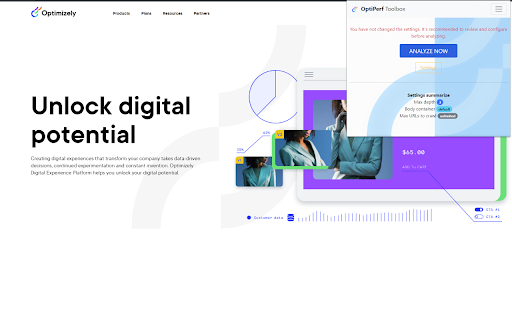
[Experiment] Chormium plugin for client-side performance analyzing This is an experimentation tool for crawling and scoring URLs of a website. Collected data will be an input for performance test. Gives you an overview of client-side performance and quickly helps you realizes poor performance or error pages. This allows you to be more proactive when working and resolving UX and performance issues at client-side. NEW: * Integration with Google PageSpeed insights (Requires GCP API key) * Generates K6.io test script * Meaningful and intuitive HTML report * Stability improvements

Site Speed by DebugBear
View Web Vitals metrics for the websites you visit and quickly navigate to external web performance testing tools. View Web Vitals metrics for the websites you visit and quickly navigate to external web performance testing tools. The extension also shows the observed metrics collected by PageSpeed Insights prior to applying the throttling simulation. This can help you interpret the final reported metrics. The extension shows the following metrics: - Full TTFB - First Contentful Paint - Largest Contentful Paint - Cumulative Layout Shift / CLS - First Input Delay (only after user interaction with the current page) - Interaction to Next Paint (only after user interaction with the current page) The "View on DebugBear" link is shown to users logged into the DebugBear monitoring tool.

LoadFocus - JMeter Cloud Load Testing & Website Performance
Record JMeter tests while browsing, upload JMX files to the cloud, and run load tests with thousands of users. Instant JMeter Test Recording and Cloud Load Testing at Your Fingertips. The LoadFocus JMeter testing extension lets you effortlessly record JMeter tests while browsing your website and run cloud-based load tests with thousands of virtual users—all with just a few clicks. Boost your website and API performance testing strategy with key features, including: Automatic JMeter script generation Cloud-based load tests with virtual users Detailed performance metrics Easy file uploads and downloads In-depth reports and insights on modern metrics FEATURES: 📋 Automatic JMeter Test Recording Simply navigate your website, and the extension captures your actions into a JMeter script (JMX) for seamless testing. ☁️ Cloud-Based Load Testing Run large-scale performance tests with thousands of users from multiple cloud locations, no coding needed. 📊 Detailed Performance Metrics Analyze key metrics like Response Time, Latency, Hits/second, and Percentiles with live charts to uncover performance issues. 📂 Easy Uploads and Downloads Upload your JMeter files to the cloud or download test results locally for further inspection. 📑 In-Depth Reports & Modern Insights Get comprehensive performance reports that include modern metrics such as error rates, response times, and percentile breakdowns. These insights help you identify bottlenecks and optimize your application’s performance.

PageSpeed Pro - Website Performance Analyzer
Improve your website speed and user experience. Analyze web page performance, fix slow loading files, and optimize site load times. PageSpeed Pro helps you improve your website speed and user experience. With just one click, you can analyze your web page performance, identify issues, and get actionable insights to fix slow loading files and optimize site load times. Key Features ✓ Analyze Web Page Performance: Get detailed insights into your website’s speed and performance metrics. ✓ Fix Slow Loading Files: Identify and resolve issues that slow down your site. ✓ Optimize Site Load Times: Detect large files, blocking scripts, and other performance bottlenecks. ✓ User-Friendly Interface: Simple, one-click analysis with clear, actionable results. How to Use PageSpeed Pro • After installing the extension, navigate to the website you want to analyze. • Click the PageSpeed Pro icon in your browser toolbar. • Click the Analyze Page button. • Wait for the page to reload and collect performance data. After the page loads, click on the PageSpeed Pro icon in your browser toolbar. • Review the detailed results, including: ✓ Performance Metrics: Load time, file sizes, and more. ✓ Optimization Suggestions: Tips to fix slow-loading files and improve performance. Is any information from the analyzed website or results sent anywhere? • All data is stored locally, and only used to identify load times and slow loading elements. That data is expired and not used again (so you'll need to re-analyze the page again to see fresh results). Why does the page reload when I click on Analyze? • To collect meaningful results, the page is reloaded without any caching to correctly identify slow loading elements (if any).

URL Performance Checker
Check the average load time of a webpage. An essential tool for website developers and performance enthusiasts! The "URL Performance Checker" Chrome extension offers real-time insights into the load times of webpages. With a single click, instantly view the current page's load time and projections for various user counts. Instant Load Time: Get the actual load time of the current webpage. Projected Load Times: View projections for how the page would perform under different user loads (10,000; 25,000; 50,000; 75,000; 100,000 users). Easy Cache Clearing: One-click cache clearing option to test performance without cached data. Export Data: With a simple click, export your performance data to a CSV file for further analysis or sharing. Ideal for website owners, developers, or anyone curious about webpage performance. Keep a pulse on your site's speed and optimize for the best user experience!
