
knjohgbgpdkpmlolmcapfjhjehgelbia


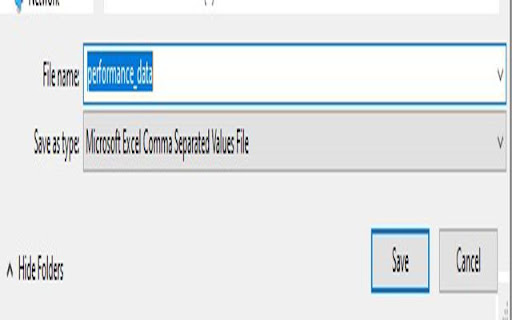
Check the average load time of a webpage. An essential tool for website developers and performance enthusiasts! The "URL Performance Checker" Chrome extension offers real-time insights into the load times of webpages. With a single click, instantly view the current page's load time and projections for various user counts. Instant Load Time: Get the actual load time of the current webpage. Projected Load Times: View projections for how the page would perform under different user loads (10,000; 25,000; 50,000; 75,000; 100,000 users). Easy Cache Clearing: One-click cache clearing option to test performance without cached data. Export Data: With a simple click, export your performance data to a CSV file for further analysis or sharing. Ideal for website owners, developers, or anyone curious about webpage performance. Keep a pulse on your site's speed and optimize for the best user experience!

Page Load Alarm
Plays a notification with sound on page load. Works when any tab in a window finishes loading. A simple extension that notifies you when a webpage finishes loading. This extension saves your time by allowing you to do other things while a slow page is loading. Plays a notification with sound when any page finishes loading. Click the extension icon to toggle whether sounds should be played. Free and open source.

PerformanceGuard Web Timer
Measures webpage load and render time as you go around. Alerting and troubleshooting are available with the full version. PerformanceGuard Web Timer does exactly what the name says. The page load time is displayed in your toolbar and with a click, you can see how much time was used to load content and as well as rendering time in the browser. Timings work with regular HTML pages as well as Single Page Applications (SPA's). When used with the full version of PerformanceGuard, you will be able to consolidate data from all computers in your organization. This allows for alerting and faster troubleshooting on your business applications whether they run on internal servers, hosted or if you are using any cloud services.

LoadFocus: Page Speed Monitoring
Website Speed Test and Page Speed Monitoring extension for web pages - LoadFocus. Monitor the speed of your web pages to deliver the best experiences to your customers. Get notifications and alerts for website performance issues. LoadFocus Website Performance Monitoring is powered by Lighthouse and focuses on modern user experience and performance metrics to help you deliver the best experience to your customers. Get insights with modern charts and user experience metrics. Test your website every hour & Compare with previous runs or competitors. Monitor Websites from multiple cloud regions on desktop and mobile devices. Receive page speed metrics and performance improvements instantly. We keep all your results history to better compare between different runs and understand your speed performance. Run tests from multiple locations around the world for a better and more realistic results. Page Speed insights on metrics that actually matter, like: First Contentful Paint, Speed Index, Largest Contentful Paint, Total Blocking Time, Cumulative Layout Shift, Time to Interactive Visual Complete with Easy-to-use data reports. Create a free account with LoadFocus and use the extension to monitor the speed and performance of your website and web pages from the cloud with no coding skills needed.

Website Load Time Checker
Displays the load time of the current webpage and provides performance tips. Transform your web browsing experience with Website Load Time Checker, your personal performance analyst that helps you understand and optimize website loading speeds in real-time. Ever wondered why some websites feel sluggish while others load instantly? This extension gives you the insights you need, right at your fingertips. Website Load Time Checker measures and tracks loading performance across all your frequently visited sites, presenting the data in a clean, easy-to-understand interface. Real-Time Performance Monitoring • Automatically captures and displays loading times for every webpage you visit • Shows current and historical load times for each site • Maintains a running history of performance data Smart Performance Analysis • Color-coded indicators help you quickly identify performance issues • Provides customized optimization tips based on actual loading speeds • Tracks performance trends over time to spot gradual slowdowns User-Friendly Interface • Clean, modern design with intuitive controls • Dark mode support for comfortable viewing • Simple one-click access to all your performance data Privacy-Focused • Works completely offline • Stores data locally on your device • No external servers or tracking Perfect For: - Web developers monitoring site performance - Business owners keeping track of their website's speed - Tech-savvy users who care about their browsing experience - Anyone interested in website optimization The extension uses advanced browser APIs to measure genuine loading times, providing you with accurate, actionable data that helps you make informed decisions about your web experience. Stay informed, optimize your browsing, and never wonder about website performance again with Website Load Time Checker – your personal website speed analyst. Note: This extension requires permissions to access tabs and storage to measure load times and save your historical data locally.
