
cagminlaghifppfobnfpjfddengkdnhd
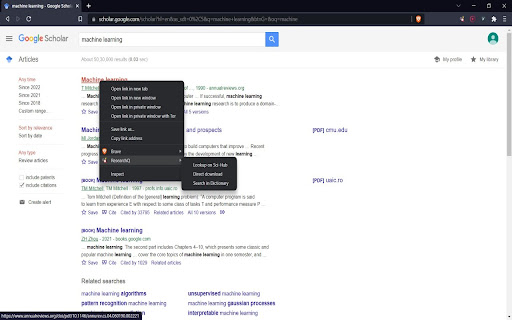

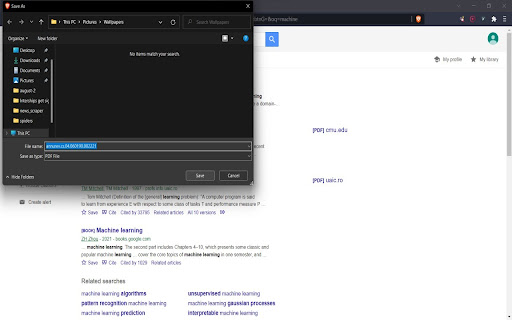
Update Feb 2026: Updated to working mirror links for SciHub and Anna's Archive. Note: Since SciHub is banned is few countries now, use VPN or Tor to access the links. A simple extension to help research work that does the following: 1. Using context menu (right-click): 1.1 Redirect to Scihub page of research paper 1.2 Redirect to Anna's Archive page of research paper 1.3 Search for the selected article on Google Scholar 1.4 Direct download article, if available on Scihub, with filename saved as title of article 1.5 Find meaning, noun and pos tag of a selected English word from dictionary 2. Using keyboard shortcut 3.1 Alt+Q - opens current window URL quickly in incognito mode and deletes that url record from the browser history. (P.S: The permission to manage browser history is for this purpose).

Citation Saver
Extension that highlights what you had previously highlighted on a page. Citation Saver allows you to link directly back to content you highlight on a page–that way you can cite text on a page and return to it later. If you follow a Citation Saver link in another browser (or if you decide to uninstall Citation Saver), your link will still be valid and will take you to the same page; your browser just won’t automatically highlight the citation. This is not a link shortening service. We’re not logging any of your page visits; the experience takes place entirely in your browser.

Library Genesis
Library Genesis google-chrome extension to improve daily searches This is a extension to redirect to Library Genesis search engine

Find sci paper
Find your reference paper in sci-hub by one click Go to the reference page on journal site and click add-on button, then chrome will open a new tab to find resource in sci-hub. Or you can select doi text then right click>get by doi, then chrome will open a new tab to find resource in sci-hub. Custom domain setting: right click add-on button > Options, then input custom domain you want and save it.

PaperClip
Memorize important findings in research papers about machine learning, computer vision, and natural language processing. Select the text you want to memorize and right-click "Memorize". Then in the extension, you can find back all your saved bits and related source. - Save from PDFs, blogs, and websites. - Find back your findings with a single search in the extension. - All your saved bits are stored and indexed locally, no data is sent to any server. - Offline support.
