
oilaaekphjbkahcplbolaglkhbfimdfo
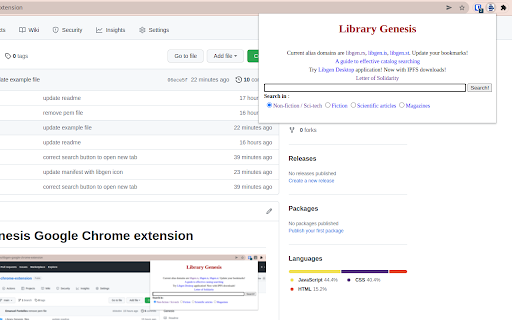
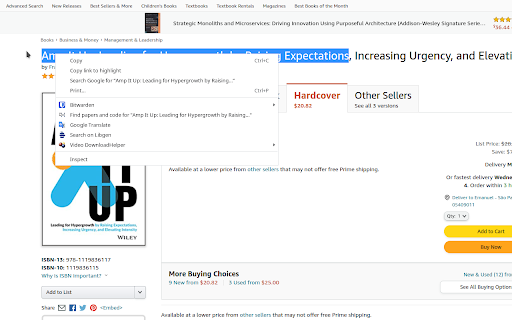
Library Genesis google-chrome extension to improve daily searches This is a extension to redirect to Library Genesis search engine

Chrome Notes
A simple notepad extension for Google Chrome NEW: You can now use speech to text NEW: You can now open Chrome Notes with Ctrl+Shift+X (Command+Shift+X on mac) NEW: You can now download and upload complete backups NEW: Chrome Notes adds a right click menu option to send the selected text to a new note! NEW: You can now have multiple notes! NEW: You can now customize the font size! A simple notes extension, right in your browser! Easily copy around a few words to and from different browser windows and other apps. Thank you for over 100,000 users, 100 ratings and 4.5 stars! Chrome Notes remembers your notes and mode, even after closing your browser or restarting your computer! Notes are stored in local storage, so nobody else will ever see them, not us, and not Google, Microsoft, or Apple. Features: * Resizable notepad * Shortcut buttons for cut, copy, paste, and select all * Normal keyboard shortcuts work too * Save as a .txt file * Open in new window * Speak selected text out-loud * Remembers last notepad size for you next time * Store multiple notes, and quickly create, edit, share, or delete * Focus mode for distraction free writing * Adjustable font size * Right click and send selection to new note * Download and upload full backups * Speech to text (click the mic and speak to put your words on the notepad) * Keyboard shortcut Ctrl+Shift+X (Command+Shift+X on mac) to open Chrome Notes is the smart, simple notepad built for you 😊

Stanford GSB Library Chrome Extension
Stanford GSB Library Chrome Extension The extension provides quick links to popular resources of Stanford GSB Library.

Genio Notes
The Chrome extension for Genio Notes We’re making it easier to use Genio Notes for online learning and video content, eliminating the need for multiple tabs and windows. Maximize your focus and retention with our handy integrated side panel to take notes directly alongside your online lectures and videos. 'It was great having everything in one spot and not using split screen to be able to watch and take notes at the same time!' You must be a Genio Notes user (excluding our Genio Notes Teams plan) to access this extension. Not used Genio Notes before? Try it free for 30 days at https://app.genio.co/try

Chrome Dice
A simple dice rolling extension for Google Chrome Chrome Dice is a simple dice rolling extension for Google Chrome. Simply click the button and click a die to roll, wherever and whenever. * Ad-free * Works offline * Very small (less than 0.1mb) * No permissions and no data
