
bpmdcgniefliedbihaaojfohekliclme
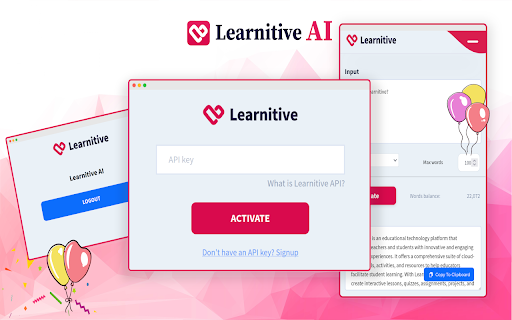

Learnitive is an AI-powered writing tool that helps you create awesome scholarly content! Learnitive is an AI-powered interactive writing tool for academics, copywriters and education agencies. This version of Learnitive is designed to provide support for Google docs, Office365, LaTex Overleaf, etc. It can generate awesome AI content on the fly, correct grammar, spelling, vocabulary, punctuation, style, phrasing, and more - all taking context (input) into account. Learnitive allows to create AI content based on four AI models: fast, balanced, strong and expert. It allows to generate high-quality and structured content that is fluent and original. Note that English is the only supported language (to feature Copyscape) and violence, hate speeches, or adult contents cannot be generated. It is designed to be used for education, research, and SEO marketing purposes only. Learnitive helps to create engaging content that’s accurate and fluent, and hence can improve engagement, growth, and success. Get your free Learnitive API key today and start creating AI contents with this awesome Chrome extension!

Viinyx - AI Assistant (ChatGPT, GPT-4.5, Claude 4, DeepSeek)
Powerful all-in-one AI copilot to increase your productivity. Use generative AI (ChatGPT, Claude, Gemini) to write & paint anywhere. Do more with AI – compose and revise 10x faster with Viinyx. Powerful all-in-one AI copilot to increase your productivity. Use generative AI to write and paint anywhere on the web. Works seamlessly on Gmail, Google Docs, LinkedIn, and many other sites. Access GPT-4, Gemini, Claude 4, and DeepSeek models ✍️ With only a short prompt, command AI to draft emails, write blog posts, create marketing copy, brainstorm ideas, translate text, review essays, etc. Access ChatGPT, Claude AI, Gemini and Llama, among others to generate text. 🎨 Generate images for social media posts, images to use on your website, logo designs for your company, illustrations for your book, or images for numerous other purposes. Use DALL·E, FLUX, Stable Diffusion and various other providers for generating images. 💬 Hit Options (⌥) / Alt + V to start chatting with AI ▶︎ Enter ‘/‘ into the Viinyx chatbox to view your library of saved prompts. ▶︎ Enable page awareness, web access, or academic search for more relevant, factual and up-to-date responses. ▶︎ Viinyx saves your chat history locally and syncs it across each tab in real time. ▶︎ Talk to images or alter them using AI. ▶︎ Talk to multiple PDF documents at once ✨ Type // to generate text and images – Unobtrusive AI writing assistant. ▶︎ Compose any kind of text content using your preferred AI providers (API connection to OpenAI, Claude, OpenRouter, etc.) ▶︎ Generate images on Google Docs, Medium, and everywhere else. ▶︎ Generate a quick contextually aware reply to a post, comment, comment reply, or message. ▶︎ Let AI continue where you left off, finishing your draft, with similar tone and style. 🔎 Summarise search results ▶︎ Summarise your search results or get an AI-generated answer to your search query – integrated with Google, Bing, Yahoo and most other major search engines. With this feature, you'll spend less time deciphering complex search results, making your online research a breeze. 🎞️ Summarise a video on any website ▶︎ Get quick summaries of videos of any length on any website. Viinyx is the perfect study companion for YouTube, Udemy, Coursera and more. 🪄 Highlight and modify text in one click ▶︎ Shorten, lengthen, improve grammar, reword and modify text quickly. 🖼️ Reimagine images on the web ▶︎ Leveraging prominent image-generating models like DALL·E, Google Imagen, and Adobe Firefly, Viinyx steps up to reimagine and regenerate images. Revamp images on the web, paint with AI, or create outstanding logos from just text. With Viinyx, churning out captivating concept art and enticing logos becomes natural. Viinyx is your AI-powered web assistant brilliantly designed to sprout creativity and bolster productivity by making your life significantly easier. An extension that brings together the power of robust AI models like GPT-4 and GPT-4o, Anthropic Claude 3, Google Gemini 2.0, OpenRouter models, and so much more. ➕ Much More Coming Soon ➕ This is still just the beginning. More amazing features are on the horizon to make Viinyx even more integral to your digital journey. 🔐 Privacy All your configurations, API Keys, browsing and session data, stored documents, and chat history are stored inside your device(s) browser. We do not transfer your data to any remote servers, nor do we sell your data to third parties. 📪 Contact Us We appreciate your valuable feedback. Please rate our extension and share your experience. For support, guidance, or any queries, feel free to get in touch with us at support@viinyx.com.

iki.ai - your knowledge hub
This extension provides quick saving of the links to webpages you browse to iki.ai knowledge hub. You can also save highlights (just select text and press right button - save to iki) and your notes on these materials to catch up with the core ideas later on. iki.ai is a web service designed as a knowledge hub for professionals where they can store and share important knowledge in the form of links with metadata, notes, highlights and AI generated summaries. The core functional of the service includes personal library, knowledge feed with recommended materials, community with peers, collections and search on the service index. We are working on the new features like Smart notes with instant recommendations for AI augmented research and self-organizing library with custom shelves. To start using this extension you need to register in iki.ai web service - this can be done with Google, Facebook or Linkedin profile or with an email. For now all the functional provided is free of charge.

WizWrite - Record, Rewrite, WizWrite
Record with the mic or type text, select an AI action - rewrite, summarize, translate, and much more! WizWrite amplifies your words Record with the mic or type text, select an AI action - rewrite, summarize, translate, and much more! WizWrite amplifies your words. A super handy tool to talk to AI. Hone your thoughts and create awesome pieces of content with WizWrite.

Chat with Desksense AI Powered by GPT4
The Ultimate AI Assistant with GPT-4 powered responses. Answers any queries, summarize articles, create emails, content & AI images. Desksense ChatGPT AI app provides Free Chat GPT & GPT-4 access, AI writer for Email, Blogs, Articles, Tweets, Linkedin posts, Facebook Posts, Replies and more. Desksense AI uses OpenAI ChatGPT to summarize Youtube videos & Blog in one-click. Desksense AI app revolutionizes your online search experience by integrating Open AI ChatGPT alongside your Google search engine. With Desksense you can access instant AI-generated responses, providing valuable insights and information right alongside the search results you're browsing. With just a CMD+ I OR CTRL+ I Desksense makes it easy for you to access the ChatGPT on any website. Use "Shortcuts" for Advanced users. 👉👉 Save ANY ChatGPT, GPT-4, Claude3 OR Genini Pro response to your Desksense Account in one-click. 👉 [New Update] Desksense comes with new Chat GPT models like; GPT-4-o-mini and other LLM's like Claude3, Gemini Pro & Llama 3version. 👉 [New Update] Desksense comes AI Image Analyzer 👉 Desksense iOS App is now live in App Store. 👉 New AI Summarizer is now live with upload file feature. 👉 AI Writer for ANY content with ChatGPT-4, GPT-4-o-mini, Claude 3 & Gemini Pro option (Emoji, character limit included with a different lanuage model.) 👉 FREE AI Chatbot integrated with ChatGPT & GPT-4 in web app 👉 Get ChatGpt AI response or replies with 'Tone' and 'Emoji' 👉 Unlimited AI response on Google Search 👉 One-click AI summarizer for Youtube videos 👉 One-click AI summarizer for ANY website 👉 ChatGPT AI Image generator using Dall-E 👉 Save ChatGPT response in your account for later use. 👉 Save your frequently used prompt(s) 👉 List of 100+ preset prompts and option to edit and save in your account. 👉 Easy Access with CMD + I OR CTRL + I on ANY website 👉 Grow your Social Media presence using Desksense AI response in LinkedIn posts, Twitter & Facebook posts. 👉 Write faster and smarter emails on Gmail, Tweets, Linkedin Posts and Facebook posts 👉 Generate online content, video script, hashtags & keywords and topics for blog posts, articles and socials using Desksense AI ChatGPT App. 👉 Share your saved response to social media using our Desksense Web App 👉 Copy to clipboard, Save, Favorite and add tags to ChatGPT responses as Card. 👉 Desksense Chat GPT & GPT 4 Android Mobile App 👉 Auto Dark/light mode 👉 Change the Tone of your response and include emoji when needed. 👉 AI Chatroom Collaboration with your Team 👉 AI Chatbot in Extension 👉 AI Content Generator - AI Email Writer, AI Article Writer using ChatGPT, GPT-4, GPT-4-o-mini, Claude3 and Gemini Pro., AI Code Generator, AI Social Media Post Generator and more... Are you a busy professional juggling multiple tasks? A student striving for academic excellence? Or someone seeking to optimize their daily routines? Look no further! Desksense is here to revolutionize your digital experience. Desksense is a powerful chrome extension that leverages the ChatGPT API to enhance your productivity. It provides a range of AI applications, including ChatGPT & GPT-4 AI chatbot, summarizers, AI writers, and more, accessible on any website. Yes, Desksense is completely free to download and use. Every free user gets 5000 Word limit for month. No, you do not require a separate ChatGPT account. Simply sign up for free at Desksense.com to access the extension. Yes, Desksense chrome extension works seamlessly in all countries, ensuring that users worldwide can benefit from its features. To install Desksense on your browser, you will need to follow these steps: 1) In your browser open the browser's app store or extension store 2) Search for the Desksense in the browser's app store or extension store (or click for : Google Chrome | Edge) 3) Click on the "Add to Browser" or "Install" button to begin the installation process. 4) Follow the prompts to give the extension permission to access certain parts of your browser, if prompted. 5) Once the installation is complete, you will be redirected to our onboarding page 6) That’s it ! you are done :) Please pin the ext. on top bar to get on-time updates. If you have any questions, please feel free to reach us at support@desksense.com === VERSION 1.0.13 ==== * NEW FEATURE: AI Writer for ANY content with newest version of GPT models (Emoji, character limit included with a different lanuage model.) * NEW FEATURE: AI Image Analyzer that analyses any image and gives you response describing the image. * File Summarizer: Upload any file & summarize in one-click * Minor Bug fixes
