
ikgdndfdojojfngffhhniepeidkggadi
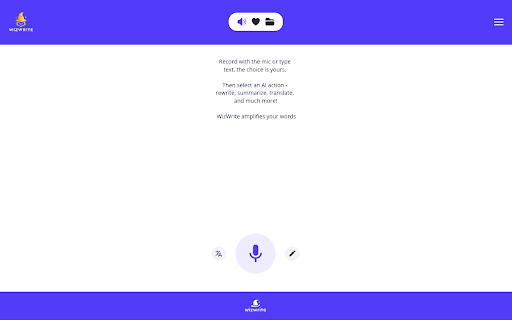
Record with the mic or type text, select an AI action - rewrite, summarize, translate, and much more! WizWrite amplifies your words Record with the mic or type text, select an AI action - rewrite, summarize, translate, and much more! WizWrite amplifies your words. A super handy tool to talk to AI. Hone your thoughts and create awesome pieces of content with WizWrite.

Quillbot: AI Writing Assistant to Grammar Check, Paraphrase & Translate
Write better emails, essays and messages with Quillbot's Grammar Checker, Paraphrasing Tool, Generative AI, Summarizer and more! Quillbot for Chrome: AI Writing Assistant, Grammar Checker, and Paraphrasing Tool Quillbot is a multilingual writing assistant extension that helps you write clearly, quickly, and with more control, right where you work. This AI writing assistant combines a Grammar Checker, paraphrasing tool, and AI writing tool to improve your writing in real time. From quick emails to full drafts, Quillbot helps you say what you mean without overthinking it. ➤ How It Works Install the extension and keep writing like you normally do. Quillbot works in the background, ready when you need it. Write in any text field across the web, then highlight text or open the toolbar to get instant suggestions. You can fix grammar, use the sentence rewriter to adjust phrasing, or generate new text with the AI text generator. Everything happens in one place, so you don’t have to copy, paste, or switch tabs. ➤ Privacy and Data Safety Your writing is personal. We treat it that way. Quillbot processes only what’s needed to provide suggestions and does not sell your data. Our systems are designed with modern security standards in mind, and we continuously improve how we handle and protect user information. You stay in control of what you write and what gets changed. ➤ Key Features A writing productivity tool that does more than just fix typos; it helps you communicate better. ✓ AI Writing Assistant Get real-time suggestions as you write. Improve clarity, tighten structure, and keep your ideas moving without stopping to edit. ✓ Grammar Checker Catch grammar, spelling, and punctuation issues instantly. Get clean, readable writing immediately to improve communication. ✓ Paraphraser Rewrite text to sound clearer, more concise, or more natural. Adjust tone without losing your original meaning. ✓ Sentence Rewriter Quickly reshape awkward or unclear sentences into communication that reads smoothly and lands the point. ✓ AI Cursor Access Quillbot’s AI tools directly where you write. Use the AI Cursor to generate text, refine drafts, and take action without leaving the page. ✓ AI Text Generator Draft emails, outlines, or full responses in seconds when you need a starting point—or a reset. ✓ Tone and Clarity Suggestions Understand how your writing comes across. Make it more direct, more polished, or more conversational as needed. ✓ Multilingual Writing Tool Write and edit across languages, including English, Spanish, French, German, Portuguese, and Dutch. ✓ Translation Translate text as you write or edit, helping you communicate clearly across languages. ✓ In-Page Editing Make changes directly in emails, docs, and forms. No switching tabs or breaking your flow. ✓ GIF Insertion Drop in relevant GIFs directly from the editor to add context or personality to your messages. ✓ AI Image Generation Create images from prompts without leaving your workflow—useful for quick visuals, drafts, or ideas. ✓ Custom Modes Tailor writing style to your needs, whether that’s formal, simple, or aligned to your voice. ➤ Use Cases Quillbot works for anyone who writes—and wants fewer rewrites. ✓ Professionals Send emails and updates that get to the point faster and don’t need a follow-up to clarify. ✓ Students and Researchers Turn rough drafts into clear, structured writing without losing your original ideas. ✓ Marketers and Creators Adjust tone across channels without rewriting everything from scratch. ✓ Multilingual Writers Write confidently across languages with built-in support and suggestions. ➤ Why Quillbot? Quillbot focuses on improving your writing—not replacing it. It works directly where you write, so you don’t lose time switching tools. Suggestions are fast, practical, and easy to apply. You get more than surface-level fixes, with support for tone and clarity when you need it. And with frequent updates, the extension keeps getting better at helping your writing do its job. ➤ Free vs Premium Start with the essentials. Upgrade when you want more control. ✓ Free Plan Includes: • Grammar checker and basic corrections • Limited paraphrasing tool access • Core writing suggestions • Multilingual writing support ✓ Premium Unlocks: • Full paraphrasing and rewriting capabilities • Expanded modes for tone and style • Advanced tone and clarity insights • More detailed, sentence-level suggestions ➤ Supported Languages Quillbot supports writing and editing in English, Spanish, French, German, Portuguese, and Dutch, with continued expansion to additional languages over time. Get Started Install Quillbot in seconds and start improving your writing immediately. Write faster. Say it better. Keep your voice intact.

Text to Video - AI Video Creator | Pictory
Convert any text or URL into a professional AI-generated video with captions, visuals, and voiceovers — powered by Pictory 🎬 Turn Any URL or Text into a Video Instantly The Text to Video Chrome Extension by Pictory lets you transform any online article, webpage, or script into a complete video, all without leaving your browser. 📋 Paste a URL or text, and our AI automatically extracts the main ideas, writes a script, selects visuals, and adds captions and voiceovers. Whether you’re a marketer, educator, or content creator, you can turn blogs, research papers, or news articles into ready-to-publish videos in minutes. ⚙️ How It Works Step 1 – Capture a URL or Enter Text While browsing any webpage, click the Pictory Chrome Extension. The extension automatically captures the URL. Step 2 – Choose Video Type Select your preferred video style: 💡 Explainer 📣 Marketing 💼 Internal Communication 🎓 Tutorial This helps the AI tailor the tone and flow of your script. Step 3 – Generate Your Script Click “Generate Script.” Pictory AI will summarize the webpage or process your text input to create a concise, editable script optimized for video storytelling. Step 4 – Edit and Customize You’ll be redirected to your Pictory workspace, where you can: • Review and edit the generated script • Adjust visuals, captions, and audio • Apply your brand kit (logo, fonts, colors) • Choose voiceovers and music Step 5 – Generate and Download Video Preview your project and download a high-quality video, ready to share across social platforms, websites, or presentations. ✨ Key Features 🔗 URL to Video: Convert any online article or web page into a summarized AI video. 📝 Text to Video: Paste any text, and Pictory turns it into visuals, captions, and voiceover. 🧩 AI Script Summarizer: Automatically extract key ideas from long-form content. 🎨 Fully Customizable: Edit scenes, captions, visuals, and add your brand kit. 🎙️ Voiceover and Subtitles: Choose professional AI voices and auto-generate subtitles. ⚡ One-Click Workflow: Seamlessly integrated with your browser and Pictory account. 👥 Who It’s For 📈 Content marketers repurposing blogs and news articles into videos. 🎓 Educators turning lessons or research into visual explainers. 🏢 Corporate teams creating internal communication videos. 🎥 Creators and entrepreneurs sharing insights on YouTube, LinkedIn, and TikTok. 💎 Why Choose Pictory Pictory’s award-winning AI video platform powers this extension, enabling effortless text-to-video and URL-to-video conversion. 🌍 Trusted by over one million professionals worldwide, it combines script generation, video editing, and brand management in one seamless workflow. 🔒 Privacy & Permissions This extension requires minimal access: • Reads the active webpage only when you click the extension • No background tracking or data storage • Processes text securely via your authenticated Pictory account

Audio to Text Transcription
Use Audio to Text Transcription to transcribe audio to text from mic, tab, or file — powered by Groq and Whisper AI Meet audio to text transcription, a Chrome extension built for speed and clarity. Whether you need to transcribe a voice recording, convert a podcast, or turn a call into notes — Groq AI and Whisper AI handle it in seconds. 💡 Why It Matters Typing breaks focus. With audio to text transcription, you talk to text — and it keeps up. No switching apps, no manual notes. Just speak or upload, and get a clean result immediately. 🚀 How It Works 🎙️ Record Mode 1️⃣ Click the toolbar button and open the Record tab. 2️⃣ Choose your source — microphone, current tab, or both. 3️⃣ Start recording; the extension will transcribe audio to text in real time. 4️⃣ Pause, resume, or stop anytime. 5️⃣ Copy the transcript or download it as a .txt file. 📂 Upload Mode 1️⃣ Switch to the Upload tab. 2️⃣ Drag and drop an audio or video file 3️⃣ It’s processed automatically using AI transcription audio to text. 4️⃣ Review, edit, and save or export the results. 🧩 Main Features 🎧 Two capture modes — record live or upload for transcription. ⚡ Groq AI + Whisper AI — fast and accurate voice to text. 🎙️ One-click recording from mic, tab, or both. 🎥 Transcribe video to text by capturing tab audio. 📍 Timestamped paragraphs — transcript split into segments with time markers. ✨ AI summary — get overview and key points in one click. ⏱️ Real-time progress with visual indicators. 📝 Download transcripts as .txt or copy instantly. 🔔 Auto-stop protection for large files. 🧠 Smart punctuation and sentence formatting 🔒 Privacy-first: your audio stays in your control 💼 Who Benefits 🔹 Students — transcribe lectures and seminars into clear notes. 🔹 Journalists — turn interviews into editable text by speech. 🔹 Creators — talk to text hands-free and capture every idea. 🔹 Managers — document stand-ups and calls automatically. 🔹 Researchers — convert voice into text from field recordings. ✨ Use Cases - Transcribe audio to text from meetings, calls, or podcasts. - Upload a seminar for a clean audio to text transcript. - Transcribe YouTube video or any browser audio with tab capture. - Dictate ideas — voice to text keeps up as you think. - Review timestamped segments and remove irrelevant parts. - Generate an AI summary of any meeting or lecture in one click. ⚡ Smart Transcription Experience Audio to text transcription software was designed for reliability under real conditions. Start recording, watch progress in real time, and get structured results instantly. Every transcript audio to text is split into timestamped paragraphs — easy to navigate and edit. The built-in AI summary turns any transcript into a structured overview with key points and action items. From quick voice notes to hour-long discussions, this transcription software from audio to text adapts to your routine. ❓ FAQ – 💬 Can I transcribe webinars or calls? Yes — select the active tab or both tab and mic as your source. – 📁 Transcript from a file? Drop it into the Upload tab — supports audio and video files. – ⏱️ Does the transcript have timestamps? Yes — each paragraph shows when it starts for easy navigation. – 🗂️Can I summarize the transcript? Yes — one click generates a structured summary with key points and action items. – ⏳ Recording length limit? Each session runs up to 180 minutes; a daily usage limit applies. – 🌍 Accents and jargon? Whisper AI and Open AI handle varied speech accurately. – 🎬 Can I transcribe YouTube video? Yes — use tab recording to transcribe video to text from any browser tab. ⚙️ Performance & Reliability Groq's speed combined with Whisper AI keeps audio transcription instant yet detailed. For teams and creators alike, this audio to text transcription software reduces manual work and keeps ideas flowing — from short notes to full transcripts, all through reliable text by speech conversion. 🌟 Summary ✅ Transcribe audio to text from mic, tab, or uploaded file. ✅ Timestamped paragraphs and AI-generated summary included. ✅ Powered by Groq and Open AI (using Whisper). ✅ Ideal for meetings, lectures, interviews, and creative sessions. ✅ Secure, intuitive and fast. Need to turn speech into organized writing? audio to text transcription handles it — so you stay focused on what matters

AI speaker - Text to speech
Text can be converted into voice audio, and can be downloaded as audio. It supports configuration voice speed, pitch, volume, etc 5. Support automatic online storage of your text to speech project until you uninstall it 6. Support adding images, merging audio and exporting to video format
