
bkkklcenmbchlpajkaicekihdpkocmhk
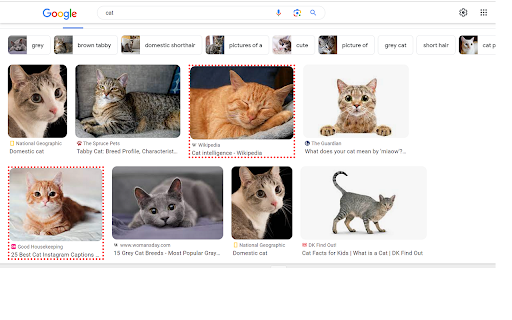
Filters certain URLs when searching in Google page Filter for Google search. Register your Keywords, then the extension will detect them in the search-results. You can Highlight / Delete the results from the result page. -Added Donation Button to the extension, your support is much appreciated.

SafeSearch - Web Filter for Safe Browsing & Search
A web filter extension for safe browsing and search in Chrome. Take complete control of your browsing experience with Web Filter. Whether you are a parent looking to protect your children from inappropriate content, or a professional trying to eliminate distractions and boost productivity, this extension provides the tools you need to curate a safer, cleaner internet. Unlike simple blockers, Web Filter offers granular control over content, media, and search results, all protected by a secure passcode to prevent unauthorized changes. 🛡️ Comprehensive Category Blocking Instantly block access to millions of websites across specific categories with a single click. Block Pornography & Adult Content: Keep your browsing history clean and safe. Block Gambling: Prevent access to betting and casino sites. Block Social Media: Eliminate distractions from Facebook, Twitter/X, Reddit, TikTok, and more. Block Proxy/VPN Sites: Prevent bypassing of your filters. 📷 Advanced Media Blocker Save data, speed up loading times, and remove visual clutter. - Block Images & Videos: Hide visual elements across the web. Smart Video Detection: aggressively stops video playback on modern sites like Reddit and YouTube. - Custom Scope: Choose to block media on All Websites or only on Specific Websites that you find distracting. 🔒 Passcode Protection Secure your settings to ensure they stay the way you set them. - Anti-Tamper: Prevents the removal of blocked domains or changes to filter settings without the correct passcode. - Uninstall Protection: While browser limitations prevent us from stopping uninstallation, the passcode prevents anyone from disabling the filter from within the extension menu. website Whitelisting & Blacklisting - Blocked Domains: Manually add specific websites you want to block. - Allowed Domains: Whitelist specific sites that should always be accessible. - Allowed Only Mode: For maximum security, block the entire internet and only allow the specific websites you add to your list. 🎨 User-Friendly Interface Dark Mode: A sleek, eye-friendly dark theme for night-time configuration. Clean Dashboard: Easy-to-navigate settings page to manage your rules. PRIVACY & TRANSPARENCY Your privacy is our priority. All filtering logic happens locally on your device. We do not track your search history, collect personal data, or sell your browsing habits to third parties. Monetization Disclosure: To keep this extension free and support ongoing development, we utilize an affiliate monetization model. When you visit certain product marketplaces), the extension may append an affiliate tag to the URL. This does not affect the price you pay and does not interfere with existing affiliate tags from content creators you wish to support. Take back control of your internet today with Web Filter for.

Blocked Search
Stay focused & improve productivity. Easily block any distracting and unproductive searches. Stop procrastination once and for all! Example, you often need to search stackoverflow on google while debugging a problem. Just add the word stackoverflow on allowed searches. If you don't include the word stackoverflow on your google search, , e.g., css id not matching, this Blocked Search extension will block the search's results, you might be googling funny cats or latest gadgets instinctively! This extension will block that unproductive search and will only allow searches that pertains to stackoverflow, or other words or phrases added to the extension. To allow your search, you must search, e.g., stackoverflow css id not matching. Stay focused & improve productivity. Easily block any distracting and unproductive searches. Stop procrastination once and for all! 2.1.0 NEW: It is now allowed to exclude the first picture when randomizing lockdown pictures UPDATE: Upgraded to manifest v3 2.0.0 NEW: Selecting the allowed word/phrase from the pop-up will search the word/phrase in new tab 1.0.1 HOTFIX: Numeric and alphanumeric was not working, e.g., 5700, 5700U. This is fixed now, numeric and alphanumeric are allowed to be searched 1.0.0: Search is now working for non-English searches 0.13.1: Word parser bugfixes: * "spider-man" search should not match the "spider" in the storage * "c#" search should not match the "c" in the storage * "asp.net" search should not matches the "asp" in the storage 0.13.0: Pictures can now be dragged and dropped to lockdown pictures. Improved word parser, e.g., ".net" is distinguished from "net". 0.11.1: Bugfix: When in unblocked mode, clicking any part of the popup window with Block Search button, blocks the search. Blocking should only happen when user click the Block Search button, not the area surrounding it. Made a fix, blocking happens only when user clicks the Block Search button 0.11.0: Added help link. User is informed when the picture added is not an image. 0.10.1: Bugfix, next and back button for lockdown slides should not appear when there is only one picture. Made a fix. 0.10: Search can be unblocked for a period of time, default is 10 minutes, this can be changed by the user 0.9: Pictures uploaded by the user will be shown when search is in lockdown mode. User can upload inspiring pictures, or any pictures that can instill discipline to himself/herself 0.8.1: Bugfix for lockdown mode

Search Noise Filter
An extension that lets you grey out some search results based on their domain. You can add domains to the filter list by right-clicking on a link and choosing the provided option in the context menu.

Filter Anything Everywhere
Filter feeds, lists and comment sections on all websites at the same time with this universal keyword blocker. Tired of information overload? Take control of your browsing experience with this powerful Chrome extension! It filters out unwanted content from Facebook, Google News, Reddit, Twitter, YouTube, and more, all in one place. Key features: - One-click access to filter settings. - Block unwanted topics, clickbait, and spam. - Customize settings for each website. To get started, simply install the extension and click the icon next to the address bar to access the control panel. Fine-tune your settings to enjoy a clutter-free, personalized online journey. Embrace a cleaner, more personalized browsing experience – try Filter Anything Everywhere today! Feel free to submit issues and pull requests: https://github.com/yeahpython/filter-anything-everywhere History: * 1.3.2 - Improved language support, e.g. Cyrillic characters, Chinese, Korean, Japanese - Better support for emojis and special characters - Migration to Manifest V3 - Start using TypeScript/Node/Rollup/Jest/Prettier * 1.3.1 - The code has been cleaned up a bit for upload to GitHub. The latest version of the extension includes the cleanup. * 1.3.0 - Fix for YouTube search results - Support for Chinese characters - Performance improvements * 1.2.4 - Fixes issue where entire YouTube page is hidden. * 1.2.3 - Wildcard matching is now supported. "*" matches any number of non-whitespace characters, and "?" matches exactly one non-whitespace character. Examples: - - "col*r" matches "color" and "colour". - - "gr?y" matches both "gray" and "grey", but not "gravy" since "?" can only match one character. - - "*?coin" matches "bitcoin" and "dogecoin" but not "coin", since "?" requires at least one character.
