
bkgdbkfbbpagdomghecnaeljhdfiemeb
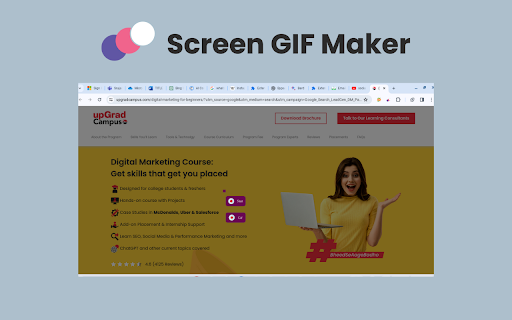
Say goodbye to static images and hello to captivating GIFs! 🖼️👋 Install our Screen GIF Maker Chrome extension to make stunning GIFs in no time, all right inside your browser. 🌐✨ Capture hilarious memes, showcase product demos, or add a little spark to your presentations. 🔥💻 Let your creativity flow with ease! 🚀 Key features of Screen GIF Maker chrome extension 🌟 Instant GIF Creation: Make it easy to talk about the workflow – select an area, modify, and create GIFs within seconds without needing editing skills. 🎬 Universal Capture: Focus on grabbing anything – webpages, videos, desktop screens; perfect for tutorials, reactions, etc. 🖥️🌐 Customization Freedom: Mention adjustable duration, frame rate, captions, and even additional editing features for creating a personalized GIF. 🔄🎨 Social Media Powerhouse: Focused on shareability – upload to platforms directly, increase interaction, and grab attention. 🚀📱 Beyond Fun: Demonstrate applicable cases – improve presentations, reports, bug demos, and facilitate communication. 📊🐛🗣️ Accessibility King: Emphasize ease of use – suitable for all user skills, no technical expertise needed. 🤓👩💻👨💻 1. Navigate to the Chrome Web Store. 🌐 2. Search for the "Screen GIF Maker Chrome extension." 🔍 3. Install the extension and effortlessly click "Add to Chrome." ✅ 4. Once successfully installed, open any webpage or play a video. 🎬🌐 5. Click on the extension icon. 🖱️ 6. Explore the "Create GIF" option. 🎥 7. Click the left mouse button and drag across desired sections for GIF recording. 🖱️🌈 8. During recording, choose between the "Start" and "GIF" options. 🚀 9. Opt for the "Start" option to record everything you need, even from playing videos. 🎬🎥 10. Download and share your captured GIFs effortlessly with anyone as needed. 📤💬🌐

Loopify: Screen Recorder & Gif Converter
Record your screen with a persistent recording Loopify is a screen recording extension that captures screen recordings directly in MP4 format (or WebM as fallback) and converts them to animated GIFs. Users can record their screen by clicking the extension icon, which shows a blinking red badge during active recording. Recordings are automatically saved to the Settings page in MP4 format for instant access without conversion delays. The extension stores up to 10 recordings locally, provides video preview and playback, and allows users to download recordings as MP4 or convert them to high-quality animated GIFs with customizable settings (quality, resolution, FPS, frame count).

Screen to GIF Recorder
Screen to GIF Recorder is a lightweight and intuitive Chrome extension that lets you record any part of your screen and instantly… Screen to GIF Recorder is a lightweight and intuitive Chrome extension that lets you record any part of your screen and instantly convert it into a shareable GIF. Whether you're making tutorials, bug reports, or fun content, this tool makes it simple and fast.

Gif-t
Transform your web browsing into a creative journey with Gif-t. The Chrome extension that lets you craft engaging GIF trailers. Turn web content into high-quality GIFs instantly with Gif-t, the Chrome extension that brings your online experiences to life. Detailed Description: Why Choose Gif-t? Gif-t is not just another Chrome extension; it's your creative companion in the digital world. It allows you to effortlessly capture and animate moments from any website, transforming them into vibrant GIFs. Ideal for marketers, sales professionals, content creators, or anyone looking to add a spark of creativity to their online presence. Key Features: Instant GIF Creation: Encounter an interesting moment or idea online? Turn it into a GIF in a flash. No need to leave your browser or use complex software. Easy Access Library: All your GIFs are automatically saved to your GiveAGif library. Access, view, or share them anytime by visiting giveagif-t.com. Seamless User Experience: Enjoy a hassle-free experience with easy signup and sign-in, right from the extension. Direct Web Application Integration: Our extension is fully integrated with the GiveAGif-t.com web application, offering you more functionalities and a richer user experience. High-Quality GIFs: Expect nothing less than crisp, engaging, and share-worthy GIFs, perfect for capturing the essence of any web content. Why Install? Enhance Your Digital Content: Whether it's for a marketing campaign, a sales pitch, or social media, Gif-t helps you create content that stands out. Save Time: No more switching between different apps or tools. Create GIFs right where you find your inspiration. Boost Engagement: GIFs are a powerful tool to increase engagement. Use them to make your messages more compelling and memorable. Fun & Easy to Use: Who says professional tools can't be fun? Gif-t is designed for both efficiency and enjoyment. Privacy Committed: We value your privacy. Rest assured, your data is protected, and your creations are securely stored. Ready to Transform Your Web Experience? Add Gif-t to Chrome now and start bringing your online discoveries to life through GIFs!

Video to Animated GIF
Converts the YouTube, Vimeo, webm, ogv or mp4 videos you are currently watching into an animated GIF. Automatically create short animated GIF's from YouTube, Vimeo, webm, ogv or mp4 videos from the video you are currently watching. You may have to wait a short file for the animated GIF to be created. If there is a HTML Video element on the web page the GIF will keep the same aspect ratio to avoid any distortion. Once you have installed your extension just follow the instructions in the extension popup to sign up and get converting!
