
addfmcghicajbapmeacfeleppebcnhol
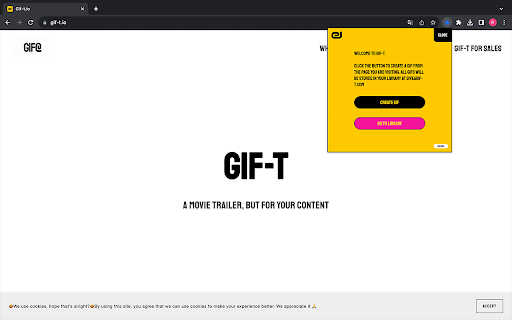
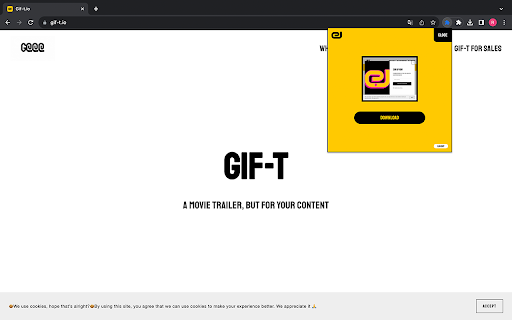

Transform your web browsing into a creative journey with Gif-t. The Chrome extension that lets you craft engaging GIF trailers. Turn web content into high-quality GIFs instantly with Gif-t, the Chrome extension that brings your online experiences to life. Detailed Description: Why Choose Gif-t? Gif-t is not just another Chrome extension; it's your creative companion in the digital world. It allows you to effortlessly capture and animate moments from any website, transforming them into vibrant GIFs. Ideal for marketers, sales professionals, content creators, or anyone looking to add a spark of creativity to their online presence. Key Features: Instant GIF Creation: Encounter an interesting moment or idea online? Turn it into a GIF in a flash. No need to leave your browser or use complex software. Easy Access Library: All your GIFs are automatically saved to your GiveAGif library. Access, view, or share them anytime by visiting giveagif-t.com. Seamless User Experience: Enjoy a hassle-free experience with easy signup and sign-in, right from the extension. Direct Web Application Integration: Our extension is fully integrated with the GiveAGif-t.com web application, offering you more functionalities and a richer user experience. High-Quality GIFs: Expect nothing less than crisp, engaging, and share-worthy GIFs, perfect for capturing the essence of any web content. Why Install? Enhance Your Digital Content: Whether it's for a marketing campaign, a sales pitch, or social media, Gif-t helps you create content that stands out. Save Time: No more switching between different apps or tools. Create GIFs right where you find your inspiration. Boost Engagement: GIFs are a powerful tool to increase engagement. Use them to make your messages more compelling and memorable. Fun & Easy to Use: Who says professional tools can't be fun? Gif-t is designed for both efficiency and enjoyment. Privacy Committed: We value your privacy. Rest assured, your data is protected, and your creations are securely stored. Ready to Transform Your Web Experience? Add Gif-t to Chrome now and start bringing your online discoveries to life through GIFs!

html.to.design
Convert any website into fully editable Figma designs. Requires the associated Figma plugin! With html.to.design, convert any website into fully editable Figma layers. Leverage an existing website and import its HTML to Figma to start your own designs, without building each element from scratch. This Chrome extension is a companion to the html.to.design Figma plugin, which you’ll need to install for certain features. If you are using the “Copy to clipboard” option, you do not need to run the Figma plugin — simply paste (⌘+V) your captured webpage in your canvas! This extension also has built-in support for AI Tools like ChatGPT, Bolt and Lovable, and can directly capture their results without any extra steps. You can find the full list of AI tools supported here: https://html.to.design/docs/import-from-ai-tools 1. Install the html.to.design Chrome extension by clicking on [Add to Chrome] on this page. 2. Navigate to the page you would like to import into Figma. 3. Click on the html.to.design extension icon in your Chrome top bar. 4. Hit 'Capture' and the extension will automatically start capturing the page. Once your webpage has been captured, there are several ways to import it into Figma: a) Store it locally as an .h2d file that must be dropped into the html.to.design Figma plugin b) Send it directly to the Figma plugin d) Copy it to the clipboard to then directly paste the result in Figma --- Notes: In order to best map what you see in your browser to Figma, we need to access Chrome's debugging features.

Lumuji: Shimeji & GIF Interactive Browser Pets
Lumuji: browser extension that brings interactive little Shimeji and custom animated GIFs to any web page, making your browsing fun. 👻 Your Animated Browser Companion! Bring any webpage to life with interactive shimeji, custom GIFs, and virtual pets. Your personal browser buddy is waiting! 👾 Add a cute, little desktop pet to your browser! Play with charming shimejis that explore your screen, or add your favorite animated GIFs to hang out with you while you work or study. Lumuji brings the fun of classic desktop companions like Shimeji and Wallpaper Engine to any webpage, making your online experience more lively and fun. ✔ What You Get for Free 🎁 ✅ A Generous Character Library: Start immediately with a large, built-in library of classic shimeji characters and fun animated GIFs from popular series, anime, games, and memes. ✅ Interactive Shimeji: Enjoy truly interactive characters that walk, climb, jump, and react to your mouse. ✅ Direct Mouse Control: Pick up any character with your mouse, drag them around, and toss them across the page. ✅ 💬 Kaomoji Emotions: Watch your pets express themselves! They will periodically show random Kaomoji (Japanese text emoticons) in cute speech bubbles, bringing them even more to life. (⁄⁄•⁄ω⁄•⁄)⁄ 👑 Unlock More with Lumuji VIP Upgrade to unlock the full potential of Lumuji and turn it into a powerful tool for creativity and productivity. ⭐ Build Your Own Unlimited Library: The #1 VIP feature! Add any animated GIF or static image (like PNGs and JPEGs) from your computer or by URL to create a personal collection of browser pets. Your favorite characters, your own art, anything is possible. ⭐ Upload Your Own Shimeji: Got a favorite shimeji character that's not in our library? Now you can upload and add it to your personal collection! ⭐ Full Pet Controls: Manage your screen with advanced controls to resize, flip, duplicate, or remove specific pets. ⭐ Productivity Suite: Transform your pets into productivity partners! Use the integrated Task Manager to get gentle reminders from your shimeji, and stay focused with the Pomodoro Timer to manage work and breaks. ⭐ Advanced Personalization: Take your customization to the next level. Enable a fun and unique emoji trail that follows your mouse cursor, adding a magical touch to any webpage. ✨ Why Choose Lumuji? ⚡ Two Pet Types in One: Lumuji is the only extension that combines classic, fully interactive shimeji with the simplicity and variety of custom GIFs. ⚡ Truly Interactive: Our shimeji aren't just animations; they are dynamic characters with behaviors who interact with the web page and your mouse. ⚡ Lightweight & Optimized: The extension is optimized for smooth performance, ensuring a fun experience without slowing down your computer. ⚡ Fun Meets Function: Lumuji is more than just a decoration. With the integrated task manager and timer, your cute companions help you stay productive. 🔔 What's New? (Recent Updates) ⭐ Custom Shimeji Support: The main update! Now you can upload not only GIFs, but also your own complete shimeji characters with their set of behaviors (VIP feature). ✅ Offline Mode & Caching: Your favorite characters and GIFs are now cached. They appear faster and are available even without an internet connection. ⚙️ Improved UI: The VIP promo banner can now be dismissed to keep it from getting in the way. We listen to your feedback! 💎 Plans & Tiers 🎁 FREE: Enjoy the core functionality with access to our entire built-in library of characters. ⭐ VIP (Monthly): Flexible access to all premium features, including unlimited uploads of your GIFs and Shimeji. 💎 PLATINUM (Annual): The best deal! Get all the benefits of VIP with a significant discount for paying for a year. ♾️ INFINITY (Lifetime): Pay once and enjoy all current and future features forever. The best value and no subscriptions! 🛡️ Your Privacy — Our Commitment We engineered Lumuji with a privacy-first philosophy. Your data and conversations are yours alone. 🔒️ Zero Data Transmission: The extension does not collect, read, or transmit any of your chat history or personal information. All operations happen locally in your browser. 🔒️ Secure Local Storage: Your settings, including custom GIFs and preferences, are saved securely on your computer using your browser's native storage. Nothing is ever sent to an external server. 🔒️ Transparent Permissions: Lumuji requests only the essential permissions needed for it to function. No more, no less. 💬 Frequently Asked Questions (FAQ) 1️⃣ Is Lumuji safe for my browser? 🔒 Absolutely. We prioritize your privacy — the extension does not collect or transmit personal data. Everything (custom GIFs, settings, and preferences) is stored locally on your computer. ✅ 2️⃣ How do I add my own GIF? 📁➡️🖼️ Adding your own characters is a VIP feature. After upgrading to VIP, open the Library tab to add GIFs by URL or upload a file from your computer. Easy to manage in Your Collection. ✨ 3️⃣ Will this slow down my computer? ⚙️💨 We've optimized Lumuji to be as lightweight as possible. Simple GIFs usually have a minimal performance impact. Interactive shimeji are more complex but are designed to run smoothly on most modern machines. If needed, reduce active pets to improve performance. 🐾 4️⃣ Does Lumuji work without an internet connection? 🌐🔌 Yes — thanks to caching, characters and GIFs you've used recently will often be available offline. Cached items load faster and can spawn even when you're not online. 📥🌙 💡 Tips for the Best Experience 🎯 Optimize performance: Keep 2–4 active pets on screen for the best balance of fun and speed. 📏 Use lightweight GIFs: Upload smaller dimensions (≤ 300px) and fewer frames to reduce CPU/GPU usage. 🧹 Manage your collection: Use the delete button to remove custom shimeji you no longer want. ⏱️ Combine features: Pair the Task Manager with the Pomodoro Timer for playful, focused work sessions. ✅ 🚀 It's time to make the internet your playground! 🖱️ Click "Add to Chrome" to adopt your first browser pet today! 📧 Contact & Support Have questions or ideas for a new character? We'd love to hear from you! Contact us at 💌 cepeshrc@gmail.com.

Cimple - Aesthetic Browser Theme Extension
A beautiful productivity-focused theme extension with cinematic animated backgrounds and widgets to make your new tab aesthetic Tired of staring at the same bland new tab page? Cimple reimagines your browsing experience by transforming it into a beautiful, customizable workspace that helps you stay focused, organized, and inspired every time you open a tab. 1. Stunning Animated Backgrounds Choose from 12 mesmerizing visual effects, including Beams, Threads, Aurora, Galaxy and Hyperspeed. Each background is fully customizable with options to adjust speed, colour, and interactivity, so your workspace feels uniquely yours. 2. Smart Productivity Tools Stay on top of your day with built-in widgets: To-do list for managing tasks Notes section for quick thoughts or reminders Elegant clock to keep your schedule in sight 3. Lightning-Fast Search Search Google or navigate directly to any URL without leaving your new tab. Voice search is also supported for hands-free convenience. 4. Personalized Shortcuts Access your favourite sites instantly with quick shortcuts. Add as many as you like or let Cimple automatically populate them from your most-visited pages, complete with favicon detection. 5. Complete Customization Tailor every detail to your style, including personalized greetings, font choices, time format preferences, and the option to show or hide any widget. Who It’s For * Developers looking for a clean, distraction-free environment * Productivity enthusiasts who love integrated organization tools * Anyone who appreciates a balance of beauty and function * Users who want a truly personal browsing experience Why Cimple Stands Out Unlike extensions that are either overly minimal or unnecessarily cluttered, Cimple offers a balanced, elegant solution that works for both casual and power users. Your data remains private and syncs securely across devices using Chrome’s built-in storage. Get Started Make every new tab a moment of clarity and inspiration. Install Cimple today and see how your browsing experience transforms.

Surgeflow: Automate at Surge Speed
Automate web tasks with AI! Surgeflow is a Chrome extension that lets you automate your workflows in your own browser. Stop Drowning in Browser Tabs. Start Automating with One Command. SurgeFlow transforms repetitive browser work into intelligent automation — powered by AI and executed directly inside your browser. 🚀 What is SurgeFlow? SurgeFlow is an AI-powered Chrome extension that turns natural language instructions into real browser actions. Instead of switching between tools, copying data, or repeating workflows manually, simply tell SurgeFlow what you want — and it completes tasks across your tabs automatically. Your work happens in the browser. SurgeFlow brings AI directly into that workflow. ⚡ Why SurgeFlow? Modern work means juggling dashboards, documents, emails, and research across dozens of tabs. Repetitive actions consume valuable time and attention. SurgeFlow eliminates manual busywork by allowing AI to interact with your browser workflows safely and efficiently — so you can focus on decisions instead of clicks. ✨ What’s New 🎁 Invite & Earn Rewards: Share your personal invitation link from the Settings page. When friends sign up using your link, both of you receive reward points. 🧠 Smarter Task Routing: An upgraded task dispatcher intelligently distinguishes between automation tasks and everyday questions, enabling more flexible assistance beyond execution workflows. 👆 Improved User Guidance: When user interaction is required, SurgeFlow now provides clearer prompts and seamlessly continues automation once the action is completed. 📊 Structured Output & Export: Results such as summaries, reports, and structured data are now generated in organized formats — including downloadable files and tables ready for immediate use. 📸 Screenshot Automation: Capture your workflow effortlessly: Single-screen screenshots&Full-page scrolling captures Screenshots can be generated and saved directly during task execution. 📊 Real Example — Customer Onboarding Example 1 — Multi-Platform Creator Data Organization “Collect this week’s performance data from a creator’s Xiaohongshu, Douyin, and TikTok accounts and organize it into a table.” → SurgeFlow gathers data across platforms and outputs a structured table ready for download. Example 2 — Job Search & Application Automation “Find job positions that match these requirements and fill out the applications.” → Searches listings, extracts relevant information, and completes repetitive application steps automatically. Example 3 — Email to Calendar Automation “Add interview dates from my emails into Google Calendar.” → Detects scheduling information from emails and creates calendar events automatically. Example 4 — Batch Collaboration Invitations “Invite editors in bulk and send email invitations.” → Processes contact lists and sends structured invitation emails efficiently. 🎯 Perfect For Researchers organizing large volumes of information Shoppers comparing products across sites Job seekers managing applications Marketers collecting competitive insights Content creators publishing across platforms Anyone overwhelmed by browser tabs 💡 Key Features ✓ Natural language commands ✓ Multi-tab workflow automation ✓ Intelligent task understanding ✓ Guided human-in-the-loop automation ✓ Structured data output & export ✓ Screenshot & scrolling capture ✓ Quick actions and reusable commands ✓ 10–50× faster than manual workflows
