
heohnipeknihcpmggkbjlijnjlfbjhpg
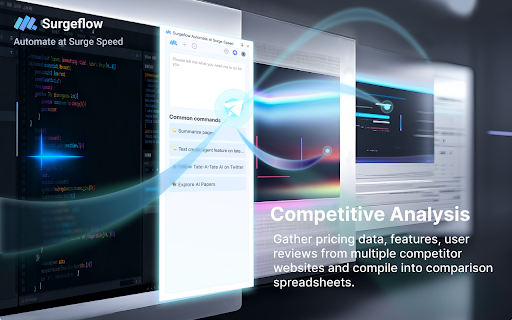


Automate web tasks with AI! Surgeflow is a Chrome extension that lets you automate your workflows in your own browser. Stop Drowning in Browser Tabs. Start Automating with One Command. SurgeFlow transforms repetitive browser work into intelligent automation — powered by AI and executed directly inside your browser. 🚀 What is SurgeFlow? SurgeFlow is an AI-powered Chrome extension that turns natural language instructions into real browser actions. Instead of switching between tools, copying data, or repeating workflows manually, simply tell SurgeFlow what you want — and it completes tasks across your tabs automatically. Your work happens in the browser. SurgeFlow brings AI directly into that workflow. ⚡ Why SurgeFlow? Modern work means juggling dashboards, documents, emails, and research across dozens of tabs. Repetitive actions consume valuable time and attention. SurgeFlow eliminates manual busywork by allowing AI to interact with your browser workflows safely and efficiently — so you can focus on decisions instead of clicks. ✨ What’s New 🎁 Invite & Earn Rewards: Share your personal invitation link from the Settings page. When friends sign up using your link, both of you receive reward points. 🧠 Smarter Task Routing: An upgraded task dispatcher intelligently distinguishes between automation tasks and everyday questions, enabling more flexible assistance beyond execution workflows. 👆 Improved User Guidance: When user interaction is required, SurgeFlow now provides clearer prompts and seamlessly continues automation once the action is completed. 📊 Structured Output & Export: Results such as summaries, reports, and structured data are now generated in organized formats — including downloadable files and tables ready for immediate use. 📸 Screenshot Automation: Capture your workflow effortlessly: Single-screen screenshots&Full-page scrolling captures Screenshots can be generated and saved directly during task execution. 📊 Real Example — Customer Onboarding Example 1 — Multi-Platform Creator Data Organization “Collect this week’s performance data from a creator’s Xiaohongshu, Douyin, and TikTok accounts and organize it into a table.” → SurgeFlow gathers data across platforms and outputs a structured table ready for download. Example 2 — Job Search & Application Automation “Find job positions that match these requirements and fill out the applications.” → Searches listings, extracts relevant information, and completes repetitive application steps automatically. Example 3 — Email to Calendar Automation “Add interview dates from my emails into Google Calendar.” → Detects scheduling information from emails and creates calendar events automatically. Example 4 — Batch Collaboration Invitations “Invite editors in bulk and send email invitations.” → Processes contact lists and sends structured invitation emails efficiently. 🎯 Perfect For Researchers organizing large volumes of information Shoppers comparing products across sites Job seekers managing applications Marketers collecting competitive insights Content creators publishing across platforms Anyone overwhelmed by browser tabs 💡 Key Features ✓ Natural language commands ✓ Multi-tab workflow automation ✓ Intelligent task understanding ✓ Guided human-in-the-loop automation ✓ Structured data output & export ✓ Screenshot & scrolling capture ✓ Quick actions and reusable commands ✓ 10–50× faster than manual workflows

Starizon AI: AI Agent for Auto Browse & Automation
AI Agent for Auto Browse & Automation 🔥 Starizon is your all-in-one AI assistant. Press Cmd/Ctrl + Shift + S to start. 💪 Key Features: 1️⃣ Chat with AI ✔️ AI Chat: Open the Sidepanel to start chatting and easily ask about anything. 2️⃣ Agent S6 ✔️ Page Actions: Simply input your tasks in plain language, and automate the browser actions on the page using the AI assistant. ✔️ Replay: Save your executed page actions and replay them for free on similarly structured pages. ✔️ Complex Agent: A page actions agent with cross-page/multi-step reasoning and autonomous decision-making. ✔️ Complex Agent: A page actions agent with cross-page/multi-step reasoning and autonomous decision-making. ✔️ Automated Control Flow: Streamline repeat tasks and looped data processes with intelligent automation. ✔️ Automated Workflow Editor: Design and customize automated workflows with a user-friendly visual editor. ✔️ Apps & Skills: Skills help you save reusable workflows, prompts, and expert actions so common tasks can be run again in one click or by Agent S6. ✔️ Apps connect your external tools and services, giving Starizon the context and integrations it needs to complete tasks across the web. ✔️ Slash Commands: Slash commands let you trigger skills instantly from the chat box with fast, lightweight commands like /summarize or /extract. 3️⃣ Chat & Summarization ✔️ Web Page Summarization: Get summaries without reading the entire web page. ✔️ Web Page Chat: Chat directly with web pages and get answers based on their content. ✔️ Multi-Webpage Chat/Summarization: Chat with or summarize multiple pages simultaneously, allowing you to interact with and get insights from multiple sources at once. ✔️ Document Chat: Upload documents and ask specific questions to streamline research. ✔️ YouTube Insights: Summarize and repurpose YouTube content. 4️⃣ Extract Web Data ✔️ Data Extraction: Chat directly with web pages to extract data from them. ✔️ Data Download: Available in XLSX & JSON formats. ✔️ Replay: Save your data extraction actions and replay them for free on similarly structured pages. 🚀 How to Use? 🔸 Click the "Add to Chrome" button and pin it to your toolbar. 🔸 Log into your account or configure your OpenAI API Key. 🔸 Press Cmd/Ctrl + Shift + S to activate Starizon. 🔸 Get started with AI! 📌 Do I need a ChatGPT/OpenAI account? No, you do not need to have a ChatGPT account to use this extension. You can create an account for free on our website. 📌 ChatGPT is banned in my country. Does this extension work in my country? Yes, we are available in all countries. 📌 Is it free to use? Yes, we provide new users with 100,000 tokens for ongoing use. And bring your own API Key(BYOK) to use most features. For unlimited access, consider our Pro Plans when you need to scale up. Try Starizon AI now and experience the power of AI assistants.

Chat4Data: AI Web Scraper & Data Extractor
Your smartest AI web scraper for effortless web scraping 🎯 Powered by Gemini, Claude, and other leading LLMs, Chat4Data Agent runs entirely in your Chrome browser. Just ask for any web data you need— it navigates the page, finds the right fields, handles pagination, and delivers structured data in Excel, CSV or Json. You don't open the page. You don't click anywhere. You don't write a single XPath. Just ask, and it does the rest. 🏆 #1 Product of the Day & #1 Product of the Week on Product Hunt 🌐 Official Website: https://chat4data.ai 1. Ask Type what you want in plain English. Be as specific as you'd be with a colleague: "Open Amazon, search for 'Lego', sort by best sellers, and scrape product name, brand, rating, number of ratings, and price from the first 3 pages." 2. Check the plan The agent doesn't just nod and disappear. It lays out exactly what it's going to do, step by step: 1. Open Amazon homepage 2. Search for 'Lego' in the search box 3. Sort results by Best Sellers 4. Scroll to bottom of the product list, collect brand, name, rating, ratings count, and price 5. Click next page, repeat for 3 pages total 3. Confirm & Run Need tweaks? Just say so. Happy with it? Hit start. Your second-to-none web scraping assistant. All it asks is your ask— No setup, no site hunting, no flow configuration. Just describe what you need, and Chat4Data handles the rest. Scrapes the whole page in one task—No more splitting tasks or merging CSVs by hand. Want to add a field mid-scrape? Just say so. Adapts when things get tricky — Handles pagination, infinite scroll, detail pages, and one-level-deeper extraction. A dual-XPath locator with field validation ensures it delivers the right data even on complex, dynamic pages. Human-in-the-loop — Hit a login wall or CAPTCHA? It pauses so you can step in, then picks up where it left off. Low cost — Configure once, rerun anytime at a fraction of the cost of cloud-based scrapers Privacy-first by design — All scraping runs locally in your browser; No data uploaded or stored on our end. Lead generation & B2B sales — Extract email addresses, phone numbers, and contact info from directories and listing sites to build high-intent outreach lists 🛒 E-commerce price monitoring — Scrape product titles, prices, discounts, stock status, and reviews from competitor or marketplace pages to optimize pricing and promotions 🏠 Real estate research — Collect property listings, prices, photos, attributes, and agent contacts from housing portals to analyze market trends and generate leads 🌐 Local business prospecting — Scrape local directories for addresses, phone numbers, and ratings to build geo-targeted lead lists 💬 Competitor analysis — Monitor competitor pages for content, pricing, and positioning changes 👤 Recruitment — Scrape job boards and professional directories to source candidates or track hiring trends Pricing Free to start. Premium plans for heavier use. More: https://chat4data.ai/pricing 1. Works on publicly accessible web pages only 2. Supports list pages with one level of linked detail pages — deeper sub-page navigation is not currently supported 3. Please ensure your use complies with the target website's Terms of Service 4. For pages behind a login, the agent will pause and ask you to sign in. 5. Privacy Policy: https://chat4data.ai/privacy-policy Help Center: https://chat4data.ai/docs/tutorials Email: support@chat4data.ai If you encounter a website that doesn't extract correctly, we typically respond within 24 hours.

Liminary
Save anything—webpages, PDFs, AI chats, videos. Liminary resurfaces what you need, when you need it. No searching. No folders. You saved it somewhere. The article. The stat. That ChatGPT thread with exactly what you need right now. The meeting notes stuck in another app. But you can't find it. Liminary saves anything (webpages, YouTube videos, PDFs, AI chats, emails) and brings it back to you while you work. No searching. No digging. No remembering what folder or app it's in. WHAT YOU CAN SAVE → Webpages and articles → YouTube videos (with transcripts) → PDFs and documents → ChatGPT and Claude conversations → Perplexity search results → Gmail threads → NotebookLM pages → Local files → Meeting notes WHAT LIMINARY DOES → One-click save: Capture any content from your browser instantly → Auto-recall: relevant notes and sources surface as you browse or write in Google Docs → Live recall in meetings: pull answers from your saved content during Google Meet calls → Fact check and gap detection: While writing google docs, catch errors and missing context before you publish → Ask anything across your saved content, with sources cited on every answer → Collections: Organize by project, client, or topic → Collaborate: Share your collections with your co-workers, your clients, your friends. BUILT FOR PEOPLE WHO BILL FOR THEIR PERSPECTIVE Consultants, strategists, researchers, and freelancers lose hours hunting for things they know they saved. Liminary gives those hours back. Everything Liminary surfaces comes from your sources. No hallucinations. No made-up citations. WHY LIMINARY VS. BOOKMARKS OR NOTE APPS Bookmarks pile up and die. Note apps require you to remember what you wrote. Liminary captures content and context — everything you read, including the AI chats and video transcripts most tools ignore, and surfaces it while you work, before you think to look. Save anything. Your knowledge will find you when you need it

MiroMiro
Inspect any website's design: extract colors, fonts, spacing, SVGs, Lottie animations, and export to code. No DevTools needed. MiroMiro is the design toolkit for the web. Inspect any website, extract its colors, fonts, components, and assets, edit styles live like in Figma, and export clean code, all without opening DevTools. What you can do: • Inspect & edit live. Hover any element to see its styles. Click to open the Editor panel and change colors, fonts, spacing, borders, opacity, and shadows in real time. The page updates as you type. • Click to copy any value. The Info tab shows every property of the selected element as a copyable chip. Grab a hex color, a font family, a shadow, a border-radius. One click, on your clipboard. • Export to code. Select any section of a page and export it as clean Tailwind or HTML + CSS. • Capture the design system. The Overview gives you the site's full color palette, font stack, spacing scale, radius style, shadow tier, and detected tech stack at a glance. • Download assets. Pull images, SVGs, and Lottie animations directly from any website. No more right-click-save-as. • Accessibility checker. Built-in WCAG contrast analysis on any text element you select. • Design tokens. Extract tokens for Tailwind, CSS variables, or JSON. Who uses MiroMiro: - Web designers collecting color palettes, font combinations, and visual references - Frontend developers grabbing CSS values, inspecting layouts, and extracting assets - UX designers checking accessibility and color contrast across pages - Agencies analyzing competitor websites and gathering client brand assets How it works: Open MiroMiro from the Chrome side panel and browse any website. Colors, fonts, images, and assets are extracted automatically. Click any element to see its full CSS breakdown. In the Editor tab, change any value and watch the page update in real time. Copy or download anything with one click. No DevTools needed. Just hover, click, and copy. Free for 3 days with full access. Upgrade to Pro for unlimited exports, full page accessibility scans, and unlimited extractions.
