
bjkfigedpppnggdamgeclieeekhbgjpc

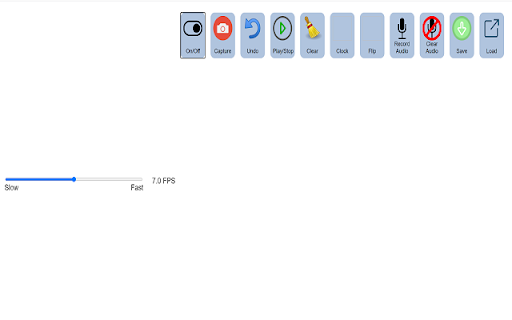
Make Stop Motion videos using your webcam This is a simple tool for creating stop motion animation sequences using your web camera. If you want to make stop motion animation videos, you should install our software. Animation sequences are saved to a video file in the webm format. Stop motion is an animated filmmaking technique in which objects are physically manipulated in small increments between individually photographed frames so that they will appear to exhibit independent motion or change when the series of frames is played back. If you are STUCK, please READ the help page inside the extension! We made a demo video on the help page which explains exactly HOW to use the software extension. Fixed a bug where you could not load a previously saved video. To begin using this software, here is what you need to do. Read the help page inside the extension if you are stuck with using this software. Fixed a bug where the save function was corrupted. Users can now save the file in mp4 format. Fixed a bug where the output webm file was corrupt. Now you can open this webm file inside Google Chrome. The main reason for this bug is because when the Google Chrome browser was updated, it modified the way webm files were saved. Install our software extension Click on the icon and allow web camera Begin making your stop motion animation video Its possible to make entire stop motion movies using our software, the possibilities are endless. To begin making stop motion video, just install our software and get started today. Some of our users enjoy making lego stop motion videos, its possible to make short skits/short videos using stop motion.

Blooket Hacker
Studyoutlaws Blooket Assistant: answer visibility for homework and live games, timing + accuracy control, and user-driven behavior. Blooket Hacker is a powerful Chrome extension built to enhance your Blooket experience with smart automation, real-time answer solving, and advanced farming tools. Whether you're playing live games or grinding Study mode, StudyOutlaws helps you progress faster, smarter, and more efficiently. ⚡ Designed with performance and simplicity in mind, the extension features a clean control panel, real-time syncing, and customizable automation settings — plus weekly giveaways and referral rewards to unlock Pro and Ultimate access. 🔐🎉 - 🚜 Blooket XP + Coin AutoFarmer (Beta) — Instantly get the daily Max Coins/XP using our website - 🔗 One Time Account Linking — Set it once and let it run - 📅 Smart Scheduling (Daily / Weekly) — Consistent scheduling custom to your preference - 📊 Run Tracking System — See active and completed sessions -⚡ Improved Solver Speed & Accuracy — Faster, more reliable answers using ai for all game modes - 🤖 AI Fallback System — Solves unknown questions automatically for all game modes -⚡ Sync & Solve System — Refresh and solve instantly with one click - 🧩 Autosolve Mode — Automatically answers questions with adjustable delay & accuracy Everything in Starter plus: Advanced automation for users who want more control and higher limits. -⚡ Autosolve Controls — Customize delay and accuracy - 🎛️ Panel Customization — Toggle dark mode, highlights, and more - 🧪 Debug Logs Access — Advanced diagnostics and troubleshooting Perfect for getting started instantly: - 🎯 Tier-based referral rewards (up to 90 days Ultimate) - 🎟️ Referral entries boost your chances - 🎁 Bonus giveaway entries from free referrals - 🔒 Google login support - ⚡ Fast, simple entry for all users - ✨ Full UI redesign — cleaner, faster, smoother Upgrade your Blooket experience with a fast, automated, and feature-rich Chrome extension designed for performance and simplicity. 🚀

Screenshot reader™
Screenshot reading support for Read&Write for Google Chrome™ This extension provides OCR for users of Read & Write for Google Chrome. You should not install this extension unless you want to enable the new screenshot reading functionality released in December 2016

Lingdys for Chrome
Lese- og skrivestøtte for Chrome Lese- og skrivestøtte for Chrome Lingdys for Chrome Norges mest brukte verktøy for lesing og skriving, Lingdys, er tilgjengelig for deg som bruker Google Chrome eller Chromebook. Med Lingdys for Chrome kan man lese opp tekst på nettsider, få hjelp mens man skriver med ordforslag fra ordprediksjon, stavekontroll og mulighet for å slå opp ord i ordbøker. Lingdys for Chrome inneholder følgende: - Bokmål, nynorsk, engelsk, tysk, fransk og spansk. - Opplesing med markering av ord og setning av valgt tekst på alle nettsider. - Opplesing ved skriving av bokstaver, riktige ord, feilstavede ord og setninger. - OCR: Skanning av tekst fra skjerm, der valgt tekst både kan kopieres og lagres. - OCR: Skanning av matematikk og avanserte formler. - Diktering / talegjenkjenning for bokmål, englesk, tysk, fransk og spansk. - Stavekontroll mens man skriver. - Stavekontroll og tekstkontroll av hele dokumenter. - Stavekontroll som hjelper med dialektfeil, bokstaver som ligner og sammensatte ord. - Ordforslag mens man skriver - forslag til dette- og neste ord, korrektiv prediksjon og bruk av jokertegn i prediksjon. - Ordlister - lag egne brukerordlister eller lag ordlister fra et dokument. - Brukerord - legg til egne brukerord eller importer ord fra et dokument. - Erstatninger - lag egne erstatningsregler. - Oppslag og søk i ordbøker på alle nettsider. - Lagring av tekst som lydfil. - Opplesing av PDF-er i nettleseren. - Fungerer i Google og Microsoft sine nettbaserte applikasjoner og i generelle skrivefelt.

ideaocam
Designed for Ideao document camera, IdeaoCam let you take snapshots and create amazing video with ease! Connect with your Goolgle account, and access your file anywhere, anytime. IdeaoCam allows you to upload pictures directly onto your Google Drive, or use with Google Classroom to create assignments. • Control Ideao Camera Perform up to 6x zoom to get a close-up shot. Rotate in 0°/90°/180°/270° to get the right displaying angle. Flip and mirror the video when turning the document camera into the front-facing webcam mode. Freeze the image to avoid any interference. The intuitive menu bar let you control the Ideao document camera at your fingertips. • Snapshot and Record Take snapshots and record videos in the selected resolution. IdeaoCam offers the easiest way to digitize your content in picture and video format, no matter you are using IdeaoCam for live demo or pre-recorded sessions. • Stop Motion Video Create eye-catching stop motion video becomes easier than ever before! Featuring Onion Skinning to let you see through the frames and compare the keyframes to make perfect stop motion. All you need to do is taking pictures, adjust the frame per second, and export the stop motion video. It is that simple. • Connect with Google Drive and Google Classroom Sign in and access your Google Drive or Google Classroom. Every snapshot and video you make, you can save directly onto the cloud drive without hassle; or assign as quiz, assignment, or announcement. Enjoy the seamless integration with Google to help your lesson preparation more effective.
